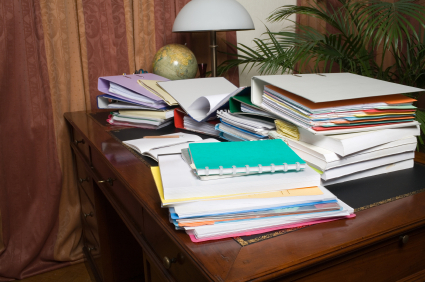
Do you have a small space in your house that you use as a home office? If so, no matter how large or small that space is, from time to time you have probably found that you seem to be overrun with paper files. It doesn’t really matter how big a business is, there is still going to be a lot of paperwork around, from invoices to contracts and other important documents. These all need to be kept in order, and this is not always as easy as it sounds. But, it can be made to be quite easy with an online filing system like Paper Tiger Filing System software. This type of office management software is not going to allow you to eliminate your paperwork, but it will allow you to be able to store the paperwork away and access all of the files you need in a matter of seconds.
In order to have an organized filing system for your home office or other company office, you will need to first make decisions about the paper that comes into your office.
For those paper files that you need to keep in hard copy format, index the item name and keywords into Paper Tiger. Then for your paper files that you do not have to be kept in hard copy format, scan them, then upload to Google Docs which will be your digital file storage location. Note that some scanners will scan directly to Google Docs, so check with your scanner manufacturer to see if there is an update to allow you to skip the uploading step. For these documents that you’ve scanned, you can then decide to shred or recycle them.
Activate Digital Tiger by connecting your Paper Tiger Online account to your Google account. Digital Tiger is a free add-on with a paid Paper Tiger Online account (Basic and Pro plans for now), to connect your Paper Tiger Online account to your Google Docs, then you will be able to search from one place to find both your paper/physical items and your digital files. More information can be found on our Digital Tiger page.
To prepare for Digital Tiger, you can create, scan or upload your digital files to Google Docs format. Again, Paper Tiger is for indexing the paper files and other items that you need to keep in hard copy format, such as passports, instruction booklets, or CDs, DVDs, Books, home or office inventory and/or storage, etc. If there are some documents that you’ve scanned but still need to keep in hard copy format as well, you can also index them into Paper Tiger, so when you search for a keyword, you’ll be able to see that you have a copy in your physical file cabinet and you also have a digital copy of that file in your Google Docs.
So file your paper files as you normally would, but simply index the documents adding all necessary keywords you would relate to the documents into the paper filing system software as you file them into your filing cabinet. If yours is a business that has only one employee – you – there is a lot of work to be done, and you won’t always have the time to search through stacks of papers just to find one thing in particular.
You will be able to quickly find any file at the time you need it, whether you have the file in paper form or if you have digitized the document to a digital file in Google Docs.
It doesn’t matter if yours is a small business that you run out of one room in your home or if you work in a large corporation. Businesses of all sizes can benefit from using this online filing system. This type of software is excellent for helping companies and employees with time management, because they can use the time they would have wasted searching for files to do other things that are more important. Any business owner, no matter how big their business is, loves to find ways to save time and money, and using office management software to organize paper files is an excellent time saving tool. The software is easy to set up and use, and all you have to do is make sure that every new paper document that comes into your office that you make the decision whether you need the file in paper hard copy format or if you can shred it after scanning and uploading to Google Docs.
If you need to keep in hard copy format, index the information into Paper Tiger. Then, you can file the paper document into the corresponding hanging file folder and not have to worry about where you put it when you need it later. And those documents that can be kept in digital file format instead, scan to Google Docs and shred it.
Either way, implementing Digital Tiger, powered by Google Docs, with Paper Tiger Online, you may not be completely paperless, but you’ll have less paper and you will be able to Find Anything In Your Office In 5 Seconds or Less…Guaranteed!

It seems that pretty much everyone has stepped into the computer age, and there is not a business in the world that does not rely on computers for a lot of their work. Even organizations that are steeped in thousands of years of tradition, such as churches, are not immune to this, and you will find that most churches are finding ways to use computers to their advantage. Churches are using Paper Tiger Filing System Software for document management to set up their filing systems so that everyone on the church staff can find the files they need quickly.
You would probably be quite surprised to see just how much paperwork an average church has, and how many filing cabinets are filled to overflowing. The church is a business like any other, and it is necessary to be as efficient as possible so that time and money is not wasted. Most people don’t think of churches as businesses, but church staff must manage the money received just like any other business to be able to maintain the buildings and pay staff.
Church fundraisers are not the only way that churches acquire money, and everything they do must be accounted for. This means that they have to record information from all business transactions, which means a lot of paperwork. Don’t forget about all of the paperwork for weddings, funerals and other special services performed at churches. All of this information must be saved for future reference if needed, so again, there are more papers to be filed.
Then think about all the sermons and other service notes, and books that are referenced, and CD or DVD recordings. How are these maintained to be able to retrieve again when needed?
When church administrators make the switch from paper filing or document management software, they are doing their secretaries a huge favor. No longer will they have rely on memory or guess how someone else filed something or search through mounds of papers to find a particular file. After indexing everything into the software database, all it takes is a few clicks to conduct a Google-like search in the database and you’ll know exactly where the needed item is located. Not only does this make finding things easier, it also makes it so one can declutter the office.
If you work in a church office that is overflowing with paperwork, implement document management software to help you get organized. Even if your church is considering going to a paperless filing system, there are some things that can’t be scanned, as mentioned previously, i.e., books, CD and DVD recordings. In addition, things such as drama team props and costumes, children’s church items, youth group projects — basically anything that you can put a number onto, you can index so that your staff can find what is needed quickly.
It will make everyone’s work a lot easier, and if you are the person who usually takes care of keeping track of where everything is, it will definitely make your life easier, saving you time and energy.
See other information at Organizing Church Documents The Easy Way for tips on labeling and categorizing.
If your church is planning on scanning even some of the paper that flows through the church, try Google Docs. Unlike many digital filing systems, Google Docs is more cost effective in digital storage, and with Paper Tiger-Digital Tiger Filing System Software for document management, you’ll be able to search for both physical items and scanned or digital files from one search. This will make your time management and productivity even easier to maintain!
Using a Paper Tiger-Digital Tiger Filing System Software for Document Management to organize an entire office or workspace in one place is the ultimate solution to document management. Of course, that also means you can get organized in your personal life, too. You can manage your digital and paper files in one place. It can be practically paperless, too. These two systems enable you to file and store both paper files and PDF files.
And, for those paper files you do need to keep, you can index those paper files and locate them while the same search will find your digital files. It really is the simplest digital filing system in the world. This is a revolutionary time saving, space saving, life changing organizational approach to document management.
The online filing system software takes less than 60 seconds to sign up for and less than 30 minutes to learn. You will have access to videos, knowledge base and FAQs (frequently asked questions) to make the process of understanding and getting started as simple as could be. The thing is, these types of paperless or limited paper filing system software help you organize things other than paper. Any physical item that you can put a number onto and index or catalog it, you can file or organize and keep track of it by using these applications.
Advantages of a Document Management System
You can gain control of your life, not to mention, find your desk again. Never before has it been possible to be this organized. Once the system is in place, you can organize your office and everything in your life.
It also means you have a secure filing system and document management system that doesn’t collapse each time you have staff turnover. It unifies team members by making data sharing easy, as well as so much faster than could have ever been done before using previous methods. In fact, users of the software save around 150 hours each year by using this approach to tracking down exactly what they are looking for right when they need it.
And not only for staff turnover, but families can benefit as well. When you implement filing system software in your home, anyone in the family can conduct a search in the database and find what is needed quickly without scrambling all over the house for the needed item.
Who Can? You Can!
The question really should be – who can’t benefit from using a filing system or document managing program? People such as teachers, homemakers and auto dealers all find this system works. Police departments, dental offices and even students have put this document management system to good use. And, funeral homes, electricians and home offices are just a few more of the many types of companies and organizations able to change their lives by getting organized with this filing system software. This includes companies, corporations, non-profits, government agencies, professionals and individuals.
So, maybe it really is your personal life you want to get organized. Or, maybe you would just like to live in an almost paperless world. You could declutter your life while recycling your old papers and being more environmentally friendly. More than likely though, you will find that using these approaches by implementing Paper Tiger-Digital Tiger Filing System Software for Document Management will make sense in both your personal and professional lifestyles.
This article has some great suggestions for steps to get organized and create a system for yourself that will keep you organized. Notice that one of the suggestions is to implement a document management system in your office. Paper Tiger-Digital Tiger Filing System Software for Document Management. Digital Tiger promises to help clear your desk without clearing out your wallet! You may not be able to go completely paperless, but you can sure de-clutter your desk to create a more productive environment.
Ahhh, the enlightening feeling of a clear and focused mind. Everything on your “to do list” is done, time to relax on the couch, and slip in to that Zen state. Chances are this isn’t you because most people spend more time trying to organize their lives than actually making progress. Keeping organized is a daunting process that requires discipline and, most importantly, knowledge of what to do.
Once you start figuring out how to plan, and differentiate your daily tasks, you will become more proficient at accomplishing your goals. Whether you are looking to better achieve the items on your to-do list, or you are trying to better organize the electronic clutter at work, you should understand organization is a learning process. Some people are inherently detail oriented; others learn their disorganization is negatively impacting aspects of their lives. This is the way life works, but for those of you looking to better improve your organization to save time and be more productive, here are few tips and tools.
1. Create a List That Works For You
Whether you work better on a Google Calendar or you are more of a physical calendar person, determine what works best for you and go with it. Create separate lists for work and personal. Carry both of these lists in portable form, around with you wherever you go (Whether it is mobile device or a hipster PDA, planner or day-timer type calendar). Keep these items in terms of priority with short term first and long term next. Once you begin achieving items on your list, you will learn how to breeze through your goals or obligations.
2. Document Management Software
Document management software allows you to organize your work files by indexing and assigning tags or keywords to each document you file. This software is incredibly powerful because it allows instant retrieval of documents by storing your files in one place. Digitizing your documents can also save space, according to Eco-officiency, “Current estimates show that 50–70% of space in an office is still dedicated to filing and storage of documentation. The real clincher is studies showing that over 45% of the files in those cabinets are duplicated information, and 80% is never accessed again.” Save yourself the hassles of cost-heavy activities and implement a document management system in your office.
3. Hipster PDA
The hipster PDA is for everyone out there like me. The person who loves mobile apps, but knows there is nothing that drives you to a call to action like a physical piece of paper. I make my hipster PDA every weekend, and it guides me through personal, work, diet, fitness and social “to do’s.” Hipster PDA planner pages are available to help you put everything you need on to an index card.
4. Eliminate Clutter
Organize your computer’s folders, itemize your Google docs, and clean your desk. Spend a weekend to get “uber” organized. This will serve as a base for your productivity as you move forward on your goals. You will find that eliminating clutter enlightens your mind. Hopefully making you feel more at peace with your current situation, and allow you to function more effectively.
5. Gcal
Google calendar may be the best way to organize and compile upcoming events on the web. Because it’s made by Google and hosted remotely, Gcal is accessible from any computer or phone. The recurring feature is great for consistent weekly events and allows for multiple different themes and skins. Gcal also has added functionality with your other personal accounts, having the ability to sync Facebook events and link them with your Mac’s iCal App.
Whether you are using a bit of tips and tricks to get yourself on the fast track to time savings or productivity apps to get organized; you will find that as you progress into a mode of functionality, things will happen faster and you will approach each “to do” differently. Good luck! Stay healthy, focused and productive.
Matt Krautstrunk is an expert writer on point of sale systems based in San Diego, California. He writes extensively for an online resource that provides expert advice on purchasing and outsourcing decisions for small business owners and entrepreneurs such as restaurant pos systems at Resource Nation.

In this webinar, Anne McGurty, productivity expert of Strategize and Organize, conducted basic getting started with Paper Tiger Online functions, such as describing what is a Database, creating a Database, creating a Location, creating Items, printing labels for your items.
Then Anne continued by demonstrating the following, in addition to answering questions asked during the webinar, to help you use Paper Tiger more effectively to get organized and be more productive:
-How to organize things other than paper files
-Filing items from her inbox
-Searching items, then editing
-How to use the Transfer function to Move an Item, with an explanation of why and how to use Confirmation
-How to use the Cleanout Report and benefits of this report (this is one of Anne’s favorites)
-How to Toss an item when it is no longer valid
-Using the Confirmation function when transferring or tossing an item and why the confirmation function is helpful
As information, Anne is a professional speaker, productivity expert, and author. If you want to learn more about Anne and her services, please visit her website at www.StrategizeAndOrganize.com. She may be in Colorado, but she’s nationally recognized as an expert and works with people throughout the US in person and virtually.
See more information here on Paper Tiger Filing System Software for Document Management
You can contact Anne at amcgurty@strategizeandorganize.com or by phone at 303 881-0174.
Q: Referring to labels, can we get the document in a Word format so that I can change font options?
A: Currently, Paper Tiger Online will only extract labels in .pdf format, so it wouldn’t be possible to change the font. However, see this knowledge base article for instructions to create your own labels using MS Word Mail Merge: http://support.thepapertiger.com/entries/20900682-Create-Your-Own-Labels-Using-Mail-Merge
Q: Can you touch on using the alphabetical method & your thoughts on using it. We have several files that we don’t want to index. How do you use Paper Tiger A – Z file system?
A: Filing alphabetically is not the concept behind Paper Tiger. You don’t necessarily need to forget about alphabetizing, however the concept behind Paper Tiger is to file numerically rather than alphabetically and search from keywords that you’ve input versus the one or two words that might be input on the hanging file folder tab when filing alphabetically. If this is frightening or too much of a paradigm shift for you, but you still want to index your filing system, see the following blog posts for how to use Paper Tiger for alphabetical filing.
Q: Did I hear you say that if you want to move from a PC version to web version, the files will be transferred for you?
A: Yes, you can send your Paper Tiger desktop database to our tech support team and they will import the database for you into your Paper Tiger Online account. Prior to sending your database, make sure all pending items have been confirmed by clicking the Confirm box, and empty the Trash. Then export your database to .CSV file by following the instructions below for all databases if you have more than one database. To export a Paper Tiger CSV file from Paper Tiger 4:
1. Open Paper Tiger and the appropriate database.
2. From the File menu, select Export.
3. Check the Select All box.
4. Click the Browse button to select the preferred directory so that you will know where the file will be saved to and type in a file name for the CSV file, click the Save or Open button
5. Then attach the .CSV file to your email that you’re sending to our tech support team at support@thepapertiger.com
Q: How do categories work in Paper Tiger Online?
A: You do not need to add a Category for every item. You can add a Category in the instances when you might want a virtual view of files that are related even though they may be in different file drawers. See our knowledge base article at How do I use Categories in Paper Tiger? for more information.
Q: I have a Paper Tiger account and have created several databases. But when I search, it appears that I can only search one database at a time. Is that correct?
A: Yes, Paper Tiger does not search across databases. Having different databases is only advantageous if you want to keep different filing systems separate and do not want to search for all files in all databases at one time. For example, if you have an Office database and a Home database, you do not want items to pop up from your Office database when conducting a search for an item in your Home database.
Q: I use Paper Tiger for the business that I manage. It is a large dental practice. My doctors want me to be “paperless” and scan in all invoices, statements, etc. When will I be able to do this and organize via Paper Tiger? I have used this system for three years and don’t want to abandon it
A: We hope to have a digital filing solution soon, but do not have a definite date yet.
Q: I would like your views on filing DVD’s and computer software.
A: Of course, you can index DVD’s and computer software, and basically anything that you can put a number onto. Simply index your DVD’s and computer software, and print out labels from Paper Tiger to affix onto each DVD and computer software CD or you can number the CD itself or the edge of the jewel case or storage sleeve.
See our Not Just For Filing Papers webpage for other great ideas.
Q: Once created, can a database be accessed from any computer?
A: Yes, Paper Tiger Online works on any computer with an Internet access including Mac, so you will be able to log into your Paper Tiger Online account from anywhere.
Q: What is the best process for moving from a traditional file system to Paper Tiger?
A: See our blog post Customize Your Filing System with Paper Tiger’s Indexing Method
If you have ever wondered why some paper filing systems are so expensive, the answer might be in how they are used, or rather hard to maintain. The more times that you have to go outside of a system to accomplish the task it is meant to handle, the more you increase its cost. The more additional items that you have to buy to properly use a system, the more expensive it becomes. And, the longer that it takes to train your employees or your family members to use a system, then the more it costs in terms of your valuable time and your money.
Additional items must be bought for some organizational systems to work. This can include a scanner, which is used to create either a digital file backup or to get rid of the physical paper file attempting to go paperless. Some people already have a scanner, but not everyone does. If you have to buy such an item, would you still be saving money by using it? If everything is put on the same disc, what happens to your filing system if that disc is lost, stolen or destroyed? Or worse, becomes obsolete – remember floppy discs? In addition, how do you search for a needed file on a CD or backup?
What if you have a system that is meant to organize more than just papers? What if you have books or CDs or DVDs or items in storage containers or other physical items that need to be documented? If you have to implement a secondary system for the non-paper items, then the cost of that first system will go higher by default. The right filing system software can be used to organize and maintain items beyond just papers…basically anything that you can put a number onto can be indexed.
So how do you index items other than paper? Simply index your books, CDs, DVD’s, computer software, items in storage containers, etc., then print out labels from Paper Tiger to affix onto each item. Actually with Paper Tiger, you can print out the numbered labels first, affix to the item, then index each item to match the relating item number. For CDs, DVD’s, and computer software, you can number the CD itself or the edge of the jewel case or storage sleeve. For books, simply put the item number on the spine. For storage containers, put the number on the end of the container that will face outward.
See our Not Just For Filing Papers webpage for other great ideas.
Finally, you also have to consider the value of your time when you are starting an organizational system. Organization, by its very definition, should mean that things are in the right place and they are easy to find. That should free up some of your time, not bog it down even further.
Experts estimate that people spend 150 hours per year looking for lost information in any office environment. Being able to cross-reference your files and find them with a click of a computer mouse with a simple Google-like search in the database is like paying yourself because you are saving time.
Remember, in business and in your family life, your time is very valuable and precious. You can make more money another day. You can sign a new document or mail out a letter or whatever else you need to do but you absolutely cannot make more time.
Implementing Paper Tiger Filing System Software that’s not just for document management will provide you with an organizational system tool that you will wonder what you ever did without! Get organized with a smart filing system that will help you stop wasting time and start finding what you need, when you need it!
In this article, Anne McGurty of Strategize and Organize, and a Paper Tiger Expert describes the importance of maintaining your paper filing system especially for such events as tax time, plus she recommends Paper Tiger Filing System Software for Document Management to make it happen.
As I watch people during tax season, I am always amazed how frustrated they are with all the paperwork “they need to gather” and how they complain about all the time involved. It really doesn’t need to be that way. Having an efficient filing system in place now, will make things so much easier later.
While it’s fresh in your mind what a headache it has been, I ask you “isn’t it time to finally create a system?” Use this month’s tips to help you get some ideas on getting started.
Happy filing – paper and taxes!
……………………………………………………….
Even with all the technology in our offices – computers, PDAs, email, internet – there is more paper being used these days than ever before. In fact, every year, the average U.S. office employee generates nearly 10,000 sheets of paper. We’re on paper overload!
Don’t let it take over your office — keep only that which you truly need. (Remember, 80% of what we file is never looked at again.) Resolve to deal with your paper files on a regular basis. Whether first thing in the morning, at the end of the day, or somewhere in between, set aside 30 minutes each day so you don’t end up with overwhelming piles.
For every piece of paper that you encounter, make an immediate decision to either toss it, file it, or act on it. Then, make time each day to file your “keepers.” Although it may not be your favorite task, filing as you go will probably take only a few minutes and will make your office life much less stressful and more productive. If you can’t act on the simpler papers right away, keep them in a “quick-task to-do” file, and deal with them regularly so they don’t pile up. For larger, long-term projects, put each one into a separate file folder. To minimize future paper clutter, don’t hit “print” unless absolutely necessary. Keep electronic files rather than hard copies.
WANT MORE INTERACTIVE CONVERSATIONS AND TIPS: See Anne’s blog
About Anne:
Anne McGurty is CEO of Strategize & Organize, a company devoted to training individual’s to be more effective with the tools and resources to be productive in their work environment.
If you liked this article, you’ll love Anne’s transforming productivity training and organizing products to help you organize your business — and yourself — ranging from productivity consulting for individuals and executives to small business coaching programs to keynote speaking (note this is a new website!) and corporate training programs to improve efficiencies in the workplace and improve productivity.
While Anne’s best known for her expertise in productivity and expert office organizing, her clients share that her biggest impact comes from her philosophy of “personalizing her programs to fit the needs of her clients so they can streamline more efficiently with existing processes” – ensuring to create a sustainable work environment. This, Anne says, is the most important key to bringing an individual to personal freedom with time and organization.
You can learn more about Anne and her services, programs, and products for small businesses at www.StrategizeAndOrganize.com.

We Listen To Our Customers
The features in the Paper Tiger Filing System for Document Management software products today were developed in response to many thousands of customers around the world providing us with what they need to better manage their information. Our goal is, and continues to be, to build products that customers love and use in their daily work. What we call “must have” products. We have always had an eye toward making things simple and easy-to-use. We have avoided the temptation to add irrelevant features. We know that this can make a product cumbersome, slow and less inviting.
We carefully read every single email, survey response, and as many Facebook and Twitter posts as possible. We also pay attention to all verbal comments made when customers contact our office. We use this feedback to determine our future product plans. All of this information has been used to prepare our Product Roadmap outlined below. While this is in summary fashion, you will get the gist of where we are headed. We welcome your feedback and you can also sign up for the Beta by taking a short 2 minute survey or you can email us at sales@thepapertiger.com.
Product Roadmap: “The 21st Century File Cabinet”
Paper Tiger software, in both the Windows Desktop and Online Editions, has become the standard for managing physical paper (hanging file folders). The unique indexing method first developed in 1995 is now installed in tens of thousands of companies, government agencies, non-profits, professional firms, homes, etc., around the world. With today’s fast & robust computers, myriad of devices such as the Apple iPhone, Apple iPad, Android phones & tablet computers, Windows phones, etc., and a constant connection to the Internet, the File Cabinet for the 21st Century must also allow the user to easily store and retrieve digital information.
Thus, what you can expect to see in future from The Monticello Corporation, the makers of the Paper Tiger software, is a fully integrated, very easy-to-use solution that will allow the user to store and quickly find, not only their paper-based information, but also their digital files. These digital files include spreadsheets, word processing documents, PDFs (digital & scanned images), photos, text & attachments from email, etc. – virtually any digital file. This product will be very secure, powerful and fast to learn. There will be minimal training required to use the new product and virtually no maintenance required. Any information stored in the “Paper Tiger Digital” Edition will be available from virtually any computer and/or device that the user has available.
The main idea of the product is that users of the new product will be able to stop using their email, various folders, naming conventions that quickly breakdown and a host of other methods to “stay on top” of their information. We have found through our research that our customers are using these “silos” (also thought of as “islands”) of information, as a way of just coping with the overwhelming amount of information they must process (keep safe and retrieve) each day. To find a particular digital document, in many cases the user must undertake the laborious and tedious process of opening each “silo” wasting time looking for the right information, as there is no effective way to search across all their information. The new digital edition of Paper Tiger software will make this entire process automatic and the customer will be able to find anything (paper or digital) in under 5 seconds from one search box. The product will work equally well in a shared, networked office environment where multiple users need access to information, as it does for an individual. Important security, privacy and permission controls will be built into the product that are fully customizable.
There are many reasons that offices are attempting to go digital with their information and to achieve the paperless office. These include the elimination of the cost of purchasing & maintaining file cabinets, reduced labor costs, better document work flow, going “green” and saving the environment, etc. So, if your office is now using a scanning (scanner) solution to generate searchable PDF documents or you just want to get better organized with your digital files, the new Paper Tiger Digital Edition will make a big difference. We are taking a totally new approach to getting you organized, based on years of customer feedback. We are creating the world’s best digital “finding” system, not just another digital filing system. Our attempt is to revolutionize digital filing, just as we did when we revolutionized paper filing with Paper Tiger Desktop and Online Editions.
While we cannot give a definite date for the release of the new Paper Tiger Digital Edition, just know that we are currently well into the development process. All customers who sign up for Paper Tiger Online before we launch the Digital Edition, will get the new features at no additional cost (except for any storage costs, which will be based on how much information you have to store – the cost is low and data storage is dropping in price, but the final price has not been determined at this point).
We want to be as transparent as possible and let you know where we are going with the Paper Tiger products. You can expect further details about the new product as we finalize the product. We are very excited about the direction and welcome your suggestions on additional features or questions on the specifics. To keep you updated on our progress – join us on our newsletter, Facebook or Twitter. In addition, you can give us your feedback and you sign up for the Beta by taking a short 2 minute survey or you can email us at sales@thepapertiger.com. You can also chat with us or call us during normal business hours Eastern Time in the U.S. We are partners together in building the best products to help you better manage your information. Thank you for your business and let us hear from you!
~~~~~~~~~~~~~~~~~~~~~~~~~~~~~~~~~~~~~~~~~~~~~~~~~~~~~~~~~~~~~~~~~~~~~~~~~~~~~~~~~
~~~~~~~~~~~~~~~~~~~~~~~~~~~~~~~~~~~~~~~~~~~~~~~~~~~~~~~~~~~~~~~~~~~~~~~~~~~~~~~~~

Getting organized and staying organized with paper can seem difficult for most people, and therefore many companies are opting to go to a paperless office. This type of filing system may keep things organized, but it can also add countless hours of document scanning in order to keep files up to date. So, although you have things more organized, you are still wasting a lot of time.
Paper Tiger Filing System for document management is different. It is not a paperless filing system. Instead it is a paper management system. It allows you to create and organize files in just a few moments without taking extra time scanning the document or backing up files to ensure that your information isn’t lost.
There is also no special equipment to buy with Paper Tiger Filing System. All you have to do is select the pricing program that fits your budget and your needs and you are ready to start. Setting up with the Paper Tiger Filing System can be done in as little as 60 seconds, and, just like that, you are off to a great start at having a more organized office without the expensive equipment and time spent.
Once you have set up your Paper Tiger Filing System account, it is time to start filing and organizing. It doesn’t matter how many files you have, Paper Tiger Filing System can help you to get organized. We even provide tips and helpful hints and online video training for free to help you get started. For instance, we recommend starting with the files that you use the most and then adding a little more each day. Before you know it, you will have a filing system that works and makes sense.
Paper Tiger Filing System – Simple and Easy To Use
First, you will create a digital file ‘Location’ within the software’s database relating to your physical file location. Then, you decide how many folders you want in this Location. You can add more later if you need to. Then, you create the physical files. This is done by printing tab labels from the software for this location and placing the tabs in your hanging folder plastic tabs. Once this is done, you input information relating to each document in the digital file location. You can give the document any name you want without any worry about finding it later. This is because the system will allow you to tag keywords that describe all documents that you put in your hanging file folders. For documents that you want to add to the same file, simply edit the Item and add additional keywords necessary for the new document(s).
This will work much like a Google search later when you need to find a file. Simply enter in the keyword that you are looking for and the Paper Tiger Filing System will show you all of the results that match. Now, place your document (or documents relating to the same subject) in the corresponding hanging folder. Just like that, your filing cabinet is organized without all the extra time, electronic storage space and hassle that scanning presents.
You can also organize other items with the Paper Tiger Filing System such as office supplies, CDs, DVDs, books, etc. Items are right where they should be and are easier to find. This makes the Paper Tiger Filing System much more than just an office management system; it is a life management system!
~~~~~~~~~~~~~~~~~~~~~~~~~~~~~~~~~~~~~~~~~~~~~~~~~~~~~~~~~~~~~~~~~~~~~~~~~~~~~~~~~
~~~~~~~~~~~~~~~~~~~~~~~~~~~~~~~~~~~~~~~~~~~~~~~~~~~~~~~~~~~~~~~~~~~~~~~~~~~~~~~~~
Getting organized can seem like a daunting task. This is especially true when it comes to paper filing. Knowing where to start, where to file, and how to keep track of everything is the biggest frustration for those who want to organize their paper files. Anne McGurty of Strategize & Organize says, ‘getting organized is right up there with losing weight for the new year. It’s a great new year’s resolution, however, like dieting, it is a lifestyle change rather than a temporary solution. Now, with Paper Tiger Filing System Software for document management, filing can be easier, faster and more organized.
Let’s face it, getting organized is a pain! As a result, many people put off getting organized, only for the mess to continue to get worse….and the new year’s resolution is once again, off the list, but knowing where to get started can help to minimize the intimidation of getting organized.
Say Goodbye To Traditional Methods of Filing
The first step is to find a better paper filing system. Traditional methods can be confusing, frustrating, and just as disorganized as the mess on your desk due to the problems with alphabetical filing systems such as trying to remember the word or two that you put on the tab, or duplicate files because you’ve forgotten how you filed relating documents previously. Not to mention employee turnover and not being group-friendly, because everyone doesn’t think the same. However, finding the right document management software can help you to access all of your paper files easily, quickly and conveniently.
Paper Tiger Filing System is not just a paper filing system – It is a filing system that can help you to get organized, and turn your filing system into a finding system! With Paper Tiger Filing System, you don’t have to worry about how to label your files. It allows you to file each item by name and give a list of keywords to describe the file. That means no more confusion in the office or at home when someone else is trying to find the file or you have forgotten what you labeled it.
Unlike a lot of other document management systems, Paper Tiger Filing System does not require you to spend countless hours performing document scanning. This means that you keep all of your physical paper files, and index them by inputting an item name and relating keywords for each file, so you can conduct a google-like search in the database and be able to find whenever you need them, instead of having to sift through a stack of paper files or trying to remember that one or two-word title you input on the hanging folder tab, which can really take up a lot of time that could be used in better ways. This indexing method enables a more flexible filing system, and you don’t have to worry about trying to remember where you’ve filed something. In just a couple of minutes, you are on your way to more organized living.
The Paper Tiger Filing System also has many different pricing tiers. This means that anyone can use the Paper Tiger Filing System. It is not limited to office management or corporate filing. You can label and conveniently file items in your home office as well.
Paper filing is not the only function of the Paper Tiger Filing System - This professional organizer can help you to organize moving boxes, storage units or sheds, office supplies, collections, books and CDs. You can print labels from the software to label each item and you have a well organized system for knowing exactly where each item is. No more countless lost hours searching for something!
Think of all of the wasted time that you have spent searching for lost papers or items. This problem is completely eliminated with Paper Tiger Filing System software for document management. The easy to follow program and amazing organizational abilities makes it one of the most revolutionary time management systems available on the market today.
Choosing a paper management software can help you to get more organized at the office and at home. It can help you to declutter your life and spend less time searching or organizing.
~~~~~~~~~~~~~~~~~~~~~~~~~~~~~~~~~~~~~~~~~~~~~~~~~~~~~~~~~~~~~~~~~~~~~~~~~~~~~~~~~
~~~~~~~~~~~~~~~~~~~~~~~~~~~~~~~~~~~~~~~~~~~~~~~~~~~~~~~~~~~~~~~~~~~~~~~~~~~~~~~~~
Do you hate your alarm clock in the morning? There are a lot of reasons that you might dread going to work, but one of the reasons might be because your desk is overflowing with paperwork. If so, then you need to know the secret to happy filing so your day isn’t so dreadful.
People spend a lot of time at work. In most jobs, there’s some form of filing system and very often that’s what makes the difference between happy and unhappy staff. It’s also a major factor in the overall success of the business when you and your staff can find what is needed, when it’s needed, instead of wasting a lot of time searching through stacks.
Paper is a challenge that everyone faces at work and people constantly seek better alternatives so they can be more efficient with their time. Regardless of the size of your company, there are only five different choices when it comes to dealing with paperwork.

This one is a favorite for many overworked staff members who toss everything they can into the trash. We suggest recycling or shredding as appropriate.
Unfortunately, you simply can’t get away with throwing out everything because so much of this paper contains valuable information and is needed, either now or in the future. This means that you must find another way to file these papers.

This is a great option if you have very little paper to deal with everyday, but when stacks of paper start to appear on your desk. Then more stacks appear on the floor, chairs, shelves and any other flat surface you can use, you have a surmountable problem.
If you have your own office, then it will inevitably become very cramped. If you decide to use this rather disorganized system, you’ll waste countless hours searching through the stacks to find specific files or documents that you need to work on. Experts estimate that 150 hours are wasted each year searching for lost items. There must be a better way.

This type of document management system has been used for a long time as it doesn’t require the use of computers. A filing cabinet or set of drop files is the popular way to store files. However there are problems with this type filing system.
Different people may use varying titles and so file duplication can occur. As your company grows, so does the number of filing cabinets or shelves. Then it becomes increasingly difficult to file new material and locate previously filed documents. If a drawer gets too full, everything needs to be moved so that the alphabetical system remains in order. This can be a very tedious task. Lots of time and money get wasted on such an unproductive part of people’s jobs.

Scanning can be a great way to reduce the amount of paper you use. The office doesn’t need as much storage for files because your filing can be more streamlined. This is a great method of filing IF you’re prepared to tolerate the poor quality of some documents and the fact that there are many types of items that can’t be scanned, such as bound documents, contracts that need to be kept in original paper form, etc. Of course, it also takes time to remove staples in a stapled file, and if you miss any, there will be a jam in the scanner to deal with.
Many people keep the originals in case the scanned documents create problems, thus causing double handling to occur and defeating the whole purpose of trying to streamline your filing system. Some have also said that they wind up reprinting more than they would have if they had just left their files in paper form.
In addition, good quality scanning equipment isn’t cheap and can also be expensive to maintain, not to mention storage of scanned documents. Such equipment can break down easily and cause havoc if there isn’t another option to use for your filing.
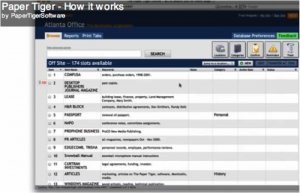
It’s the 21st century, afterall. Why should you use methods that are cumbersome and costly in terms of time and money? Indexing is the answer!
No longer will you have to waste hours looking for or recreating that lost document. You can simply conduct a search in the software’s database and instantly you know exactly where the searched file is located.
There are many advantages to an indexing system software:
Indexing is the best choice and the secret to a better and more efficient filing system. Try Paper Tiger Filing System Software for Document Management today!
~~~~~~~~~~~~~~~~~~~~~~~~~~~~~~~~~~~~~~~~~~~~~~~~~~~~~~~~~~~~~~~~~~~~~~~~~~~~~~~~~
~~~~~~~~~~~~~~~~~~~~~~~~~~~~~~~~~~~~~~~~~~~~~~~~~~~~~~~~~~~~~~~~~~~~~~~~~~~~~~~~~

Paper is by far the #1 reason people contact us. The paperless office that was promised back int the late 70s / early 80s never happened. My friends at The Monticello Corporation created a new video that does a great job of talking about how to gain control of paper. Take a watch and tell me what you think! (click here to see the video)
I’ve been using and consulting with this tool, Paper Tiger Filing System and Document Management Software, for a number of years now. It is one of the tools that we introduce you to when you claim your Office Miracle(tm).
Sound interesting? Contact us today for a no cost / no obligation telephone consultation to see if this is the right tool for your situation. Want to buy it right now? Check out Paper Tiger Filing System and Document Management Software for more information on the tool.
About the Author:
Stephanie Calahan is The Business Vision Catalyst and founder of Calahan Solutions, Inc. She works with purpose-driven entrepreneurs, visionaries, coaches, consultants, health practitioners, authors, speakers and all sorts of remarkable service professionals who are experts in their field, to help them embrace their brilliance, leverage their business and get their message out with power, ease and joy; so that they can make a powerfully positive difference in the world, exponentially grow their income and enjoy a highly-successful and meaningful business… while working less. Learn how you can have more freedom in your life! http://www.StephanieCalahan.com
~~~~~~~~~~~~~~~~~~~~~~~~~~~~~~~~~~~~~~~~~~~~~~~~~~~~~~~~~~~~~~~~~~~~~~

~~~~~~~~~~~~~~~~~~~~~~~~~~~~~~~~~~~~~~~~~~~~~~~~~~~~~~~~~~~~~~~~~~~~~~
Whether your business is a small one-person operation or a large company, you are bound to have all kinds of paperwork. Often, you have so much paperwork surrounding you that you don’t have a clue as to what is where, or which file is which. Even the smallest of businesses have this type of problem, and it can often be quite a task to come up with a filing system that actually works. No matter how hard we try, or how much we dream, it is hard to go paperless and we are never going to be able to get rid of all of the paper flow that just keeps coming. So why not find a way to keep it organized so that you can find anything that you want in just a few seconds?
When you use the Paper Tiger Filing System Software for document management, you will be able to organize all of your paper files. Now this does not mean that you will be getting rid of your paperwork and just using your computer. Quite the contrary. Actually, with Paper Tiger Filing System Software, you will keep all of your paper files, so that you always have the original hard copy available, but index these records in the software database, so you can find anything you want at a moment’s notice. Some people just feel scanning is still not the solution. Often in attempts to go paperless, more copies are printed that have been stored electronically than ever would have needed to be printed had the one paper copy been kept. This can be used as your very own professional organizer and will really help when it comes to time management.
Did you know that a lot of business owners spend more than 150 hours each year just searching for lost files? When you use the Paper Tiger Filing System Software, you will be able to put these hours to much better use. So, you are probably wondering how Paper Tiger can help you, and what it is all about. Well, Paper Tiger is not a system that involves document scanning. Instead, Paper Tiger uses an indexing method. This means that you keep all of your physical paper files, and index them by inputting an item name and relating keywords for each file, so you can conduct a google-like search in the database and be able to find whenever you need them, instead of having to sift through a stack of paper files or trying to remember that one or two-word title you input on the hanging folder tab, which can really take up a lot of time that could be used in better ways. This indexing method enables a more flexible filing system, and you don’t have to worry about trying to remember where you’ve filed something.
Some of the advantages to using Paper Tiger Filing System Software include:
Indexing is the lowest priced form of document management. Having been in the market for more than 14 years, Paper Tiger has a proven track record of document management and helping people get organized and be more productive. Implement Paper Tiger Filing System Software for document management today and you’ll be on your way to saving time and money.
In this article, by Denise Landers, of Key Organization Systems, Inc. and Paper Tiger Expert, Denise says the ‘paperless office’ has not quite made it to reality, and even if it had…would you be more productive? That’s where Paper Tiger Document Management Software and Filing System comes in to help you manage your paper files that continue to flow into your life. Actually, Paper Tiger can help you manage just about everything, because anything you can put a number to, you can Paper Tiger!
~~~~~~~~~~~~~~~~~~~~~~~~~~~~~~~~~~~~~~~~~
We’ve been hearing for years about the paperless office, and great strides have been made in this direction. Yet somehow there are still hard copies of documents on desks and scribbled notes everywhere. Paper calendars continue to sell, and business cards accumulate in stacks and in drawers.
The push in recent years for getting on the electronic bandwagon are the eReaders, and the competition is fierce. Yet have you been to a bookstore lately? They do not seem ready to shut their doors yet.
Newspapers and magazines offer online subscriptions, at great cost savings to them, and for awhile it looked like advertisers were abandoning the print mode. However in recent months, after a two-year lull, there seems to be a reversal in the trend. Multimedia Research data show magazine readership has risen 4.3% during the past five years.
If paperless is the most productive way to go, why are these situations occurring?
There is no doubt that many of the tasks we do are better performed electronically. Yet we like paper! One reason is that we read 30-50% faster with a hard copy as compared with an electronic copy. If you’re not sure about this, consider how you often print out a long email or a document you might want to read in depth later.
Reading faster, jotting notes in the side margins, or comparing documents side-by-side can definitely increase productivity.
One of the newer magazine ads put out through a campaign by five publishers shows a photo of Michael Phelps alongside the message:
We surf the Internet.
We swim in magazines.
It is often easier and quicker to have a paperback or magazine tucked in your briefcase when there is a 10 or 15 minute delay or a need to wait in a line. At home and in hotels, it feels cozier to settle in with a hard copy of a book or magazine than with a piece of electronic equipment.
Everything is evolving, and it is good to combine the best of both worlds, but do not feel that, in order to be the most productive, you must have only the latest and greatest technology.
Denise Landers @timetrainer
Key Organization Systems, Inc.
Original article posted at Denise’s blog
Corporate Training: workshops and consulting to increase daily work flow and reduce stress
Individual Assistance: our onsite and virtual office organizing to bring about changes quickly
On Your Own: books and CDs to work at your own pace
by Stephanie Calahan of Calahan Solutions and a Paper Tiger Expert
We have heard it since the early 1970s – the Internet will make us paperless! Well, I don’t know about you, but my office is not close to being paper-free. One of the reasons for the plethora of paper is that it is just too darn easy to share information today.
Let me give you an example.
When I first started working in an office environment, the Internet and email was not really used to share information. If I had something that others needed to know, it got typed up and I had to walk to the copier and copy it on colored paper. (Different colors stood for different types of information.)
Before I made copies, I took time to think through who really needed the information. I would only make the copies that I really needed. Why? Because after I made the copies, I had to hand address onto inner-office envelopes.
Contrast that to today.
We get something in our in-boxes and decide to send it on. We hit forward and if we want, we could copy our entire address book! Ultimately that means that more information is given to more people at a faster pace.
So, how does that lead to more paper?
Most of us do not like to read information on the screen if it is of any length. We print it! Then the cycle continues over again and again.
Jonathan Spira of the Basex company has this commentary to share on the paperless office.
THE MYTH OF THE PAPERLESS OFFICE
Pundits have been proclaiming the imminent arrival of the paperless office since the 1970s. So far, they’ve been wrong. If anything, we print more today than we did back then.
Yet some still believe in this; those who engage in looking for the paperless office may be engaging in a Sisyphean task.
The New York Times ran a story on February 10 by Hannah Fairfield entitled “Pushing Paper Out the Door.” It speaks of paper-reducing technologies in homes and offices, citing families who scan their bills and opt for on-line statements. To Fairfield I say, “not so fast.”
Indeed Fairfield quotes Brewster Kahle, the founder of the Internet Archive: “Paper is no longer the master copy; the digital version is. Paper has been dealt a complete deathblow. When was the last time you saw a telephone book?”
To respond directly to Kahle, last week. My friend and fellow analyst Amy Wohl famously commented, around 1978, that she thought that the paperless office was “about as useful as the paperless toilet.”
But the article had a bigger problem. While it provided an excellent look on the move to digitization, it completely ignored the elephant in the room, namely a compatibility conundrum that has been with us since the first computer was turned on over 60 years ago.
Books, pamphlets, and broadsides printed hundreds of years ago are accessible without any special equipment. For that matter, the Rosetta Stone (dating from 196 B.C.E.), was also readable upon its discovery in 1799.
Contrast this with millions of files on 8″ or even 5 1/4″ floppy diskettes, various obsolete tape cartridges, and NASA’s earliest photographs of the earth – all mostly inaccessible with today’s technology.
One might presume that the technology revolution of the late twentieth century had increased our ability to preserve our history and cultural artifacts. In actuality, we have failed.
Moving all of our papers to digital form without a plan to ensure accessibility not only 5 years from now but 50 years and 100 years and beyond is not making information MORE accessible but risking that it will become LESS accessible.
Jonathan B. Spira is CEO and Chief Analyst at Basex.
What do you think? Can we go paperless? What have you done? Share your thoughts below by making a comment in the blog comment section.
Twitter.com/StephCalahan
Facebook.com/StephCalahan
PS: Don’t forget to keep your paper files in order with Paper Tiger Filing System and Document Management Software, which Stephanie highly recommends and also includes in her in-person or remote/virtual Office Miracle.
About the Author:
Stephanie Calahan is The Business Vision Catalyst and founder of Calahan Solutions, Inc. She works with purpose-driven entrepreneurs, visionaries, coaches, consultants, health practitioners, authors, speakers and all sorts of remarkable service professionals who are experts in their field, to help them embrace their brilliance, leverage their business and get their message out with power, ease and joy; so that they can make a powerfully positive difference in the world, exponentially grow their income and enjoy a highly-successful and meaningful business… while working less. Learn how you can have more freedom in your life! http://www.StephanieCalahan.com