
This article by Meggin McIntosh, “The Ph.D. of Productivity”™ and a Paper Tiger Expert, will help you think through steps to purge your filing cabinets and get your filing system under control! Meggin also recommends Paper Tiger. Click here to check out Meggin’s webinar that will help you better understand Paper Tiger Filing System Software for document management to be able to use the software more effectively and see how you can get organized in every area of your life — not just paper filing! Meggin does an awesome job in showing you pictures of all of the different things she has organized and relating those items back to what she has indexed in Paper Tiger.

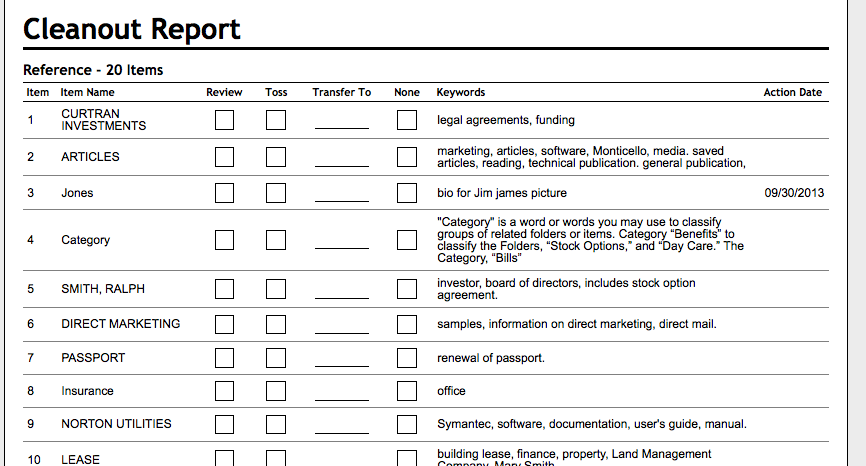
Are your filing cabinets overly full? Below are some tips that Meggin sent to a consulting client who had incredibly (overly) full filing cabinets. Don’t forget to update your Paper Tiger database to update the items indexed to match what is in your filing cabinets, and you might think about using the File Cleanout Report to help you. (see example of File Cleanout Report below)
1. Choose one drawer to start with and just start with the very first file in that drawer. Do not start working on another drawer until you have gone through all of the first place you started.
2. Set aside a certain amount of time everyday, for example, 30 minutes of uninterrupted time, and go through as many files as you can in that time.
3. Just take the one file out of the drawer, put it on your desk, and do the following:
4. If you come to any files that are falling apart, have one of your assistants put things into a new file. It’s frustrating to pull files out that are just falling apart or frayed.
5. Just keep working through one file at a time…and my guess is that you will toss, shred, or archive half of what is currently in your office.
Remember….everyday, go through folders until you are down to the bare bones of what you need to keep in your filing cabinets.
And for more strategies and tips like these, you will want the Top Ten Productivity Tips – the Collection! which is available for immediate download!
Published with Permission (c) 2013 Meggin McIntosh, Ph.D. | The Ph.D. of Productivity(tm) | http://www.meggin.com
About Meggin McIntosh
Meggin McIntosh, Ph.D., “The Ph.D. of Productivity”(tm). Through her company, Emphasis on Excellence, Inc., Meggin McIntosh supports smart people who want to be more productive so that they can consistently keep their emphasis on excellence.
Phone: 775.853.5510
And to keep moving forward on your goals for more peaceful productivity, join others (worldwide) who receive Meggin’s weekly emails, and see what is available for download at no cost at any of MEGGIN’S WEBSITES:
http://meggin.com (Primary site)
http://GetaPlanGuides.com
http://KeepingChaosatBay.com
http://TopTenProductivityTips.com
http://JustWhelmed.com
http://OwningWordsforLiteracy.com
http://PumpernickelPublishing.com
http://StayingPositiveinaFreakedOutWorld.com
http://LifeofEs.com

A home based business can be a fun, rewarding and profitable venture. For some people, this may only be a sideline project, while others utilize it as their main source of income. Whatever you choose to do, keeping your inventory in order is most essential. Nothing is more embarrassing than having to delay or cancel a sale because the merchandise cannot be located. Not only does it make your business look unprofessional, it can end up costing you.

Whether you sell collectible sports memorabilia on eBay, handcrafted jewelry on Etsy, or have your online business through your own website, it is important to come across as professional to your customers. This is what helps you earn new customers and keep them coming back as repeat clients. A huge majority of what helps potential customers decide whether or not to buy from you is your customer feedback and ratings. If you have had issues shipping things to customers in a timely manner because you have trouble locating your inventory, you aren’t likely to earn favorable customer ratings. In order to keep your customer orders moving quickly and efficiently, you should use Paper Tiger Filing System Software to set yourself up for success.
Being a successful entrepreneur means taking your business seriously and keeping your customers satisfied to the best of your ability. Plenty of people have made the choice to sell things online through Amazon, eBay, Etsy or their own online storefront. Nothing is more exciting than when those orders start rolling in. Unfortunately, nothing is more frustrating than realizing you cannot recall where you stored that particular item.
Most home based business entrepreneurs keep bins of inventory in their garage, attic, basement or even at a rented storage unit off their own property. It can be next to impossible to recall which location a particular item may be in, or even which bin you may find the item in, if you can’t narrow down where it may be. This is not only frustrating, but very time-consuming when you have to search through several boxes or locations for an item. Paper Tiger can change all of that.

To use Paper Tiger, all you need is some sort of storage containers or boxes that can be numbered; it is as easy as that. If you have box #1 filled with handmade jewelry, you can list in your database all the bracelets and necklaces, and alternate search terms that could be related to the items, and then also make note of where that bin will be located. When you sell a set of earrings, any of these keywords should help you figure out what box they are in and where the box is located.
 Another example would be, if you have a stamp collection, you could index them in Paper Tiger and note which page each stamp is on. Such as, in your Paper Tiger database, you might have a Location named Stamp Collection. In this Location, each Item Name would relate to a page in your stamp collection book.
Item Name = Page 1, then in the keywords section, list all stamp names and relating information to each. Then you’d just number each page in your stamp collection book.
Whatever your items, indexing in Paper Tiger saves time and could even help save sales you would lose otherwise if you can’t find an item. Make your home based business that much more successful by managing your inventory with Paper Tiger Filing Software.
Good organization paired with Paper Tiger Filing System Software is more than for just your business. Carry this over into your office or personal home space also. For example, keep your paper files and your office supplies indexed in this manner and you will never again have that frustrating and frantic search for the file that you need to reference, or have to search where you have extra pens or printer paper. Set yourself up to be organized in every aspect of your professional and personal life, and you can practically guarantee you will have success in your home based business or any other kind of business.
Sherry Borsheim, a Paper Tiger Expert of Simply Productive, gives us a great clutter busting strategy to get organized, and to stay organized. Sherry also recommends and helps implement Paper Tiger filing system software for document management for not only organizing paper files at home and office, but organizing other physical items because anything that you can put a number onto, you can Paper Tiger. If you need help busting through your clutter in your home or office, get ahead of the September rush of back to school and get your kids and home organized now. Click here to learn more about Sherry’s special offer!

As I was helping a teenager get her room organized for back to school, and she asked me “is your home organized?” And my reply was “yes, I practice what I do with you.” Then she asked me “what are the best rules of thumb for staying organized?” My reply was, “well, there are several rules of organizing that I use in my office, home and life and when you use these on a regular basis, staying organized gets easier and easier.”

I shared with her how appling a few organizing rules on a regular basis was the key to keeping her room organized long after I left. And how she could apply the same rules to planning her school schedule and finding time for her hobbies.
Sometimes all we need is to get pointed in the right direction, learn a few useful skills and you’re on your way!
I’ll be the first to admit that getting organized can be a process and not easy at times. But with regular maintenance, and a few clutter busting tips, staying organized gets easier and easier because you won’t want to go back and do the hard work again.
In this week’s S.O.S. (Simple Organizing Solutions), you’ll learn my best clutter busters for your home and how to apply certain rules to stay organized for years to come!
This one rule of thumb for organizing can change your life and help free up extra space in your home. Click the link to read on:
When you apply this one rule of thumb, on a regular basis, letting go gets easier and the rewards can be very satisfying!
As always, keep it simple and be organized!
~~~~~~~~~~
Sherry Borsheim is the president of Simply Productive. You can visit Sherry, access her free article archive and grab lots of free stuff at http://www.simplyproductive.com. Sherry lives in Vancouver, BC Canada with her husband (her high-school sweetheart).
Contact Sherry so you can get a JUMP-START on ORGANIZING your office, home and life. She will give you her trade secrets and steps to setting up your organizing systems, including recommending Paper Tiger filing system software for document management, to be organized and manage the paper files that you need to keep in hard copy format and other physical stuff in your life.
~~~~~~~~~~~~~~~~~~~~~~~~~~~~~~~~~~~~~~~

Teachers are preparing to open the doors to their classrooms and parents are scrambling to purchase last minute school supplies. We’re sure these teachers wish that preparation for the new school year was as simple as purchasing pens and pads, but unfortunately it is not. However, Paper Tiger Filing System Software for Document Management can make maintaining organization in the classroom a little easier for them.
Think about all the paper files that you have to keep track of and be able to find when needed. As a teacher, you are likely to teach many different students and subjects, and most of the time alphabetical order isn’t enough. Here are some of the things that Paper Tiger can help you with:
Of course, parents and students can easily get overwhelmed with the amount of papers, handouts, homework assignments, project instructions, etc. that is hard to maintain in an organized way if a filing system software is not implemented.
With Paper Tiger’s flexibility, the files can be organized in a way that fits your personal workload. You would simply input the name of the items and keywords related to each file in your Paper Tiger database. (Hanging File Folders = Items) When a file is needed, a simple search can locate any file in seconds.
You can use the aforementioned categories such as attendance records and student assignments and the keywords would include the specifics such as the class, the grade, the year, the class period etc. Replacing the endless paper piles on your desk, Paper Tiger not only reduces clutter but it saves time. You will no longer have to worry about losing an assignment to hand out, creating it again and making twenty-five copies only to spot the original on your desk.
Gone are the days of excessive sorting and taking stacks of miscellaneous paper home every night. With Paper Tiger, all of your paper files can be neatly organized in your file drawer(s) and you don’t have to worry about being able to find them later. This eradicates losing paper files as well. This type of system will also benefit your substitute teacher. Life sometimes gets in the way and we have to miss work. If your substitute teacher can easily find your organized files, (s)he will be able to find what she needs with a simple search in your Paper Tiger database. You can feel confident that your students won’t be disrupted in their lessons because you have implemented a system that keeps you, and your substitute teacher, organized.
Have you ever had a star student that you make an example of in the next school year? You can set a location for “exemplary work” and also know where your past students’ best work is. The same type of thought process can apply to parent teacher conferences and future lesson plans.
By implementing this system, teachers are not only becoming more organized and efficient, they are being responsible. Imagine if your students were going on a field trip and you can’t remember if Joseph brought back his permission slip or you’ve misplaced it. By organizing these types of documents, you will always be able to find them when you need them. You will always be able to retrieve the documents in a timely manner.
The same principle applies for parents and students. Decide what paper files need to be kept, then index the keepers into Paper Tiger’s database. When you need to retrieve an old project paper, you can search the database and you’ll know exactly which hanging file it was placed in. Also, each child could have one file for archives (reports, etc.) that should be kept and one file for stuff that can be tossed out when it’s no longer needed, to avoid having to sort through the files on a regular basis.
An example Location in Paper Tiger’s database for each child might be:
Location Name: Susie’s School Files
Item Name: English (with keywords for any projects and when they are due, along with keywords for other paper files that will be included in this hanging file folder and updated when papers are added)
Item Name: Math (with keywords for any projects and when they are due, along with keywords for other paper files that will be included in this hanging file folder and updated when papers are added)
Item Name: History (with keywords for any projects and when they are due, along with keywords for other paper files that will be included in this hanging file folder and updated when papers are added)
Item Name: Archives (with keywords for all paper files that will be included in this hanging file folder and updated when papers are added)
Item Name: To Be Tossed (set a date to toss these paper files, which could be at school end)
Paper Tiger is Not Just For Filing Paper! If you teach a younger group of kids that use a lot of educational toys, this indexing system will certainly keep them organized. You can use and label storage containers to store these larger items. Younger children have shorter attention spans and won’t be patient while you figure out if the flashcards and toy numbers are in the same place you had them last year. By numbering the storage containers to match the assigned indexed number in Paper Tiger, then input the contents into the keywords section, you’ll know exactly where the state puzzles are when you need them without searching through every container.
Paper Tiger helps to eliminate clutter, so teachers, parents and students will be more organized, and each will have more time to spend with their families because they are not wasting time always looking for things.
This indexing system can benefit teachers of all grades, classrooms, and students. As you prepare to welcome your students in the next few weeks, think about using Paper Tiger Filing System to make school a much more rewarding experience for both you and your students.
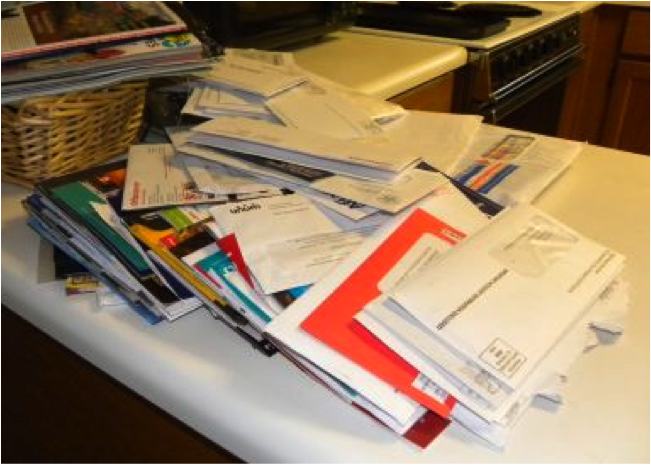
Life can be very stressful. Now add your clutter and disorganization to the equation and it’s even worse. Paper Tiger Filing System Software for Document Management can significantly reduce stress and anxiety levels by helping you get organized and virtually eliminating paper clutter. We’ve compiled a list of tasks that when combined with Paper Tiger are essential towards a less stressful life.
Before any organization can occur, you have to part with paper that you don’t necessarily need. Why are you holding on to last week’s grocery list? Do you really need that pile of junk mail? Surely, if you took the time to look at all the paper clutter that you’ve accumulated, you would throw a majority of it in the trash. Getting rid of the excess clutter is the first step towards reducing stress. A huge weight will be lifted as you throw away extra paper files that you don’t need.
Instead of creating a to-do later pile or getting in the habit of doing things later, get things out of the way. Don’t check the mail and toss it on the kitchen counter, sort through it while it’s on your mind so you don’t have the chance of building clutter piles. By making yourself do this and not procrastinating, you will greatly reduce stress.
In addition to being proactive, be tidy. When you are finished looking at a bill or a magazine, put it back where it belongs. Giving your paper items a home is yet another way to avoid clutter piles. By setting these boundaries and forcing yourself to make decisions in a timely manner, you are stopping clutter before it can accumulate.
For those paper files that you need to keep in hard copy format, you would simply index the item name and keywords relating to those documents into Paper Tiger’s database.
One hindrance to filing is finding a hanging file folder and the tab insert where you would put the name of the file. Then what to name the file is another problem. Files can be named different things, so what do you name each type of file so that you can remember when you need to retrieve the file to reference it again.
Paper Tiger solves these problems because the software allows you to set up all hanging file folders in your file cabinets at one time using the numbered tabs that you print out from the software and they never change. They stay in numbered order for that location in your database. You type in keywords relating to each document in Paper Tiger’s database digital file location matching the physical file location.
Paper Tiger assigns the file number to the document or set of relating documents that you want to put in the same hanging file folder. You can give the document any name you want without any worry about finding it later. For documents that you want to add to an existing file, simply edit the Item and add additional keywords necessary for the new document(s), then drop into that relating hanging file folder. You don’t have to add keywords for every piece of paper in a file if the file name contains the only word(s) you would ever look up to find it. (ex: invoices)
Because the hanging file folders are already setup and waiting for your information, you eliminate the time-consuming hassle of having to find and create a file folder and insert tab each time you want to file something. Again, the software will assign an index number to each file you add to be put in the first available empty hanging folder.
After you’ve converted your filing system to Paper Tiger, you can file your paper files away, and no longer have to worry whether you will be able to find it again. When you need to find a file later, you simply conduct a Google-like search in the database for whatever keyword you’re thinking on that day to find where your file is located.
Paper Tiger is not just for filing paper. You can add other Locations in your database to organize other types of things. Some of these are described on our Not Just For Filing Paper page, which include but are certainly not limited to the following:
As you can see, you can get organized with Paper Tiger and reduce the stress of searching for the things you need, but also to clear away clutter.

Are you someone who has lots of sewing supplies? Here’s something you may not know. According to holidayinsights.com, July 25th is Thread the Needle Day. This is a holiday dedicated to devoted sewists, sewers and seamstresses. Whatever name you prefer, on this day, people literally guide thread through a needle or work out difficult issues. Here at Paper Tiger, we’ll stick to the literal meaning and give you a few tips on organizing your sewing materials in preparation for this special occasion.
As you know, Paper Tiger Filing System Software is not just for filing and organizing paper files. You can organize and index various supplies, books, CDs, DVDs, inventory and even collections with Paper Tiger. Here is how Paper Tiger can help you become the most prepared for Thread the Needle Day.
First you’ll need to gather all your supplies. You probably have sewing needles, thread, scissors, pins, fabrics and other items. The easiest way to store the aforementioned craft items is with storage containers, drawers or tubs, depending on the amount and size of your sewing supplies.
After you’ve gathered your supplies and figured out your method of storage for each type of item, you want to sort the supplies and keep track of them by indexing the items into Paper Tiger. Sort the supplies and place them in the various containers. Be sure to label the containers so that you can know where your sewing needles are and where your thread is. Numbering the containers is a good method.
Now you incorporate Paper Tiger. The committed seamstress will have at least one or two containers of each sewing supply. In Paper Tiger, you will have a location named “Sewing Supplies”. Then for the Item Name, you type in the name of the supply or Box #, and then in the keyword section type in the specific item.
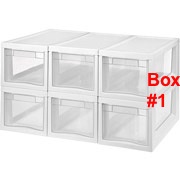
You can put your sewing needles in Box #1, which may be a storage drawer box. Your Item Name in Paper Tiger could be named “Sewing Needles” but you could also name this Box #1, and in the keyword section you have the option of inputting Applique, Embroidery, Leather, Beading, Tapestry and Darning for the different sewing needles that you have.
In this example pictured below, your Item Name could be Box # 1 to match how you’ve labeled the box. Then in this box, you could number the drawers 1-6. In the keywords section of Paper Tiger’s Item Name Box #1, type in the type of needles in each drawer and indicate Drawer 1: Applique needles, Drawer 2: Embroidery, Drawer 3 Leather, etc.
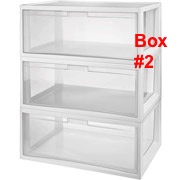
You have a plethora of thread, but you want your golden thread instead of the green thread. Paper Tiger can quickly tell you that your golden thread is in Box #2, drawer 1 if that is what you’ve input into the database to match the drawer location.
If you have your “Sewing Fabrics” in Box #3 and 4, in the keyword sections you could input Burlap, Felt, Faux fur, Flannel, Fleece, Quilting and Seasonal for the different fabrics that you have stored in each box.
By organizing these things with Paper Tiger, you’ll have quick and easy access to all your supplies and they are stored away reducing clutter. The beauty of Paper Tiger is that it can be shared. What if your sister wants to make a dress for you while you’re away in Vancouver? She can still surprise you! Paper Tiger can be used by more than one person and she can easily search for what she is looking for and still keep the supplies organized. To maintain this organization, be sure to place everything back where it came from after using it and index all new items to Paper Tiger. If you don’t remember where to replace an item, simply conduct a search in Paper Tiger’s database, and you’ll easily know where to put it back in its place.
Using Paper Tiger Filing System Software as an organization tool for your sewing supplies will guarantee that you are more than ready for Thread the Needle Day. Your sewing supplies will all be organized, clutter will be virtually nonexistent, and you will know exactly where each item is with a quick keyword search in Paper Tiger’s database to help you find what you need at the moment you need it. Happy sewing!
This article from the blog of Denise Landers, founder and CEO of Key Organization Systems Inc. and a Paper Tiger Expert, offers helpful tips for getting organized and clearing your desk before going on vacation. She suggests that treating every Friday as if you were going on vacation might also be more productive for you. Denise also recommends Paper Tiger Filing System Software and Document Management for paper files in the office.

If you were heading off for a two-week vacation this coming weekend, what would you have to do now to get ready? It is amazing how productive you can be in clearing your desk, in-boxes, and your calendar the week before a vacation. Of course, that often means you will be working longer hours each day until then, but the payoff is in sight.
You may try to complete your part of larger projects. You would probably want to clear away all those little details that you’ve been setting aside “until you have the time.” Home chores also need to be taken care of, such as making arrangements for any pets, notifying neighbors about your absence, and arranging for your personal mail to be held or picked up.
With the pace society is maintaining, it is no surprise that vacation time used has decreased over the past several years. As you strive to balance diverse activities, it can seem impossible to break from that cycle. You feel indispensable and worry about what will happen in your absence and how much will be piled up on your return.
Instead of being excited as your vacation date approaches, you might become anxious and more stressed. It can take two or three days after you leave to unwind and begin to relax.
The ideal way to handle a vacation would be to have no contact with your office or business associates during that time, using your email and voicemail to inform people you are out of town and when you will be back. After all, that is fundamentally what defines a vacation.
However you may find that you worry more when you do not know what was going on. If you feel that you need to stay in touch, I suggest that you try not to respond to business calls on your cell phone throughout the day. Those calls can interrupt you during a pleasurable activity with family or friends and change your mood.
When you deal with business concerns, you mentally place yourself back in work mode, so limit those times. If some contact is necessary, try using email once a day and make phone calls in the same period. This way you have set aside a single block of time for business-related issues. Otherwise constant contact defeats the point of having worked so hard beforehand to get away.
When coming back to the office, take a day to de-stress. Do not have a string of appointments booked. You need that time to process mail, catch up on the latest happenings, and return calls.
You may not have the luxury of a two-week getaway. U.S. employees tend to be more vacation-deprived than other countries. That does not mean that you should not take some time to relax. Even with a three-day weekend, try to limit your involvement with work-related issues during that period. By taking a break from the everyday stresses, you will find that you are actually more productive when you return.
Regardless of your vacation plans, proceed with this week as if you were going away. You will be surprised at how much you accomplish in clearing your desk during these next few days and how much better you will feel on Monday. If you continue to do this, those extra hours you put in before your ‘vacation’ will decrease each week. For more tips on vacation preparation, read “5 Tips to Help You Relax and Recharge.”
Ask yourself, “What do I have to do today to be ready to leave for vacation on Friday?”
About Denise Landers
Key Organization Systems Inc.
Author of Destination Organization
productivity@keyorganization.com
Have you ever tried to “get organized” only to be frustrated after a day, or a week, or a month? Destination: Organization recognizes that reaching your organizing goals is a journey, not a one-time event, as you develop processes to cope with daily demands that constantly change. For help, call Denise at (281) 397-0015
Denise shares her experience and expertise in developing effective, efficient systems to deal with daily workloads and to cope with periods of rapid growth, helping businesses and individuals accomplish more through effective office organizing systems. Her education background in human services lets her tie in the business aspects with individual personalities to produce a unique model for each situation.
Meeting planners may obtain a OneSheet about KOS’s training and speaking services or view demo videos of training topics.
~~~~~~~~~~~~~~~~~~~~~~~~~~~~~~~~~~~~~~~
In the article below, Anne McGurty, a Paper Tiger Expert of Strategize and Organize, gives some tips to declutter collectibles so that your work space will be a more pleasing environment. She also recommends implementing Paper Tiger Filing System Software to help you save time and money!

Collections can look like works of art, or they can look like piles of junk — it’s all in the presentation and preservation. Having a display is great if you have the room and your items can remain safe while presented well.
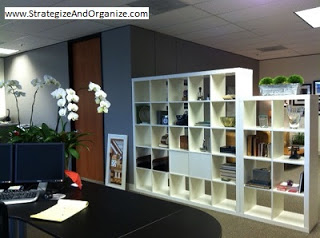
With these few steps, you can declutter the various collections in your space and will be on your way to organizing your office.
About Anne McGurty
Anne McGurty is CEO of Strategize & Organize, a company devoted to training individual’s to be more effective with the tools and resources to be productive in their work environment.
If you like this issue, you’ll love Anne’s transforming productivity training and organizing products to help you organize your business — and yourself — ranging from productivity consulting for individuals and executives to small business coaching programs to keynote speaking and corporate training programs to improve efficiencies in the workplace and improve productivity.
While Anne is best known for her expertise in productivity and expert office organizing, her clients share that her biggest impact comes from her philosophy of “personalizing her programs to fit the needs of her clients so they can streamline more efficiently with existing processes” – ensuring to create a sustainable work environment. This, Anne says, is the most important key to bringing an individual to personal freedom with time and organization.
You can learn more about Anne at www.StrategizeAndOrganize.com.
You can contact Anne at amcgurty@strategizeandorganize.com or by phone at 303 881-0174.
You can also follow Anne on Facebook:
http://www.facebook.com/strategizeandorganize

Are you having a hard time parting with your clutter? Do you get an overwhelming feeling of dread when you think about starting to organize? If you feel like you are indecisive or simply just a hoarder, these questions will be helpful during organizing. Because Paper Tiger Filing System Software for Document Management is not just for filing paper, using the software will also help you stay clutter free. You can ask yourself the following questions before you file with Paper Tiger.
Use these questions to help you figure out what you should keep or toss. Afterwards, use Paper Tiger Filing System Software for Document Management to further organize by indexing the items so you can find what you need when you need it.
Working from home spares you a few daily frustrations, such as rush-hour traffic and inconsiderate coworkers. But, it’s still work, and it still comes with its own set of challenges. Let’s take a look at the latest technology that can help you thrive while working from home:
Working long hours helps you build your empire, but they’re also rough on your body. Extended sitting has been linked to an increased risk for cardiovascular disease and cancer, according to the Mayo Clinic, and looking at a computer all day puts you at risk for developing ”computer vision syndrome,” WebMD reports.
Try some body-friendly technology to help avert these conditions. A treadmill desk gets you up and moving while you work, and Gunnar computer glasses are designed specifically to reduce eye fatigue and minimize eye damage.
Working from home demands having some source of payment. While PayPal and other online services might suffice, having the capability to accept credit card payments on the spot gives you more power over your business. This is where the Square gadget and service comes in.
Link your Square account to your bank account, plug the Square gadget into any iPhone or Android mobile device, run a credit card and the money is uploaded to your bank account in about two business days. Since cards can be keyed in, even online businesses that don’t see physical credit cards can use the service.
If the equipment you need for your livelihood is on site, it’s time for a household security upgrade. Automatic outdoor lighting, security cameras and an alarm system with a security service are vital to protecting your investment. You can explore the different security services available to you at www.SecurityCompanies.com.
While you hopefully have property insurance for your home or office, make sure it covers all those cool gadgets you’re adding to your business arsenal. Expensive equipment, like video cameras and instruments, often require insurance riders to be fully covered.
If you seem to get your best ideas while you’re making lunch or halfway out of your clothes and into the shower, a USB voice recorder saves you that frantic trip back to your desk. The compact device requires no additional connectors. Just plug into a USB port and pull your digital files onto your computer.
For those who prefer the old-school style of jotting ideas down as they flow, Ideapaint is wall paint with low VOC content, meaning you won’t be breathing in excess chemicals as you roll the paint onto the wall to create your own full-wall dry-erase board.
Stop messing with mountains of paperwork and ineffective filing systems. Paper Tiger Filing System Software for Document Management helps you organize your entire office. Use it to index your hard-copy paper files by entering the relevant keywords into your Paper Tiger database. No more time wasted or hair-pulling while you try to remember where you placed what—you’ll be able to easily find the documents you need with one quick search.
The best way to declutter your home and your home office is to use Paper Tiger, which is not just for paper filing and document management because anything that you can put a number onto, you can index into Paper Tiger to help you get organized and to help your business thrive!
About the Author:
Brian Kane Brian is a computer science geek who loves to write about new programs.
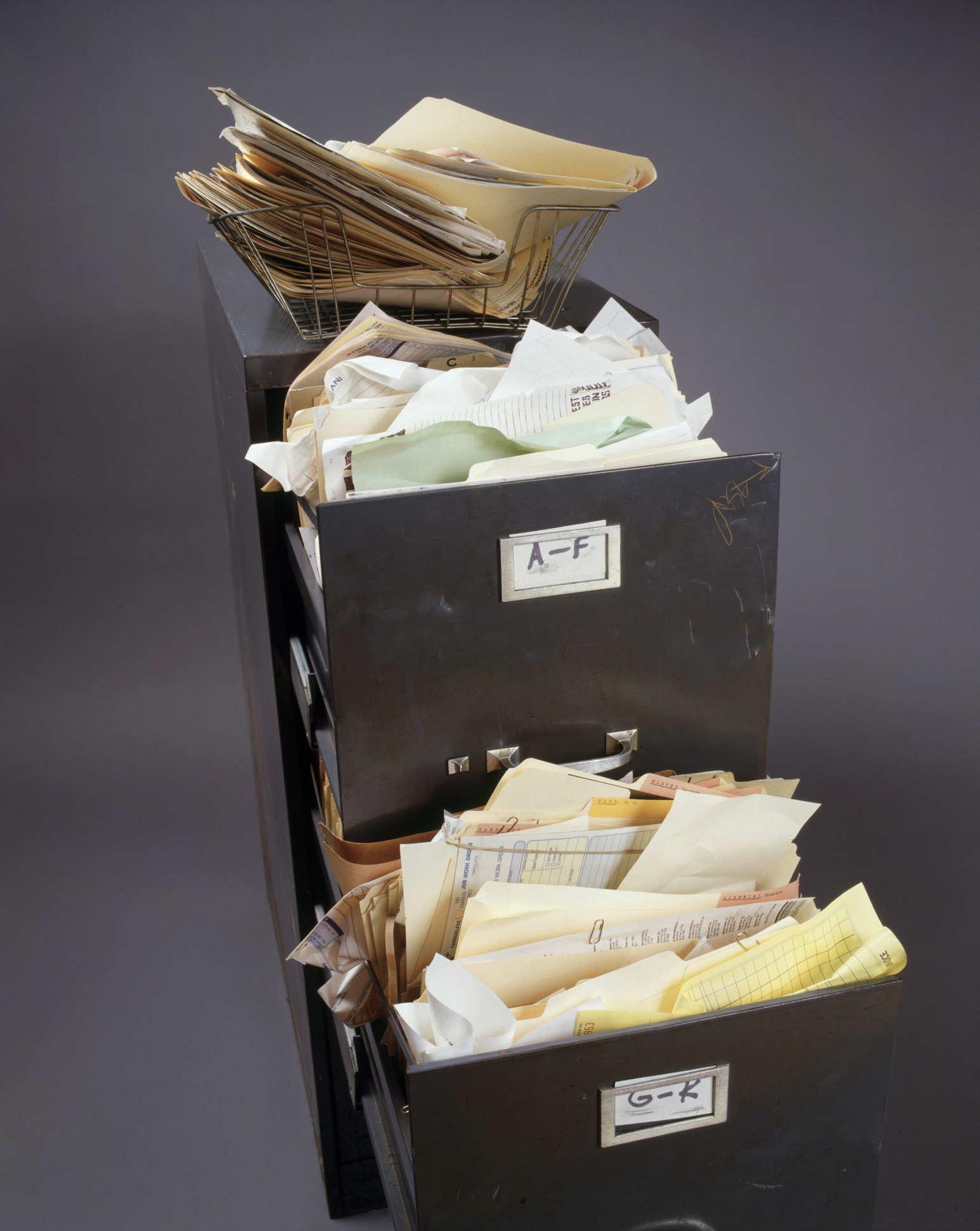
If you have a filing system in place and are filing your paper documents, but you still feel unorganized, you may be making one of six crucial filing mistakes that deter you from maximum organization. With Paper Tiger Filing System Software for Document Management, you can get the ball rolling quickly by indexing and filing the physical documents. Read on to find out what not to do when organizing your filing system.
By avoiding these filing mistakes, your organizing system paired with Paper Tiger Filing System Software for Document Management will keep your files organized and help you find exactly what you need faster.

With the trend moving towards making the home free from clutter, it can seem like it is still a bit of a confusing and overwhelming task. Keep in mind, the first part of the task is dividing up what you are keeping, what you can sell and what you should get ready to be donated, or what needs to be tossed or recycled. The next step is taking what you need to keep and giving it a “value.”
The value of your items is usually split up in the following categories:
If the point of the project is to try to stop collecting clutter, make sure category number three has as few items as possible. Of course, we all realize there are certain items that fall into the last category that must be kept. Now the trick is how to keep everything neat, organized and put away so that you and everyone in your family can find something if they need it.
One of the main reasons that homes get in a state of disorganization is that no one can figure out where anything is or where it goes. You leave an item out because you know if you put it away, you will never find it when you need it. Or someone in your household doesn’t put something away because they have no idea where “away” should be.
Implementing Paper Tiger Filing System Software for document management that will allow you to index items, not just your paper files, is a great way to put an end to this vicious cycle that is keeping the average household cluttered. The best part is that once you have it in place, anyone in your home can use the system to find what they need when they need it, as well as know exactly where to return it once they are finished with it. The great news is everyone in the family doesn’t have to be in agreement for what exactly to name each item in the new filing system.
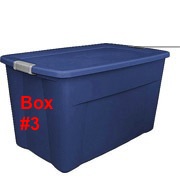
Let’s imagine you already have this system set up so you can see how easy it is to use. You need to find where exactly you have your antique silverware set because you’ve decided to host a fancy dinner party. By entering the search term “antique silver”, your filing system will give you results the same way an online keyword search would. The search results lets you know it is in the large plastic storage bin marked #3 and that this bin is in the garage.
If you set up your filing system with alternate keywords, anyone using the system can find the same thing. So if you send your husband to look and he types in “grandma’s silver,” or your daughter searches for “silverware,” everyone will still get the same answer and find the item. Not only that, but when it is time to put the item back, you can conduct a search in the database to find where that item goes so it always gets put back in its proper place. Avoid the confusion your household goes through when trying to organize clutter with the simple use of a filing system.
So you’ve sorted the items you are keeping and it’s time to decide a home for each item. Decide how you want to organize the items you plan to keep, then by indexing them into your filing system software, you’ll be able to retrieve them when you need them. An indexing system is a way for you to catalog all the items you put into a bin or box by adding all relating keywords for each item into the software database, and then when you need to find an item later, you conduct a keyword search and you’ll know where that item is located quickly and easily based on the information you’ve input previously.
For the example above with locating your silverware, you’ve stored your silverware in bin #3 along with other relevant items that you might need when you need your silverware, such as a lace tablecloth, napkin rings, candelabra, etc.
In Paper Tiger’s database, you might have a ‘Location’ named Garage. In this Garage Location, you would number your storage containers and enter the content information into your filing system to match each container. You might list your items such as in the example below, and of course, mark each bin to match the item number in Paper Tiger’s database:
Item # 1 in Paper Tiger’s database, Item Name: Bin #1, Keywords: Spring decorations, spring flag, bunnies, tablecloth and picnic items.
Item # 2 in Paper Tiger’s database would match contents in your bin #2, Item Name: Bin #2, Keywords: might be Crafts, including the different colors of paper you have, types of paper (card stock, construction), and instructions for different projects, etc. You might also have other crafts in this bin that you could list.
Item # 3 in Paper Tiger’s database, Item Name: Bin #3, Keywords: silver, silverware, antique, vintage, grandma’s silver, lace tablecloth, candelabra, silver cleaner
Item # 4 in Paper Tiger’s database, Item Name: Box #4, Keywords: toys, spiderman, etchasketch, Mr. Potato Head, Operation game
Item # 5 in Paper Tiger’s database, Item Name: Box #5, Keywords: kitchen items, old crock pot, blender, extra bowls, mismatched plates
Later you can search for “silver” in Paper Tiger’s database the same way you type keywords to search the Internet on Google. Your indexing system will bring back search results that tell you what bin number the item is in and even where the bin is, and you’ll be able to see what other contents you’ve listed and put in that bin.
Below is another example for your CD’s, and can be used to implement the same concept for your books or any other physical item that you can put a number onto:
1. Name a Location CDs, with capacity of 100 (you can increase this later if you need to) Then print labels for the 100 items ready to affix onto each CD as you index it.
2. Begin indexing your CDs individually by adding a new item in this Location. I would name the item by the name of the movie or topic or singer of the CD, and continue with something like the following:
-Item Name: (name of the movie or topic or singer of the CD)
-Keywords: (actors/speakers, length, rating, brief description)
-If you have Professional or Pro edition, you will be able to apply a Category to the item. If so, add new category for either drama, fiction, comedy, historical, etc. (as info, the Basic edition does not have the Category function) If you have Basic, then you can add the category to the keywords section as well, then when you search for a specific category, Paper Tiger will bring up all of the CDs that you’ve indexed with that category, which is basically the same thing that would happen if you were to select the Category drop down box in Professional or Pro.
3. As you index each CD, affix the corresponding label to it and store in your new place. As you’ll see in this picture below, both the CD and the CD jacket are numbered so when you search Paper Tiger, you can go to the corresponding CD jacket number, and you’ll also know to match the numbers when replacing the CD.
Then obviously, you can go through the stacks of paper files, and index them into Paper Tiger as well. Index the contents of each hanging file folder in your file cabinet, so when you need to reference your insurance file, you’ll know exactly what file it is in without having to worry if you filed it under Insurance, Household, or the insurance company name.
So you see how implementing Paper Tiger Filing System Software for document management can help you get organized and it is a filing system the whole family can use to keep the clutter and chaos to a minimum for organized living!

With people working from home and diving into self-employment, home offices are quite common. It has been said that at least one in four households have a home office. When is the last time you organized your entire home office (besides when you initially moved in)? If you can’t answer this question, it’s time. With clutter on the kitchen counter, dining room table and other areas of the house, this article in particular is designated to getting the home office organized.
Sometimes this isn’t a task that can be tackled in one day, but with Paper Tiger Filing System Software for document management, these tips can help you make huge strides.
Since you are cleaning out your office, you might as well make sure that you are not storing documents that you no longer need or use. Your organizing system needs to be organized as well, and once you have your Paper Tiger database set up with your paper files indexed, you can print the File Clean-Out report to help you clean out papers from existing files. Also use the Transfer Report to help you physically move documents from one location to another so the documents in your hanging file folders match what you have in Paper Tiger.
These are steps to help you get started. Of course, depending on how cluttered your home office is, it might be quite difficult to clean out your entire home office in one day. Completing one of these steps a day, (in order of course), can ensure a clean and tidy office in less time than you think. Remember to relax and take your time when cleaning your office. Don’t get overwhelmed in organizing your home office. You’ll feel so accomplished and proud, you will want to go from room to room, and maybe even tackle organizing the garage. Happy Organizing!
In the article below, Anne McGurty, a Paper Tiger Expert of Strategize and Organize, relays the benefits of getting organized. Think of it as a small investment in the long-term events of your future. Do you think it’s a waste of time to get organized? Read on to see the benefits of being organized. She also recommends implementing Paper Tiger Filing System Software to help you save time and money!

Are you ready to get organized, but stalling because of a lack of time, money, or motivation? Don’t despair! A professional organizer is just what you need! Make an investment in yourself that will provide amazing advantages for years to come.
Here are some of the benefits you can look forward to once you get organized:
Once you get organized, you’ll know what you already own, eliminating the need to buy duplicate items. You’ll also be able to buy what you need when it’s on sale, rather than buying at the last minute. Your professional organizer can also help you find the perfect organizing products for your space and lifestyle, so you can stop wasting money on containers that just don’t work.
A professional organizer can create order and structure out of chaos. You’ll receive systems that work for your dominant learning style, your lifestyle, your needs, your challenges, and your dreams. Whether at work or at home, you’ll increase productivity once you have an organized and efficient schedule to keep you on track. You’ll be amazed at how much you get done in shorter amounts of time. And by focusing on your priorities and goals, you’ll be able to finally move ahead toward reaching them.
Once your home or office is neat and tidy, you won’t feel embarrassed to have guests visit. The guilt will fade away as you take pride in your surroundings. Your organized office will allow you to present a professional image to co-workers, clients, and superiors. Your organized home and new-found habits to keep it that way will set a great example for your children and/or spouse.
Physical and emotional clutter obscures your surroundings. A clutter-free environment is simply easier to manage. A professional organizer can help you clear out your space so you can see that your surroundings in a better light and easier to maintain.
When you can find what you need, are on top of your to-dos, and arrive on time for meetings or events, you’ll feel calmer and have more peace of mind. No more feeling overwhelmed by life — you’ll be in more control and feel less stressed.
When you’re organized, your days go as planned, and you get a lot done. That leaves more time to indulge in a little “me time.”
Clutter is a mask. A professional organizer can help you take off that mask and let people see your vibrancy! Once the clutter is removed, you can showcase your talents, skills, and personality and have the life you deserve.
About Anne McGurty
Anne McGurty is CEO of Strategize & Organize, a company devoted to training individual’s to be more effective with the tools and resources to be productive in their work environment.
If you like this issue, you’ll love Anne’s transforming productivity training and organizing products to help you organize your business — and yourself — ranging from productivity consulting for individuals and executives to small business coaching programs to keynote speaking and corporate training programs to improve efficiencies in the workplace and improve productivity.
While Anne is best known for her expertise in productivity and expert office organizing, her clients share that her biggest impact comes from her philosophy of “personalizing her programs to fit the needs of her clients so they can streamline more efficiently with existing processes” – ensuring to create a sustainable work environment. This, Anne says, is the most important key to bringing an individual to personal freedom with time and organization.
You can learn more about Anne at www.StrategizeAndOrganize.com.
You can contact Anne at amcgurty@strategizeandorganize.com or by phone at 303 881-0174.

Are you being as productive as you can? Want to reach your full potential? Anne McGurty of Strategize & Organize and one of our Certified Paper Tiger Experts, offers a few tips to help you reach your full potential of productivity. A few of these tips, when combined with Paper Tiger Filing System Software can help elevate productivity even more.
About Anne McGurty:
Anne McGurty is CEO of Strategize & Organize, a company devoted to training individual’s to be more effective with the tools and resources so they can be productive in their work environment.
If you like this issue, you’ll love Anne’s transforming productivity training and organizing products to help you organize your business — and yourself — ranging from productivity consulting for individuals and executives to small business coaching programs to keynote speaking and corporate training programs to improve efficiencies in the workplace and improve productivity.
While Anne is best known for her expertise in productivity and expert office organizing, her clients share that her biggest impact comes from her philosophy of “personalizing her programs to fit the needs of her clients so they can streamline more efficiently with existing processes” – ensuring to create a sustainable work environment. This, Anne says, is the most important key to bringing an individual to personal freedom with time and organization.
You can learn more about Anne at www.StrategizeAndOrganize.com.
You can contact Anne at amcgurty@strategizeandorganize.com or by phone at 303 881-0174.



