See just how easy Paper Tiger is to setup and learn. Learn more...
In under a minute, you will be clearing your desk and changing the way you file paper...forever!
Signing up for Paper Tiger takes less than 60 seconds, and you can start solving your problems with paper minutes after signing up.
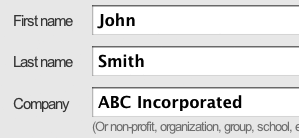
The system is very simple and easy to learn. A few basic concepts are all that is necessary to understand the software. Videos, Online Help, Knowledge Base and FAQs (frequently asked questions) all make learning the software easy.
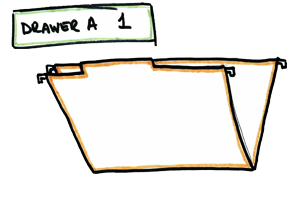
The trash can is the best filing system in the world. The best filing method ever invented is to toss the paper in the trash (or recycle as you are inclined). That's right, if you can toss all the paper in your life and find it later on the Internet, get it from someone else, etc., then you are staying streamlined and ready to do business. The trash can (recycle bin) is the best file cabinet ever invented! However, most people have paper that they either cannot or will not just toss...then they move to Option 2.
The second best filing system in the world (and only for the paper that does not fit into option 1 above) is stacking the paper. If you have a small enough amount of paper that you can easily keep up with it in your head and you really like having it "in your sight" - then the stacking method is awesome.
There is no work on the front-end (just toss it in a pile near you) and if you can quickly shuffle through the piles accumulated and find your information, then what could be better? This method does not work very well in an office environment where information must be shared or when the amount of time you spend looking for lost information no longer makes sense.
At some point, especially in a business, the stacking method reaches the end of its useful life and you are ready for a "system" of some kind. Most people naturally move to Option 3 below but this Option has many problems. With the advent of the modern computer, this Option has become obsolete - there is really very few good reasons to keep an alphabetic filing system anymore. Let us show you why...
When the stacks start getting to you (and you keep hearing your mother's voice saying - "clean up this mess") then you need to move to a "system" and the one that has been around for hundreds of years is the alphabetic method. The alphabetic method plagues many offices in the world today and keeps them from reaching their maximum efficiency.
Until the invention of the computer, the alphabetic method was about all we had for a system, but it has many problems. In today's computerized world (on every desktop) and with products like Paper Tiger, there are not many good reasons to use the alphabetic method.
The alphabetic method starts to breakdown and become inefficient the minute you put it in and it requires way too much maintenance. Many, if not most, companies that contact Paper Tiger have an alphabetic system and are ready to get rid of it - it simply does not work well or "the person" that kept it up has retired, moved on or wants something better.
This is an excellent way to eliminate your problems with paper as long as you can live with the compromises inherent with scanning. Scanning allows you to easily share information, get rid of the paper, more easily find the information you are looking for, reduce purchases for file cabinets, etc. There are many advantages, not the least of which is the office looks and feels more streamlined.
However, scanning is not without problems and it is important that you understand the risks involved and have some possible solutions in mind before committing to this option. There are some problems with scanning - many documents cannot be easily scanned (bound material, original contracts, non-standard shapes/textures, etc.) Scanning documents can be very time consuming and tedious - scanners are machines - they jam, they break, documents are stapled or bound, documents have handwritten "sticky notes" on them (sticky notes like to "stick" to scanners!), etc. Some people, even after scanning their documents, are afraid to destroy the original paper in case there is ever a problem and keep the paper in archives (thus still keeping the physical documents!).
Paper Tiger is an indexing method. It is a very simple, yet powerful concept. Keep your paper in its original form (you do not have to scan it) and use the power of the computer to quickly and easily find/share the information when you need it. This is the best of both worlds and it is why tens of thousands of companies around the world are using the product. You get all of the best things from the computer but do not have the problems of using a scanner.
As you might imagine, we think for most businesses, indexing is the lowest cost (wages, machines, overhead, etc) and best option available. Paper Tiger is the "best of breed" - it is designed to do only one thing - help you manage physical files (hanging files) in a file cabinet. It is now in its 4th generation and has been in the market for over 10 years!
Most customers that convert their paper files to Paper Tiger would not use anything else - it is simple to learn, has great training resources (very important if you have staff turnover and need to train new employees) and it works.
First, when you are using Paper Tiger, all hanging file folders in your file cabinets are setup at one time and they never change (these are numbered using the tabs that you print out from the software).
Because the hanging file folders are already setup and waiting for your information, you eliminate the time-consuming hassle of having to find and create a file folder each time you want to file something.
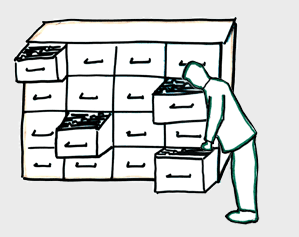
Second, using the age-old alphabetic method of filing, should you ever run out of space in the “A” Section, “B” Section, etc., you had to move all the files down to make more room for the “A‛s”, “B‛s”, etc. – what a hassle. People put this off and just simply stack the files on top of the file cabinet for clean up at a later time – this “later time” can become never.
Paper Tiger automatically finds the next available open folder (closest to the front) when you file something new, so that your files stay compact and neat, taking up the least amount of space possible. This saves you time and money by not having to purchase additional file cabinets - not to mention the cost of the real estate (rent, taxes, etc.) additional file cabinets take up in your office.
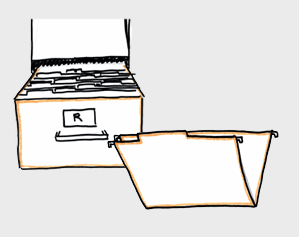
Additionally, there are times when you want to move a file from one place to another (for example when you archive information off-site), want to merge two files together, want to duplicate a file or simply want to toss (delete) a file. Paper Tiger makes this very easy and even reminds you to actually physically move the files once you have made the decision.
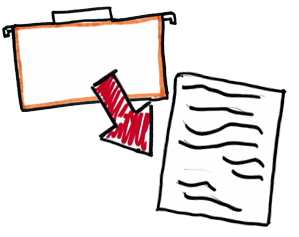
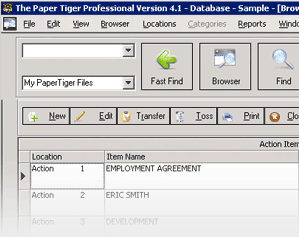
Anything that can be put in a hanging file is the #1 use of the Paper Tiger software. The files are numbered and keywords are associated with each file. (there are other ways to use it too.) You search the keyword and the system quickly tells you where the file is! You will go right to it in seconds! In the example to the left, the files are labeled Reference 1, Reference 2, etc.
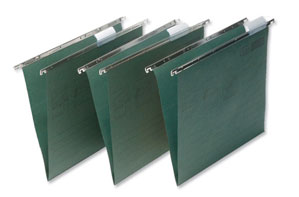
By numbering the binders and entering in keywords describing the contents of each binder (newsletters, company names, slogans, themes, what ever you have in the binders, etc.), you can save a lot of time finding what you are looking for! This works much the same as what you might do with a hanging file, but you want the items to be a bit more mobile.
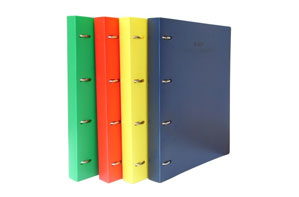
Are you an avid reader or do you have a number of books that you use for reference? The Paper Tiger can help you quickly find the right book. You number the bindings of the books and keep them in numerical order. When you need to find a specific reference, with the Paper Tiger you can now search by keyword and find all books pertaining to the subject you need. No more time wasted on scanning through shelves and pages of your material to find what you need.
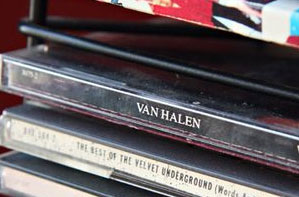
No matter how you store your CDs, you can number the CD itself or the edge of the jewel case & find the one you are looking for by using a keyword or category search. This is great for a household that has two people arguing about how they should be organized! You can document genre (classical, jazz, hip-hop, etc.), artist, year & more. You can also use this for audio books or even software titles.
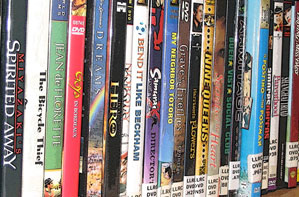
Keep track of DVDs by numbering the DVD and the storage sleeve. (Using a silver Sharpie marker.) You'll know where to put them away and Paper Tiger can be used to tell where to find it again! To make it even sweeter, each birthday and holiday time, when family members are asking for wish lists, you can print out what you have on inventory and they get something that is not on the list.
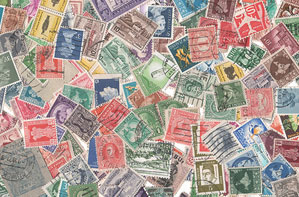
Do you own collections that others may not know the value? Use Paper Tiger to identify your special possessions & anything you would like to remember. This is great for insurance inventories. Some people also print out an inventory of what they own & give it to family members so that duplicates are not bought!
Use Paper Tiger to help with family communication. Number all of your storage containers and place in numerical order in your basement or other storage area. When you need to find something, type in the keyword & the container number will be displayed in seconds. It is much easier to ask a family member to get box #10 than to ask them to get the Fall decorations!
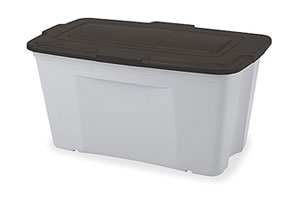
Numbers are placed on the box with a description of the contents entered into the Paper Tiger. You can use the category for the name of the room the box should go to. A description of the contents is entered for each box. Unpacking becomes a breeze!

If you have a special spot that you store your precious items, make sure you remember what is stored in what location. Make sure to tell your emergency contact where your inventory is in the event that you cannot get to it.
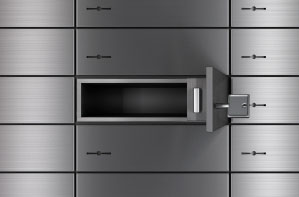
Insurance agents frequently tell us that we should have a documentation of our belongings in the event of a disaster. Paper Tiger is a fabulous tool to identify the important items in your home.

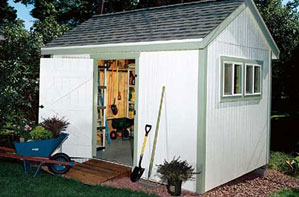
While we would like you to consider de-cluttering before paying for multiple storage sheds, (whether storage sheds in your backyard or renting storage) that is not always possible. Many use Paper Tiger to identify the contents of each storage unit.
University professors and other scientists use Paper Tiger to cross-reference samples. You put numbers on the test tubes. Then, Paper Tiger is used to hold the cross reference information.

Like wine? It may not be as big as this one, but you can manage your collection! You can use the keywords to track the name, type (wet, dry, red, dessert, etc.), vintage, vineyard, types of food it is best with (chicken, steak, fruit & cheese, etc.), and guest favorites.

If you are in any type of business that requires the changing of cars in and out of lots, Paper Tiger can help you know where each vehicle is! Towing, Rental cars, Used car lot and more! Store VIN, year, make, model, color, etc.

Do you enjoy de-stressing by crafting? Making jewelry, stitching, knitting and more! Number each compartment of a container, with the corresponding number in Paper Tiger for each type of craft item. For cross-stitch floss, number each floss and enter the keywords in Paper Tiger to document the color name, color number, brand and any pattern that has used the color. Other examples Paper Tiger can be used for crafting, yarn, scrapbooking, etc.
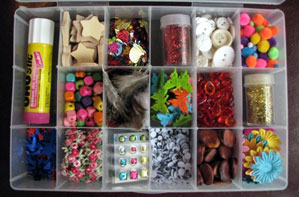
This list was compiled by Stephanie LH Calahan of Calahan Solutions. She is one of our great Paper Tiger Experts.
You just add keywords, Paper Tiger makes sure you find things - no more remembering.
If everyone filed (and thought) the same way, this would be easy. However, people in an office environment can file things in very different ways. Actually, the same person can file things in a different way on different days – depending on how they are thinking and feeling that day! By using Paper Tiger, this problem is eliminated and all the office information can be quickly found, regardless of who filed it and how they filed it.
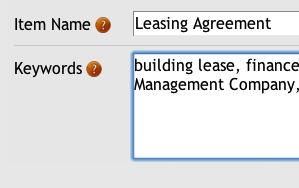 View screenshot
Filing Systems force you and your team to file in a consistent and disciplined way. Reality tells us that doesn't describe most of us!
Learn more...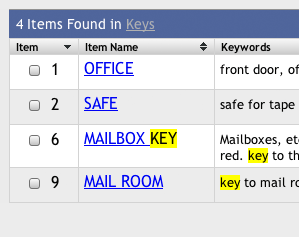
Because your paper file index is on Paper Tiger, your administrator can actually take a vacation and your office can keep functioning!
In today's business environment, your staff (or you individually) must be very productive and not waste time on such things as looking for files. Being really organized and streamlined is no longer an option but rather a requirement for business survival. In addition, if you have staff turnover and should you lose your administrator – who would really know how everything is filed?
By using The Paper Tiger software, your business will have a powerful index of all your paper document resources, just like you have a chart of accounts for your accounting. This will allow you and/or your administrative staff to focus your time on more productive efforts and greatly reduce stress in the office!

With old fashioned filing methods, it is easy (especially if files are shared with co-workers) to end up with a file cabinet full of duplicate files.
Learn more...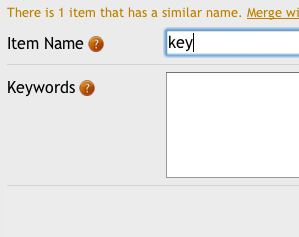
See your information printed in almost anyway you like. Reports are designed to make life easier for you and can be taken with you. The labeling/tab features (full Avery label support) makes setting up the software a snap!
The software allows you to printout an alphabetized index and keep it at your desk or take it with you when traveling, etc. There are also other reports in the system that make file clean-out and staying on top of action dates much easier.
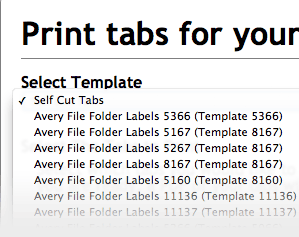 View screenshot...
Paper Tiger allows you to file information physically one way but easily organize files virtually in a totally different way using Categories.
Categories offer a virtual view of your paper files at the click of a button. You can relate files without them being physically related!
View screenshot...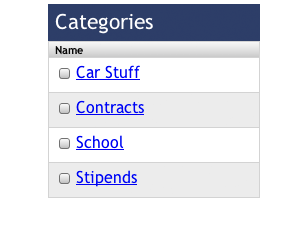
Paper has a life cycle - from creation to archive and ultimately to be tossed or deleted. Paper Tiger makes these changes very easy.
Learn more...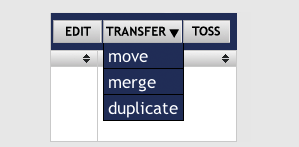
One of the great things about using Paper Tiger is that you can make all of the decisions about where you want to file your papers (the thinking/mental work) while you are seated comfortably at your desk (no more standing over the file cabinet) and you can even do your office filing from home or you can file while on the road.
Learn more...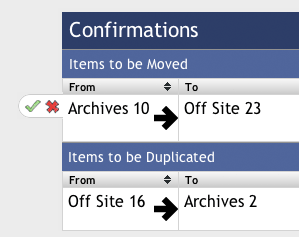
A little maintenance goes a long way. Easily clean out files on a set schedule (like your retention guidelines), move files to archives, and stop continually buying more cabinets to house outdated documents.
Learn more...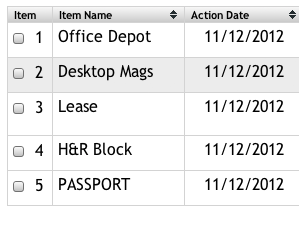
You can use the software for many other organizational tasks - great uses include keeping track of what is in storage containers (say at an off-site storage room), indexing large CD/DVD collections, indexing large book collections, etc. Really any physical object can be indexed and organized - file it randomly using a number and use the computer to find it fast when you need it!
We trust our state-of-the-art computer servers to DigitalOcean. DigitalOcean provides IT infrastructure to thousands of cloud computing customers such as Paper Tiger. DigitalOcean's guaranteed uptime of at least 99.9%, assures that Paper Tiger will be there for you when you need it.
Our servers at DigitalOcean are in a highly secure environment that prevents physical access, there is complete redundancy and your data is professionally maintained and backed up. Our network is protected by a state-of-the-art firewall. In addition, even our free accounts provide SSL security (data encryption) to ensure your data gets to and from our servers safely.

We provide SSL security for all accounts to ensure your data gets to and from our servers safely and securely!
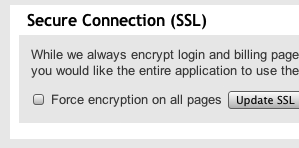
The best backups are the ones you don't have to think about. We ensure that your data is safe with nightly data backups within our datacenters.
Also, Paper Tiger allows you to export a backup of your data at any time to your own computer for safekeeping and peace of mind.
Paper Tiger adheres to the TRUSTe industry standard for privacy so you can be assured that your privacy is protected.

Tens-of-thousands of businesses, government agencies and non-profits now use Paper Tiger to manage their filing.

The Monticello Corporation, makers of Paper Tiger software, started in 1995 and started selling Paper Tiger software in 1998. We have the knowledge and experience to help you!
The Monticello Corporation, makers of Paper Tiger software, has been a member of the Better Business Bureau (BBB Online) since 2003.

You must be satisfied with Paper Tiger. You can cancel at any time. For details see our terms of service (TOS).