
No matter when your tax deadlines are, it’s always a good practice to have your records in order so that you won’t have to do last minute scrambling looking for the documents needed to complete your taxes, and indexing your paper files in Paper Tiger Filing System Software for document management is ideal to ensure you are able to find your files when you need them . It is estimated that people waste 150 hours per year trying to find lost information. How much of your time is wasted strictly around tax time?
Read this article by Deanne Kelleher of Kaos Group for tips on how to get organized for tax time and how to transition old tax files out to get ready for the current year filing system.

Tax Time Organizing
It’s time to get last year’s documents out of your filing cabinet, prep your tax information, and archive all pertinent paper work. If you are overwhelmed at the thought or not sure where to start just follow these directions and you will be well on your way.
1. Start with the right supplies from Staples or Office Depot or other office supply store


Tip: Stick to standard colours for all hanging files, sub folders and tabs until your filing system is fully functional. It’s much easier on the eyes and once it’s fully functional, you’ll know exactly how to use the colours to identify specific areas.
2. Allocate 2-3 hours in your schedule for annual transitioning. This includes sorting, purging, moving out last year’s files and inserting this year’s. However, if this is your first time, consider booking two sessions of two to three hours each.
3. Ensure that all invoices from the previous year have been filed in the appropriate sub folders.
4. Label each hanging folder with the appropriate folder name and put in a sub-folder with the same name and active year written on it. For example: my hanging folder tab says Dues and Subscriptions and the sub folder says Dues and Subscriptions 2010. This year’s sub folder will say Dues and Subscriptions 2011. [Note: Be sure to index you documents into Paper Tiger, which will allow you to conduct a google-like search in the database to be able to find the items you need quickly.]
5. Tabs can be positioned to the far left or far right on each hanging folder to allow for easy retrieval and a smooth appearance.
6. Office Expense headings will commonly include: Auto, Dues and Subscriptions, Communications (land line, cellular, & internet), Meals and Entertainment, Office Supplies, Professional Services, and Utilities if you are home based.
7. Office Document headings will include: Bank Statement, Bank contract/communications, Business License, Government HST, Tax Receipts, Marketing, Advertising, etc.
Click here for more file name suggestions: http://www.kaosgroup.com/downloads/FilingSuggestions.pdf
8. You are now ready to remove last year’s expenses and place them into a large envelope or banker’s box. Be sure to clearly label the box. [Note: If you already have your documents indexed in Paper Tiger's database, you can perform a Transfer function to move the previous year's file folders to Archives, and still be able to search the database to find the documents again should you need to.]
This system will not only ensure accurate tracking of all business documents, but it will also allow you to easily transition next year and effortlessly compile pertinent tax information for this year.

Deanne Kelleher is the founder of kAos Group, author of the Core Four™ System and a motivational speaker and facilitator on the realities of disorganization and how to take the reins back. kAos Group works with clients to help identify inefficiencies – the clutter and disorganization that prevents professional and personal growth – and help clients streamline their business and personal lives to reduce stress, increase profits, and create more time.
Visit www.kaosgroup.com/olm for practical tips and motivation to organize your home, office, time and spirit.
Copyright © 2011 Deanne Kelleher
Reprinted with permission
~~~~~~~~~~~~~~~~~~~~~~~~~~~~~~~~~~~~~~~~~~~~~~~~~~~~~~~~~~~~~~~~~~~~~~~~~~~~~~~~~
~~~~~~~~~~~~~~~~~~~~~~~~~~~~~~~~~~~~~~~~~~~~~~~~~~~~~~~~~~~~~~~~~~~~~~~~~~~~~~~~~
This article by Stephanie Calahan, of Calahan Solutions and a Paper Tiger Expert provides us with numerous tips to get organized and get our life in order. I’m sure this will give you a clue as to the caliber of life coaching that Stephanie provides her clients. These tips include paper filing systems, getting organized in every area of your life, financial management, and getting your health in order. Stephanie recognizes, as we do, that different people need different tools to help with their daily lives. She lists different paper filing systems below, including Paper Tiger Filing System and Document Management Software, which she recommends based on her clients’ needs and the way that they work. She understands that every person is different and requires systems that work for them.
It is interesting to me that many entrepreneurs and business owners spend the majority of their time completely consumed by their business and totally neglect their personal affairs.
Many of my clients contact me to get their business organized, yet when we talk, they often admit that their personal affairs are as much of a “mess” or more than their business. They do not have systems for handling their most important areas of life. Their household papers are everywhere…piled in various corners and flat surfaces around the house. They are not sure where their hard-earned money is spent and they don’t have solid plans for the future.
Its true that they are busy. VERY BUSY! However, sometimes they are so busy that they lose focus as to why they started their business, doing what they do, in the first place. When I ask “Why did you start your business?” I generally hear it is because they wanted more freedom to live a life they define. They wanted to make more money so that they have the ability to have more choice in life.
If you do not have your personal life in order, you may not be getting all of the benefits from your hard work! Now is the time! Now is the time to let go of the excuses that you don’t have time, are too tired or don’t know how. Here are a few tips to get started:
Your paperwork likely consists of three types of paper: 1) stuff you need to take action on 2) stuff you are saving for reference and 3) stuff that you should have tossed a long time ago, but haven’t.
This is the system that manages all of the papers that are on your counters and other spaces that you have out in the open and in piles because you don’t want to forget to do something. Then use the system. Read, sort and process your email and snail mail daily. Avoid backlog. Also, when you come across papers that are date driven, make sure to add an entry to your calendar/planner to remind you to do things. This system is the perfect location to store all of the bills you have yet to pay.
Did you know that the average person wastes 150 hours a year just looking for things? Imagine what you could do if you weren’t searching! An effective reference system is one that you use consistently because you trust it. You trust it because it is easy to use and you can find information with ease when you need it. Different systems are going to work better for different people, so make sure you set up something that works for you. This system is a great place to store all of the bills you have paid. Here are a few for you to consider:
If you would like to go paperless with your home filing, this is definitely the tool to consider! I have the honor of being on the advisory board of AboutOne and I love how this company really listens to your needs. AboutOne was designed by moms and dads for moms and dads to make managing all that household information fast, fun, and easy. With just a few clicks, your information is stored with bank-level security, and all your posts can then be combined or mixed together in new ways, saving you time on everyday chores like creating family newsletters, scrapbooks, hardcover photo albums, and creating and mailing holiday cards, or completing school forms, college applications, caregiver instructions, and tax returns. I personally LOVE how easy it is to manage all of the complex medical information we have in our family. AboutOne.com’s patent-pending service takes just seconds of your time and helps you save time, save money, and be prepared. You can sign up for a trial account here: http://www.aboutone.com/.
I have been a happy Paper Tiger user for years. If you don’t want to go paperless, but you want an easy way to find anything in 5 seconds or less, then this is the tool. The tool gives you a powerful index search — like how you would search on Google — that allows you to find your information fast. However, you can use this tool for much more than filing paper! Anything that you can number you can put into the system. At home, we have “paper tigered” books, CDs, DVDs, binders, storage bins, and more. We love this tool because it does not matter how different my husband and I might reference information (for example, I might say Insurance-Car and he might say Country Insurance) we can find things with ease using the fast find button. Your information is secure and backed up too. You can sign up for a free Paper Tiger Online account at Paper Tiger’s website.
If you like the idea of a color coded system, then you might consider the FileSolutions Home Filing System. The Home Filing System includes a booklet to guide you through the filing process by helping you select the appropriate files for your home. You can build 80-100 files for your home & family items using the pre-printed, color-coded labels for both vertical files and 1/3 cut file folders. The categories include: Personal, Financial, Taxes/Insurance, and Lifestyle. In addition, file your important papers & find them again using FileIndexTM. With this unique system, you can index over 350 items. It will be the first and last place you look when you (or another family member) need to find something. Note, folders & hanging files not included. This tool is great for simple household filing. Consider one of these great paper systems from OrganizedAtoZ.
80 percent of what we keep, we never reference again. I see that theme repeat itself over and over again when I work with clients and help them through their decisions. If you have a hard time figuring out what to let go, consider using the DART system. If you would like a summary of what to keep and what to let go of for your home, get our Residential Record Retention guide.
If you are looking for a simple money management system, consider www.mint.com . This tool is very user friendly and allows you to know exactly what is going on with your finances. You can set budgets and alerts that email you when you are off track. You can also get very user friendly graphics to show you where your dollars are going.
If you have an iPhone, you will also love this app http://itunes.apple.com/us/app/mint-com-personal-finance/id300238550?mt=8
It goes without saying that debt can be a weight that drags you down for the length of time you have it. For some, they spend more time thinking about the mounting debt than time on getting things done. Eliminate your debt. The most popular method for revolving debt is the debt snowball method. There are many sites and smartphone apps that can help you with this. Many of them let you prioritize debts and see estimated times left to pay off each debt. They let you plan payments and view progress as you shrink what is owed. Many will also estimate the date you will be debt-free, so that you can see the light at the end of the tunnel. I was reading an article on Mashable.com the other day that suggested this one was one of the better ones on the iPhone.
Most banks now have the ability to set up automatic bill paying. Consider setting up automatic payments for all of your regular bills. Your bills will be paid on time and you will save loads of time.
By reviewing your situation on a regular basis, you are able to stay on top of any problem areas and make strategic decisions quickly.
There are a number of outstanding professionals in your local area or on the internet that share helpful information on wealth creation. Attend classes or read books. Become informed. The better knowledge you have, the easier it will be for you to make decisions and have confidence to take action. Here is a great article on CBS about Organizing Your Finances in 5 Days: How to Quickly Get Your Financial House in Order in 2011.
We hear this all of the time, but it still holds true. Do you have some medical concerns that you have been ignoring? Find a professional that can help you get better. Need to eat better or exercise more? Create a system to make it happen. The healthier you are, the easier it is to manage every day activities. The longer you let “small” medical concerns slide, the faster they can become “big” medical things that tax you, your family, and your finances.
“The foundation of success in life is good health: that is the substratum fortune; it is also the basis of happiness. A person cannot accumulate a fortune very well when he is sick.” ~ P.T. Barnum in The Art of Money Getting
There are a number of sites that are all over the net to help you and a nutrition/exercize coach can also make a huge impact. Here are a few iPhone apps that could be of benefit too: Get in Shape: iPersonal Trainer or FitnessFree or CrunchFu. If you would like to quit smoking try: Quitter or MyQuitCoach.
If you take control of your personal concerns, you will have more confidence and peace of mind that the right things are happening. It is important to learn how to manage your time effectively and get organized so that you can focus on the most important things in your life. If you don’t, you will not be any further ahead next year.
One of the sayings that floats around frequently are:
Some people make things happen
Others watch things happen
Still others say “what happened”?
Who do you choose to be?
If you’re not sure how to get your business or life organized so that you free up your time, make more money and experience life, I encourage you to take action and contact us for a telephone strategy session. Why be time-pressed and struggle when you can easily get more done with less stress?
About the Author:
Stephanie Calahan is The Business Vision Catalyst and founder of Calahan Solutions, Inc. She works with purpose-driven entrepreneurs, visionaries, coaches, consultants, health practitioners, authors, speakers and all sorts of remarkable service professionals who are experts in their field, to help them embrace their brilliance, leverage their business and get their message out with power, ease and joy; so that they can make a powerfully positive difference in the world, exponentially grow their income and enjoy a highly-successful and meaningful business… while working less. Learn how you can have more freedom in your life! http://www.StephanieCalahan.com


As we’re approaching the end of the year, it’s time to take a day and do what is called “the file clean out day”. Once you know what you have, you can make decisions on what to purge, save, and possibly scan or archive.
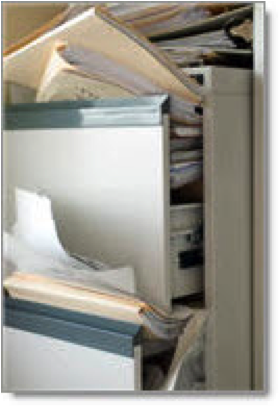 Are you asking yourself, “what’s going on here?”. Consider what shape your filing system is in? Are your filing drawers stuffed so full that it’s nearly impossible to get another piece of paper into – or out of them? Are you hurting your knuckles every time you pull a file out? This time of year is a great time to review your files and purge as much as possible, creating space for next year’s papers.
If you’re using Paper Tiger Filing System Software for Document Management, it’s pretty easy, as all you need to do is run a “file clean out report” and review it to assist you in the process. Don’t use Paper Tiger? Here’s what you can do to get through all your old papers and prepare yourself for the new year. Then implement Paper Tiger so that this process will be simpler next year!
 While you’re in the mood to be cleaning out files, don’t forget your PC. It also has files that you no longer need, slowing down your processing of work.
You can run maintenance programs which can ‘defrag’ your files – in other words clean up and arrange them in a way which makes it easier for your PC to find and the speed for running programs will be improved.
Empty your recycle bin. When you delete a file, you are only moving it to the Recycle Bin. If you do not regularly empty your Bin, the files inside may take up valuable disk space. Oftentimes, people overlook this task. You should empty your Recycle Bin regularly, at least once a week. So if you haven’t been doing it, add it to your file clean out day.
Remove Temporary Files. Temporary or junk files are left over by programs and are usually no longer needed. Internet Explorer stores many of the files used on the web pages you visit so that next time you go to a site it doesn’t have to download the same files again. However, this can build up over time and take up a lot of disk space. They waste space and that may eventually slow your PC down.
Do you clean out your files every year? Let us know your process in the comment section below.
Anne McGurty is the president and CEO of Strategize and Organize, a training and consulting firm specializing in helping people perfect their environments and make better use of their resources – time, paper, and all forms of information management. As a productivity expert, Anne provides extensive customized services including business consulting, productivity training, process implementation, and time management seminars. You can also follow Anne on Facebook: http://www.facebook.com/strategizeandorganize
~~~~~~~~~~~~~~~~~~~~~~~~~~~~~~~~~~~~~~~~~~~

The bottom line for me as an entrepreneur is that using the Paper Tiger Filing System Software significantly reduces the amount of stress and anxiety in my life. When I discovered Paper Tiger, I discovered what it was that prevented me from filing papers away in a timely manner. You see, I’m a perfectionist, and every time I would sit down to do some filing, I was faced with the prospect of having to come up with the “right” way to label a file folder. Let’s say I wanted to file sales literature about a CRM company called Salesforce.com. Should I file it under the name of the company? Should I file it under CRM (Customer Relationship Management), which is the category name for this product, as a subject file? Should I file it under Sales and Marketing for my company, which is what I would use the product for, as a subject file? And where was the other information I had collected about this company? Because the real goal of filing is fast retrieval, I worried that the label name I came up with would not be the label name I remembered when it came time to pull this information out of the file to review it. That made me anxious, and it made me dread filing, so I rarely did it. And I lived in the midst of stacks of paper, unable to find what I needed when I needed it. Oh, the time I wasted looking for stuff I needed at the last minute!
Now I don’t feel any pressure to come up with the perfect name for my paper files. First, I can quickly and easily find out if there is any similar information I’ve already filed by using the search bar to look for CRM, Salesforce.com, Sales, Marketing, or other related terms. If there are already files I’d like to file it with, I can quickly do so by entering the any additional keywords relating to the new document going into the file, and then placing it into the hanging folder. If not, all I have to do is create a new file–perhaps with a general term like CRM–and add all of the keywords that I think I’d use to refer to it later, and I’m done. This little software program has had a profound impact on the quality of my life.
Michele Engel
President & CEO
Insightrak
It’s the second decade of the 21st century, and never before has document management been so important. Having a superior filing system that can easily be accessed by everyone from the smallest business owner right up to the CEO of the largest corporation, as well as government officials and non-profit workers is vital. It’s the only economically sound way to keep a successful operation running smoothly, both now and well into the future. The Paper Tiger Document Management and Filing System Software provides the perfect solution.
Currently, it’s estimated that 75 percent of organizations outsource between one and five major office filing activities. These include document imaging, printing and copying, mail and shipping, fleet management and records management. A third of these organizations aim to outsource even more of these processes within the next two years. Some reports say that document imaging has the greatest impact on reducing cost and improving productivity, but document indexing has proven the most viable solution.
Leaders in the field continue to look for systems to manage the ever-increasing paper trail, from the document creation to file cabinet, then to archive or destruction. Many different people in various departments handle data contained within files, which means that tracking information is no longer the responsibility of a single employee.
All of this involves processes that are often regarded as cumbersome and annoying, especially when a large number of records are being stored, whether in paper or digital format. A specialized document management indexing system that combines all of these variables into one manageable, standardized process across all departments within an organization is the ultimate solution. Until now, the most logical means for locating such a system has been outsourcing.
Unfortunately, in many cases, there are problems with poor customer service and performance standards when document management is no longer handled in-house. Outsourcing can also lead to job losses, which isn’t healthy for a flourishing business.
The best solution for paper filing and document management, then, must meet the following criteria:
• the filing system must be user-friendly for everyone, from the daily temp to the CEO;
• free, all-encompassing training must be available for the document management software;
• all stored documents, including those in archives, need to be easily located;
• files must have the flexibility of being added to without undue fuss or hassle;
• a hard copy backup of all file locations and a master of the filing system index must be available in the event computers are offline;
• such a filing system must be economically viable for the company;
• the document management software must be upgradeable with advancing technologies;
• the software provider must have a solid track record of performance;
• the software itself must have a proven track record in widely different organizations and circumstances;
• the system must be capable of being fully integrated into the current filing system with a minimum of time and effort;
• work can be done in-house which reduces or prevents the need to outsource;
• the document management system must be flexible enough to operate in different countries.
The Paper Tiger Document Management and Filing System Software offers a revolutionary document management system that meets every requirement on this list.
This document management software is user-friendly and easy to master. The Paper Tiger standardizes document management and filing throughout an organization using a numerical indexing system, instead of the traditional alphabetical format where people can file things in all sorts of confusing ways.
Content is being created in more formats from more places than ever before. The Paper Tiger is flexible enough to handle any format a company might use. Although it won’t replace all of the filing work, it reduces the time involved in filing and document management considerably.
Because organizations are constantly working with strict budgetary guidelines, they’re always looking for ways to save money. The Paper Tiger is the perfect solution. It’s affordable, and because it streamlines paper filing, it uses resources more efficiently.
Today’s workplace is far different than what it was 20 years ago. Today, approximately 90 percent of company documentation is electronic. However, because records must be kept for an extended period of time, electronic and hard copy filing must be merged into one standardized, indexed system capable of handling both formats.
The Paper Tiger Document Management and Filing System Software is a true leader in the field of paper filing and document management and will continue to provide excellence for its customers as technologies and needs change, now and in the future.
Whatever your document management issues, Paper Tiger Document Management and Filing System Software is the ideal solution to help you control the paper flow in your company.
Some businesses have so many files that they must consolidate at times. They may have rules that state that files can be moved to basement storage periodically, to an offsite location, storage shed, or a corporate storage location. When this happens, how do you handle the filing on those still important, yet archived, files? Let’s consider…
1. Basement Storage
Whether you store your files in a file room, unused office, or a basement storage room, you need to keep track of them with your filing system. Some people may think you can’t use an indexing system with archived files, but that’s far from the truth.
Document management via an indexing system makes more sense now than ever because your files are farther away from your “regular” office space. This means you’d have to go further to find the files you need, which of course takes more time and creates added expense.
When you index archived files in remote storage areas, you’ll be able to search the Paper Tiger database to find where the file is located, then go right to the location, pull the file, and be able to get back to work with the file in hand. Then you can quickly return the file to the same location when finished.
An indexing system handles the information required so you know which files are in the basement or other storage area compared to the file room. There’ll never be confusion as to where a file is located with an indexing document management system.
2. Offsite Storage Location
Offsite storage locations can be different than other storage areas. The main reason being you don’t have the ability to easily browse where your files are in those storage facilities. Using indexing to manage your documents stored in an offsite location, you can manage these files the same way as any others. Note the location of the files, add keywords to help you index them and file as needed. The hardest task then will be beating the traffic in your drive to find a file.
3. Storage Shed or Unit
Some businesses use storage units either on location or within a locked gate at a different facility. With this type of storage, you’ll want to use shelves so archived file boxes aren’t directly on the floor. Shelves will protect the files and still allow you to use your indexing file system easily.
For best results, mark each shelf so you’ll know specifically where boxes are located. You can, of course, use file cabinets, but you might not want to purchase new cabinets when you move files to archived storage. Metal shelves will work just fine while still allowing you easy access to your documents.
4. Corporate Storage Location
At times when corporations have small divisional offices, they may not have the room to store archived files, and they don’t want to send them to an offsite storage location. In this case, those files may be sent to the corporate office for safekeeping.
When this happens you can use the same indexing system you’re currently using, even though the files aren’t in the same location. You manage it the same way you would with any other offsite storage location. Simply note the location, the box number and keywords in your index file and you’re good to go. Document retrieval is a cinch, regardless of where your files are stored.
One advantage with corporate storage is that you will typically be able to contact someone in the corporate office and ask them to send you any files you need without you having to make a trip to the office. With another offsite storage location, that wouldn’t work, of course.
At times businesses may run into storage problems and will need to move files around to accommodate space or a change in facilities. Using an indexing system for your document management needs will make this an easy transition and still allow you needed access to your files.
Whatever method you use to archive files, be sure and use the Action Date function in Paper Tiger to remind you when these archived files need to be pulled and destroyed based on your company’s records retention policy. If you don’t already have a records retention policy, see our ‘Retention Guidelines: How long should you keep records?‘ articles that might be helpful to you.
Try Paper Tiger Document Management and Filing System Software today and see for yourself!
This article below is a great source to get your filing cabinet(s) in order. Gina suggests a label maker, which is a fine resource, however if you use The Paper Tiger document management and filing system software, you can print your labels from within the software.
By Gina Trapani, 12:30 PM on Fri Feb 17 2006
One of the main clutter culprits in my home office is the “To File” pile – you know, that stack of paperwork that’s supposed to go into the file drawer at one point or another. Usually this pile spontaneously occurs right on top of the filing cabinet, which is pretty silly. I mean, instead of adding stuff to the pile, why wouldn’t I just file it? Turns out the sad state of my messy, overflowing filing cabinet is the reason for my blockage.
Sound familiar? Today we’re going to embark on a file drawer makeover for the overstuffed, under labeled filing system and turn it into a neat, breezy and dare I say pleasurable place to organize your important paperwork.
Give your paperwork a spacious place to live.
Let’s face it: we’re not in college anymore. That plastic file box or enormous binder held shut with a rubber band just ain’t going to cut it. You’ve got personal, financial, insurance, car, clients, tax and medical paperwork to track. If you’ve been using an undersized filing cabinet that just doesn’t have enough room to accommodate your stuff – or no filing cabinet at all – invest in a spacious, well designed file drawer or cabinet that leaves you room to spare. Lots of room. In fact, Getting Things Done author David Allen says your file drawer should be only three-quarters full. From page 99 of the GTD book:
“I know almost no one who doesn’t have overstuffed file drawers. If you value your cuticles, and if you want to get rid of your unconscious resistance to filing, then you must keep the drawers loose enough that you can insert and retrieve files without effort.”
If you’re out to buy a new filing cabinet, Allen says you shouldn’t skimp on quality.
“Nothing is worse than trying to open a heavy file drawer and hearing that awful screech! that happens when you wrestle with the roller bearings on one of those $29.95 “special sale” cabinets. You really need a file cabinet whose drawer, even when it’s three-quarters full, will glide open and click shut with the smoothness and solidity of a door on a German car. I’m not kidding.”
He’s not kidding. A tool that’s easy and fun to use is a tool you will use.
Allocate one file folder per hanging folder.
As soon as things start to get crowded inside filing cabinet land, your first instinct is to start putting several manila folders into one hanging folder. Bad idea. Allocate one single manila folder to one single hanging folder. This cleanly separates your folders and makes them easy to ruffle through them. (Allen recommends staying away from hanging folders completely; personally, I like them.) Keep a supply of both manila folders and hanging folders within reach so that creating a new one is as easy as possible.
Choose an accessible naming scheme.
You may be a plain old straight-up A to Z type person, but there are more ways than one to alphabetize file folders. My preferred method is to break things up into categories, like “Car,” “Client,” “Taxes,” “Bank Account” and preface a folder name with that word. For example, one folder might be “Car: Honda Accord” and another is “Client: Lifehacker,” and another “Bank Account: ING Direct.”
Whatever method you choose, make sure your system is obvious and consistent throughout your files to make retrieving paperwork as simple and thoughtless as possible.
Use a label maker.
When I first read Getting Things Done, the recommended tool I was most sure I didn’t need was a label maker. Boy was I wrong. Neatly labelled folders make a file drawer look sharp and accessible.
I used to write the name of my folder in pen or pencil or marker right onto the tab. When I wanted to reuse a folder, I’d put masking tape or white-out over the old label and write over it. What a mess that was – especially considering the downward path my handwriting has taken since I learned how to print in second grade. Making a label is fun and makes your folders look super-professional and easy to read. Check out the difference between written tabs and labeled tabs.
See? The Brother P-Touch Home and Hobby Label Maker gets the job done and it’ll set you back about 25 bucks.
Purge what you don’t need. Archive closed files.
Over time it’s easy for your filing drawer to get out of control and filled with stuff that doesn’t matter any more or that you simply don’t need on hand at all times. Be sure to purge your paperwork every few months of the irrelevant stuff, like user guides you can get on the web or for gadgets you no longer own, past project research and former employer paperwork. Archive old stuff you don’t want to get rid of but don’t need immediate access to into cardboard file boxes and put them in storage. Closed bank account records, old credit reports, and your 1996 taxes are good candidates here.
Article by Gina Trapani taken from Lifehacker.com
Are you trying to go paperless? How is your document management system working?
To help you determine which papers to toss, consider the following questions, then use The Paper Tiger to keep your filing organized so you can find it later:
If you can eliminate papers by asking yourself these questions, your desk will be much less cluttered. If you decide to keep papers just in case you need them, you will be able to find them using The Paper Tiger.
Since The Paper Tiger is a software program that helps you deal with document management and records retention, we thought this article by Ramona Creel would be a helpful checklist in addition to our blog post copied from IRS.gov.
Records Retention Guidelines
By Ramona Creel
Feel free to use this tip sheet / checklist as you tackle your own “”do-it-yourself”" organizing projects. If you would like to REPRINT or DISTRIBUTE this information, please include ‘Content provided by Ramona Creel, www.ramonacreel.com.’
BUSINESS RECORDS (KEEP FOREVER)
income tax returns
income tax payment checks
investment trade confirmations
important correspondence
legal records
retirement and pension records
CPA audit reports
annual financial statements and books of account
corporate documents (incorporation, charter, by-laws, etc.)
stock records
retirement and pension records
licenses, patents, and trademarks and registration packets
investment trade confirmations
documents substantiating fixed asset additions
note: consult your accountant before getting rid of any financial paperwork
note: consult your attorney before getting rid of any legal paperwork
BUSINESS RECORDS (KEEP SIX YEARS)
bank reconciliation and canceled checks
canceled payroll and dividend checks
personnel and payroll records
purchase records
sales records
travel and entertainment records
supporting documents for tax returns
property records / improvement receipts (if tax-related)
sales receipts (if tax-related)
utility records (if tax-related)
other bills (if tax-related)
note: consult your accountant before getting rid of any financial paperwork
note: consult your attorney before getting rid of any legal paperwork
BUSINESS RECORDS (KEEP THREE YEARS)
monthly financial statements
credit card statements (for internal use)
employment applications (unless your profession requires longer)
expired insurance policies
note: consult your accountant before getting rid of any financial paperwork
note: consult your attorney before getting rid of any legal paperwork
PERSONAL RECORDS (KEEP FOREVER)
income tax returns
income tax payment checks
investment trade confirmations
important correspondence
legal records
retirement and pension records
CPA audit reports
note: consult your accountant before getting rid of any financial paperwork
note: please consult your attorney before getting rid of any legal paperwork
PERSONAL RECORDS (KEEP SIX YEARS)
supporting documents for tax returns
accident reports and claims
medical bills (if tax-related)
property records / improvement receipts (if tax-related)
sales receipts (if tax-related)
utility records (if tax-related)
other bills (if tax-related)
note: consult your accountant before getting rid of any financial paperwork
note: consult your attorney before getting rid of any legal paperwork
PERSONAL RECORDS (KEEP THREE YEARS)
credit card statements
medical bills (in case of insurance disputes)
utility records (for internal use)
expired insurance policies
note: consult your accountant before getting rid of any financial paperwork
note: consult your attorney before getting rid of any legal paperwork
SPECIAL CIRCUMSTANCES
car records (keep until the car is sold)
credit card receipts (keep until verified on your statement)
insurance policies (keep for the life of the policy)
mortgages / deeds / leases (keep 6 years beyond the agreement)
pay stubs (keep until reconciled with your W-2)
property records / improvement receipts (keep until property sold)
sales receipts (keep for life of the warranty)
stock and bond records (keep for 6 years beyond selling)
warranties and instructions (keep for the life of the product)
other bills (keep until payment is verified on the next bill)
note: consult your accountant before getting rid of any financial paperwork
note: consult your attorney before getting rid of any legal paperwork
Copyright 2000-2009 Ramona Creel — you are welcome to reprint any article, but you MUST include this resource box and a link to www.RamonaCreel.com. Ramona Creel is a Professional Organizer, NAPO Golden Circle Member, and the original founder of OnlineOrganizing. A former Social Worker, she has always enjoyed helping people find the resources and solutions they need to improve their lives. Ramona now travels the country as a full-time RVer, sharing her story of simplicity with everyone she meets. She leads by example — having worked for more than 10 years as a Professional Organizer, and having radically downsized and simplified her own life as a full-time RVer. Ramona now considers herself a “Renaissance Woman” — bringing all of her passions together into one satisfying career. As both a virtual and traveling organizer, she can create a customized organizing plan for your home or office, put on a workshop, or educate you through one of her popular teleseminars. As a simplicity coach, Ramona provides a proven program for making every area of your life a little bit easier — perfect for those who want to make the time and space to focus on their true priorities. As a Professional Photographer, Ramona captures powerful images of places and people as she travels. And as a freelance writer and blogger, she shares organizing techniques, social commentary, travel tips, and film reviews with others. You can see all these sides of Ramona — read her articles, browse through her photographs, and even hire her to help get your life in order – at www.RamonaCreel.com. You can also follow her on Twitter, check out her Facebook profile, and subscribe to her blog feeds.
Welcome to Paper Tiger document management and filing system software — the software designed to help you organize the paper in your life, but also help you get organized in other areas as well, such as books, CDs, DVDs, storage boxes, etc. You will find our approach to dealing with paper not only easier than anything you’ve done before, but also, we predict, life-changing! For a glimpse of what is in store for you, we recommend previewing the video ‘What is Paper Tiger?‘, then take a look at the Getting Started Guides Steps 1-4 and the Tutorials from our Paper Tiger Desktop Video Learning Resource page. The multimedia Tutorial presentations will show you step by step how Paper Tiger file management system works. Listen and watch as the team plans their attack on the paper jungle! They will show you how to reduce your paper pile; how to organize your files; and, how to launch Paper Tiger filing system software so that your document management system will run smoothly and efficiently—not just for now, but forever! Happy paper taming!
Here are a few key terms used in Paper Tiger:
Location is a physical Location for storing Folders, such as a file cabinet or a desk drawer that relates to a Location within Paper Tiger Filing System Software.
Folder is a file folder, containing one or several related items. A hanging file folder may contain other file folders for subdividing papers or for taking files with you. “Folder” is sometimes used interchangeably with “file.”
Item Name is the descriptive name you give a Folder. “Museum Board Directory” might be the Item Name you give a Folder that contains a current phone and address list of museum board members. “Sales Reports 02” might be the Item Name you choose for a Folder containing each regional sales reports for 2002. A Folder or Item Name labeled “Warranties” might include sub-files for “Electronics,” “Major Appliances,” and “Outdoor Equipment.”
Keyword is any word, or words, in addition to the Item Name, which you associate with the contents of a Folder. Key words for your Folder, “Sales Reports 2002” might include: NW region, monthly sales, or Tom Jones. You can find any Folder quickly by entering any of the key words for the Folder, or the Item Name, into The Paper Tiger’s Find function.
Category is a word or words you may use to classify groups of related Folders. For example, you may use the Category “Benefits” to classify the Folders, “401K,” “Stock Options,” and “Day Care.” The Category, “Services,” might include Folders for “Accountant,” “Graphic Artist,” and “Organizing Consultant.”
Action Files are files you use most frequently. There are two categories of Action Files:
Temporary Action Files are files of current projects or events that will come to an end, e.g., files on a new committee assignment or presentation notes for an upcoming meeting.
Permanent Action Files are files for tasks that require ongoing action, e.g., “Call,” “Pay,” and “Write.”
Reference Files are files you need to refer to from time to time. “Auto Insurance,” “Taxes – Current Year,” and “Time Sheets” are examples of reference files.
For a sneak preview of Paper Tiger’s plan of attack, crouch low, keep a keen eye, and follow the trail markers below:
1. Establish a physical Location for your Action Files—Permanent and Temporary—and for your Reference Files. Decide how many Folders you will need, approximately, in each Location. Tiger Tip: Place your Action Files in a file drawer or desktop file holder within hand’s reach!
2. Decide what type of filing system you will use—numerical or alphabetical. We strongly recommend a numerical filing system. Files easily stay in order in your file drawer and you don’t have to create new file tabs each time you add a file folder! And, you never have to move files to make room for a new one. Just put the new file wherever you have space. The Paper Tiger will help you create and maintain either system. You may even want a numerical system in one Location and an alphabetical system in another. It’s up to you; Paper Tiger allows its users to decide!
3. Gather your hanging files and your hanging file plastic tabs. We provide pre-printed, hanging file tab inserts with our software. (See, we knew you were too busy to make them yourself, so we did it for you!) You will find tab inserts for Permanent Action Folders (e.g., Call, Write, Pay); numbered tab inserts for Temporary Action Folders (#1-60), and numbered tab inserts for Reference Folders (#1-320). Insert tabs into plastic tab holders. (If you prefer, you can create and print your own tab inserts with our software—it’s your choice.) Slip each plastic holder, with tab inserted, into the inside front slots of your hanging files. With tabs on the front of the file folder, you can drop in papers easily by pulling the file tab toward you! You can also print custom tabs from within Paper Tiger filing system software.
4. Install Paper Tiger software. Close any open Windows applications, especially anti-virus. Follow the Installation Instructions that comes with your purchase. Insert the CD-ROM into your CD-ROM drive. Click Start on the taskbar, then click Run to begin the setup. Type d:\setup.exe (if d is not your CD-ROM drive, type in the appropriate letter).
5. After viewing the tutorial, a dialog box will appear. It will ask you if you want Paper Tiger to add a new Location now. Click on Yes. The Location Wizard will appear and will take you step by step through entering your Locations into Paper Tiger. After entering each Location, a Location List window will appear. It will display all Locations entered, the capacity (number of Folders) for each, and any optional information you chose to include.
If you prefer not to view the tutorial first (ouch!), you can go directly to Paper Tiger Main Window. Click on File, then click on New. Click on Create New Location and The Location Wizard will appear.
6. Now enter Item Names for your Folders into Paper Tiger. Click the Browser button on the main toolbar. Click New on the Browser toolbar. The Item Wizard will appear. Step by step, the Item Wizard will prompt you to enter the Item Name for each Folder and any additional information you choose to include—keywords, categories, or action dates.
Each time you enter an Item Name for a Folder, Paper Tiger will automatically assign the Item Name to a numbered Folder. The total number of available Folders for any Location will correspond to the capacity you entered for each Location in the Location Wizard. (You can edit the capacity later, if for example, you want to add more Folders to a Location.)
7. After entering Item Names for your Folders, you will need to print a File Index, a report that lists, alphabetically or numerically, all Folders in a Location. Click Reports on the Main Menu bar and select File Index. A File Index Wizard will appear and will guide you through the process of tailoring this report to your needs. This will be your back-up for when you’re traveling or in the event your computer is down for any reason.
8. Now, begin filing your papers! Refer to the File Index Report to locate appropriate Folders. If you forget a file name, remember, it’s no problem! Just click the Find button on the menu bar, enter any keyword for the file, and the computer will pop up the Item Name and corresponding number for the Folder.
You are now well on your way to using a file system that takes the Aaagh! out of filing and retrieving. We will share more with you along the way, but we know you are eager to tackle the tiger, so… assume your position, and Take Charge!
The Fine Print: Our Company will proudly accept responsibility for our users’ big smiles, free time, salary raises, kudos from the boss, lowered blood pressure, or smug behavior toward those who have yet to discover this wonderful tool.
We thought the following information, taken from the Recordkeeping section of IRS.gov, would be helpful in getting organized in your paper filing system and in deciding document management retention. The Paper Tiger will help you not only keep track of your paper files, but can help you keep track of when to discard records if you remember to use the Action Date and Category sections once you’ve made your decisions in how long to keep your records.
How long should I keep records?
The length of time you should keep a document depends on the action, expense, or event the document records. Generally, you must keep your records that support an item of income or deductions on a tax return until the period of limitations for that return runs out.
The period of limitations is the period of time in which you can amend your tax return to claim a credit or refund, or that the IRS can assess additional tax. The below information contains the periods of limitations that apply to income tax returns. Unless otherwise stated, the years refer to the period after the return was filed. Returns filed before the due date are treated as filed on the due date.
Note: Keep copies of your filed tax returns. They help in preparing future tax returns and making computations if you file an amended return.
1. You owe additional tax and situations (2), (3), and (4), below, do not apply to you; keep records for 3 years.
2. You do not report income that you should report, and it is more than 25% of the gross income shown on your return; keep records for 6 years.
3. You file a fraudulent return; keep records indefinitely.
4. You do not file a return; keep records indefinitely.
5. You file a claim for credit or refund* after you file your return; keep records for 3 years from the date you filed your original return or 2 years from the date you paid the tax, whichever is later.
6. You file a claim for a loss from worthless securities or bad debt deduction; keep records for 7 years.
7. Keep all employment tax records for at least 4 years after the date that the tax becomes due or is paid, whichever is later.
The following questions should be applied to each record as you decide whether to keep a document or throw it away.
Are the records connected to assets?
Keep records relating to property until the period of limitations expires for the year in which you dispose of the property in a taxable disposition. You must keep these records to figure any depreciation, amortization, or depletion deduction and to figure the gain or loss when you sell or otherwise dispose of the property.
Generally, if you received property in a nontaxable exchange, your basis in that property is the same as the bases of the property you gave up, increased by any money you paid. You must keep the records on the old property, as well as on the new property, until the period of limitations expires for the year in which you dispose of the new property in a taxable disposition.
What should do with my records for nontax purposes?
When your records are no longer needed for tax purposes, do not discard them until you check to see if you have to keep them longer for other purposes. For example, your insurance company or creditors may require you to keep them longer than the IRS does.
There are many reasons to keep records. In addition to tax purposes, you may need to keep records for insurance purposes or for getting a loan. Good records will help you:
The IRS does not require you to keep your records in a particular way. Keep them in a manner that allows you and the IRS to determine your correct tax.
You can use your checkbook to keep a record of your income and expenses. In your checkbook you should record amounts, sources of deposits, and types of expenses. You also need to keep documents, such as receipts and sales slips, that can help prove a deduction.
You should keep your records in an orderly fashion and in a safe place. Keep them by year and type of income or expense. One method is to keep all records related to a particular item in a designated envelope.
In this section you will find guidance about basic records that everyone should keep. The section also provides guidance about specific records you should keep for certain items.
Basic records are documents that everybody should keep. These are the records that prove your income and expenses. If you own a home or investments, your basic records should contain documents related to those items. Table 1 lists documents you should keep as basic records. Following Table 1 are examples of information you can get from these records.
Table 1. Proof of Income and Expense
| FOR items concerning your… | KEEP as basic records… |
| Income |
|
| Expenses |
|
| Home |
|
| Investments |
|
If you receive a Form W-2, keep Copy C until you begin receiving social security benefits. This will help protect your benefits in case there is a question about your work record or earnings in a particular year. Review the information shown on your annual (for workers over age 25) Social Security Statement.
One of your basic records is proof of payment. You should keep these records to support certain amounts shown on your tax return. Proof of payment alone is not proof that the item claimed on your return is allowable. You should also keep other documents that will help prove that the item is allowable.
Generally, you prove payment with a cash receipt, financial account statement, credit card statement, canceled check, or substitute check. If you make payments in cash, you should get a dated and signed receipt showing the amount and the reason for the payment.
If you make payments by electronic funds transfer you may be able to prove payment with an account statement.
| IF payment is by… | THEN the statement must show the… |
| Cash |
|
| Check |
|
| Debit or credit card |
|
| Electronic funds transfer |
|
| Payroll deduction |
|
This section is an alphabetical list of some items that require specific records in addition to your basic records.
If you receive or pay alimony, you should keep a copy of your written separation agreement or the divorce, separate maintenance, or support decree. If you pay alimony, you will also need to know your former spouse’s social security number. For information on alimony, see Publication 504, Divorced or Separated Individuals.
You may be able to deduct certain expenses connected with the business use of your home. You should keep records that show the part of your home that you use for business and the expenses related to that use. For information on how to allocate expenses between business and personal use, see Publication 587, Business Use of Your Home.
To deduct a casualty or theft loss, you must be able to prove that you had a casualty or theft. Your records also must be able to support the amount you claim.
For a casualty loss, your records should show:
For a theft loss, your records should show:
For more information, see Publication 547, Casualties, Disasters, and Thefts. For a workbook designed to help you figure your loss, see Publication 584, Casualty, Disaster, and Theft Loss Workbook (Personal-Use Property).
You must give the name, address, and taxpayer identification number for all persons or organizations that provide care for your child or dependent. You can use Form W-10, Dependent Care Provider’s Identification and Certification, or various other sources to get the information from the care provider. Keep this information with your tax records. For information on the credit, see Publication 503, Child and Dependent Care Expenses.
You must keep records to prove the contributions you make during the year. The kinds of records depend on whether the contribution is cash, noncash, or out-of-pocket expenses. For information on contributions and the records you must keep, see Publication 526, Charitable Contributions.
If you are under age 65, you must have your physician complete a statement certifying that you were permanently and totally disabled on the date you retired.
You do not have to file this statement with your Form 1040 or Form 1040A, but you must keep it for your records.
If the Department of Veterans Affairs (VA) certifies that you are permanently and totally disabled, you can substitute VA Form 21-0172, Certification of Permanent and Total Disability, for the physician’s statement you are required to keep.
See Publication 524, Credit for the Elderly or the Disabled, for more information.
If you have the records to prove your expenses, you may be entitled to claim certain tax benefits for your education expenses. You may qualify to exclude from income items such as a qualified scholarship, interest on U.S. savings bonds, or reimbursement from your employer. You may also qualify for certain credits or deductions. You should keep documents such as transcripts or course descriptions that show periods of enrollment, and canceled checks and receipts that verify amounts you spent on tuition, books, and other educational expenses.
For information on qualified education expenses, see Publication 970, Tax Benefits for Education.
If you are claiming an exemption for a qualifying relative under a multiple support agreement, you must get a signed statement from all other eligible individuals who could claim the exemption. You must keep these statements in your records. For information on exemptions, see Publication 501, Exemptions, Standard Deduction, and Filing Information.
If you have employee business expenses, see Publication 463, Travel, Entertainment, Gift, and Car Expenses, for a discussion of what records to keep.
You must keep an accurate diary of your winnings and losses that includes the:
In addition to your diary, you should keep other documents. See the discussion related to gambling losses in Publication 529, Miscellaneous Deductions, for documents you should keep.
For each qualified medical expense you pay with a distribution from your HSA or MSA, you must keep a record of the name and address of each person you paid and the amount and date of the payment. For more information, see Publication 969, Health Savings Accounts and Other Tax-Favored Health Plans.
Keep copies of the following forms and records until all distributions are made from your IRA(s).
For a worksheet you can use to keep a record of yearly contributions and distributions, see Publication 590, Individual Retirement Arrangements (IRAs).
In addition to records you keep of regular medical expenses, you should keep records of transportation expenses that are primarily for and essential to medical care. You can record these expenses in a diary. You should record gas and oil expenses directly related to that transportation. If you do not want to keep records of your actual expenses, you can keep a log of the miles you drive your car for medical purposes and use the standard mileage rate. You should also keep records of any parking fees, tolls, taxi fares, and bus fares.
For information on medical expenses and the standard mileage rate, see Publication 502, Medical and Dental Expenses (Including the Health Coverage Tax Credit).
If you paid mortgage interest of $600 or more, you should receive Form 1098, Mortgage Interest Statement. Keep this form and your mortgage statement and loan information in your records. For information on mortgage interest, see Publication 936, Home Mortgage Interest Deduction.
You may be able to deduct qualified moving expenses that are not reimbursed. For more information on what expenses qualify and what records you need, see Publication 521, Moving Expenses.
Use the worksheet in your tax return instructions to figure the taxable part of your pension or annuity. Keep a copy of the completed worksheet until you fully recover your contributions. For information on pensions and annuities, see Publication 575, Pension and Annuity Income, or Publication 721, Tax Guide to U.S. Civil Service Retirement Benefits.
Form(s) W-2 and Form(s) 1099-R show state income tax withheld from your wages and pensions. You should keep a copy of these forms to prove the amount of state withholding. If you made estimated state income tax payments, you need to keep a copy of the form or your check(s).
You also need to keep copies of your state income tax returns. If you received a refund of state income taxes, the state may send you Form 1099-G, Certain Government Payments.
Keep mortgage statements, tax assessments, or other documents as records of the real estate and personal property taxes you paid.
If you deducted actual state and local general sales taxes instead of using the optional state sales tax tables, you must keep your actual receipts showing general sales taxes paid.
You must keep a daily record to accurately report your tips on your return. You can use Form 4070A, Employee’s Daily Record of Tips, which is found in Publication 1244, Employee’s Daily Record of Tips and Report to Employer, to record your tips. For information on tips, see Publication 531, Reporting Tip Income.
You must keep your records as long as they may be needed for the administration of any provision of the Internal Revenue Code. Generally, this means you must keep records that support items shown on your return until the period of limitations for that return runs out.
The period of limitations is the period of time in which you can amend your return to claim a credit or refund or the IRS can assess additional tax. Table 3 contains the periods of limitations that apply to income tax returns. Unless otherwise stated, the years refer to the period beginning after the return was filed. Returns filed before the due date are treated as being filed on the due date.
| IF you… | THEN the period is… |
|
| 1 | Owe additional tax and (2), (3), and (4) do not apply to you |
3 years |
| 2 | Do not report income that you should and it is more than 25% of the gross income shown on your return |
6 years |
| 3 | File a fraudulent return | No limit |
| 4 | Do not file a return | No limit |
| 5 | File a claim for credit or refund after you filed your return |
Later of 3 years or 2 years after tax was paid. |
| 6 | File a claim for a loss from worthless securities |
7 years |
You can get help with unresolved tax issues, order free publications and forms, ask tax questions, and get information from the IRS in several ways. By selecting the method that is best for you, you will have quick and easy access to tax help.
Internet. You can access the IRS website at www.irs.gov 24 hours a day, 7 days a week to:
Phone. Many services are available by phone.
Evaluating the quality of our telephone services. To ensure IRS representatives give accurate, courteous, and professional answers, we use several methods to evaluate the quality of our telephone services. One method is for a second IRS representative to listen in on or record random telephone calls. Another is to ask some callers to complete a short survey at the end of the call. Walk-in. Many products and services are available on a walk-in basis.
Mail. You can send your order for forms, instructions, and publications to the address below. You should receive a response within 10 days after your request is received.
DVD for tax products. You can order Publication 1796, IRS Tax Products DVD, and obtain:
Purchase the DVD from National Technical Information Service (NTIS) at www.irs.gov/cdorders for $30 (no handling fee) or call 1-877-233-6767 toll free to buy the DVD for $30 (plus a $5 handling fee). The price is discounted to $25 for orders placed prior to December 1, 2008. Small Business Resource Guide 2009. This online guide is a must for every small business owner or any taxpayer about to start a business. This year’s guide includes:
The information is updated during the year. Visit
www.irs.gov and enter keyword “SBRG” in the upper right-hand corner for more information.
References/Related Topics
* Publication 535, Business Expenses
* Publication 536, Net Operating Losses
* Publication 547, Casualties, Disasters, and Thefts (Business and Non-Business)
* Publication 552, Recordkeeping for Individuals
* Publication 594, The IRS Collection Process (PDF)
* Publication 583, Starting a Business and Keeping Records
* Publication 225, Farmer’s Tax Guide
* Recordkeeping
There are several options for dealing with paper:
1. Trash it (come on, man – trash/recycle it) This is the best filing system ever invented. Should you ever need it again and you can find it later, then put it in ‘file 13′- the trash/recycle can.
2. Can’t trash all the paper in your life, well okay, then stack it. I know your mom told you to keep a ‘clean desk’ but if it works, why change it?
3. So if stacking is becoming a problem (either an image problem or you really are spending too much time finding stuff) and you need to look beyond the stacks for a better way! WAIT – I know what you are thinking – the alphabetic method stinks – come on, use a computer – it is the 21st century you know. Wouldn’t you like to find your paper files as fast as you find information on Google? You can spend over 150 hours per year just looking for lost information.
4. Are you still with me? Okay, you have just two options left and they both are pretty cool. The first is Scan it! If you like it, great, but realize the problems. Scanning allows you to easily share information, get rid of the paper (as long as you are not afraid of the scanning system crashing – you could lose everything!), more easily find the information you are looking for, reduce purchases for file cabinets, etc. There are many advantages, not the least of which is the office looks and feels more streamlined.
However, scanning is not without problems and it is important that you understand the risks involved before committing to this option. There are some problems with scanning – many documents cannot be easily scanned (bound material, original contracts, non-standard shapes/textures, etc.) Scanning documents can be very time consuming, and documents are stapled or bound, documents have handwritten “sticky notes” on them (sticky notes like to “stick” to scanners! and does not scan very well!), etc. Some people, even after scanning their documents, are afraid to destroy the original paper in case there is ever a problem and keep the paper in archives, thus still keeping the physical documents!
5. The final option, another cool method : ) is INDEX it! The Paper Tiger software is a very powerful, yet simple indexing system for the hanging files in your office. It works like a search engine for your paper files! It is a very simple, yet powerful concept. Keep your paper in its original form (you do not have to scan it) and use the power of the computer to quickly and easily find/share the information when you need it. This is the best of both worlds and it is why tens of thousands of companies around the world are using the product. You get all of the best things from the computer but do not have the problems of using a scanner. The software keeps from having duplicate files, files can easily be cross-referenced, and helps with staff productivity. In addition, if you have staff turnover and should lose your administrator – who would really know how everything is filed? By using The Paper Tiger software, your business will have a powerful index of all its paper document resources, and anyone can conduct a search to find a file.
Filing is a difficult, but necessary, task and making it FUN! (okay, well almost fun), is really important so that you will stay on top of it and streamline your office.
The Paper Tiger Filing software is not only a filing system for your papers, but a finding system that can be used for so many other things for which you want to keep track. See blog post link for The Many Uses of The Paper Tiger.
Be sure and see the new What is The Paper Tiger? video.
The Monticello Corporation, makers of The Paper Tiger software, has been the industry leader in paper management software for 14 years. We are offering one free copy of The Paper Tiger Professional edition to Professional Organizers and Virtual Assistants. Please contact us at sales@thepapertiger.com or 866 701-1561, extension 1 to receive your free copy.
The time it takes to convert your piles and files is justified!
Does converting your files to ‘The Paper Tiger way’ seem overwhelming? Do you have an office full of stacks and stacks of paper to be filed and lots of file drawers to convert?
There is an investment of time to set up your new file system with The Paper Tiger, but when you consider that the average person wastes 150 hours per year looking for lost and misplaced papers, even if it took two (8 hour) days to convert …that would be 16 hours vs. 150 hours. The investment of time is well worth it because you will be so much more productive for years to come.
The Paper Tiger actually makes filing easier and quicker to do once you have it set up, because you set up the empty hanging files prior to filing (a file labeled with a number can be labeled ahead of time) so they are waiting empty in the file drawer to receive your paper files. So when you’re ready to file, you don’t have to search for a hanging folder nor do you have to create a printed label at the time you create a new file.
Listed below are some plans of action.
Note: If your hanging file folder has several items that you want to include into 1 Item Name in Paper Tiger, you would simply add keywords for all document items into the Keyword section of the same Item Name. In addition, you may want to separate the physical documents in the hanging file folder with manilla folders. In this case, you might also want to number the manilla folders and include the number that you input on the manilla folder with the coinciding keywords in the Keyword section.
Do a combination of the above in some way that will work for you. Decide on the most important sections of your files and convert them immediately. Then you commit to a couple of hours a week or 1 drawer a day until the rest is done…whatever works for you. Statistically, 80% of our existing files are never referenced again, so as you are going through each file, and you know you haven’t referenced a file for several months (and probably won’t again,) decide if you can toss it or if it needs to be archived. If it needs to be archived, put the file in the last drawer to be converted. When you get to that drawer, you can create a location called Archive within Paper Tiger, input the file item name and keywords in that Archive location, then box the file to be sent to wherever you send archived files.
Also, you don’t have to add keywords for every piece of paper in a file if the file name contains the only word(s) you would ever look up to find it. (ex: invoices)
These are your options for dealing with paper:
1. Trash it (come on, man – trash it), this is the best filing system ever invented, if you can find it later, then put it in ‘file 13′- the trash can.
2. Can’t trash all the paper in your life, well okay, then stack it, I know your mom told you to keep a ‘clean desk’ but if it works, why change it?
3. So if stacking is becoming a problem (either an image problem or you really are spending too much time finding stuff) so you need to look beyond the stacks for a better way! WAIT – I know what you are thinking – don’t do it – the alphabetic method stinks – come on, use a computer – it is the 21 century you know, wouldn’t you like to find your paper files as fast as you find information on Google?
4. Are you with me still? Okay, you have just two options left and they both are pretty cool. The first is Scan it! If you like it, great, but realize the problems. They are listed for you on our website.
5. The final option, another cool method : ) is INDEX it! The Paper Tiger is an indexing method and it is the method that we think makes the most sense for many people. Let me tell you more about it…



