

Each year we hear the same new year’s resolutions over and over again, “I’m going to exercise more this year” or “I’ll be nicer to my family this year” or “I’m getting organized this year”, but sadly most of us drop these resolutions within the first thirty days of the year. One of the most popular resolutions that people make is to get organized. The National Association of Professional Organizers (NAPO) named January “Get Organized Month” or “GO Month” in 2003 with an initiative to help people with organization and productivity. According to NAPO, the bulk of their clients request help with organizing their home offices.
It’s safe to assume that clients are referring to paper clutter in the office. Paper Tiger Filing System Software is the perfect tool to help you be more organized, as well as be able to actually find things this year. Afterall, it is not enough to get your paper files and other things organized, but you also have to be able to retrieve what you need when you need it.
It’s all about taking the first steps to get started. The first step is making the commitment so that your life will begin to be less stressful and more productive. Before you know it, you’ll actually have more time for yourself.
Eliminate the frustration you experience every time you try to locate an important document and cannot find it amidst the disorganized mess acting as your “filing system.” We receive calls and emails all the time from people telling us that they have stacks and stacks of files that is causing more stress than it’s worth and need help getting organized. Paper Tiger Filing System software helps companies, non-profits, government agencies, professionals and individuals all over the world get control of something they hate…filing the paper on their desk & in their office, and can help with the life-cycle of document management. And since Paper Tiger is Not Just For Filing Paper, imagine all the other rooms of your home and office that you can get organized. Paper Tiger’s basic concepts will help you master the software in a matter of minutes; bringing your organization troubles to an end, making it easy to keep your resolution for the entire year.
Paper Tiger may be one of the best investments ever as far as time is concerned. How much time do you think you waste on average looking for something? Each year people waste hours and entire days looking for something. Experts estimate that people waste 150 hours per year searching for lost items. Calculate your cost of disorganized here. A small investment in Paper Tiger will save not only time, but also money. How many times have you paid a bill late, because you lost it? Every time a document is filed and indexed into Paper Tiger, you can feel sure that you will be able to find it again quickly and easily. The days of trying to figure out where a document was left or what name it was filed under are over! With Paper Tiger’s search engine like feature, type in a few keywords when you file documents, will help you find exactly the document needed with a quick search when you need to retrieve it.
If getting organized was at the top of your New Year’s resolution list, look no further; Paper Tiger is here to help. Its resourceful system will be so easy to use, it will be hard to stop organizing! The ability to organize paper files and other physical items, will not only clear up clutter on your desk, but also anything that you can put a number onto.
During this “Get Organized Month,” take advantage of the expertise of one of the productivity consultants that are Paper Tiger experts who can help you work more efficiently in every area of your life. They will work with you either virtually or in-person, whichever you need, and will help you to get organized and create a customized system for the way you work.
Reduce the stress and anxiety you are probably feeling without even realizing it from having your home or office in disarray. Make this year the year you completely organize your life. All the time and money wasted from disorganization will be returned on your simple investment in Paper Tiger, and you’ll be able to keep at least one new year’s resolution.
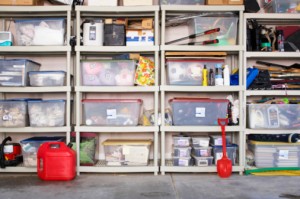
Paper Tiger Filing System Software can help you get organized in more than just paper files so you won’t have trouble finding anything. Getting storage areas organized may seem even more of a daunting task than tackling your paper files, but it can be rewarding and help to declutter your life. Even if you already have your boxes stored in an organized manner, you may not remember what is in each one. In fact, you can index any physical item that you can put a number onto. You can get organized, not have to worry about putting things away, and you’ll be able to find them again!
You may have things in an attic, a garage, a basement, a storage shed on your property and some belongings in a rented storage unit. One of the biggest problems people have with their belongings is not even knowing what they have. So, if you are looking for a particular tool and cannot find it, you may end up buying another one and wasting money. People invest a good deal of money into certain things they may only use once in a while, but when you need it, you should be able to locate it.
The best thing to do for organized living is to get an idea of what you need access to on a regular basis. You will need to decide what items you don’t want to keep in the house, or no longer have room for, and what can be stored in the basement, attic or storage building. You may want to take one room at a time to pull out things that should be stored. Then when you’re boxing the items to be stored, index them into your Paper Tiger database. Filing system software works great for this, because you can inventory and index what you actually have in the location you decide for storage, and what storage box or shelf the item is located. Then when it comes time for finding an item, you can simply conduct a quick Google-like search in your Paper Tiger database and know exactly where it is located. This will save you countless hours, because you won’t have to sift through everything before finding the needed item.
Box up smaller loose items and mark the box with a number. If you use Paper Tiger filing system software, you can keep track of what is in each of those boxes. You won’t have to sift through tons of boxes looking for that one particular thing if you know from your inventoried list which box number to find it in. Each box would represent an Item number in your Paper Tiger database, and the keywords would be the items in the box.
Keep items that you use the most close to the entry doors of the storage area and the rest can get packed in neatly. Take care to avoid storing anything that may not hold up well to weather issues, if possible. These types of items, or those you don’t use often but want to keep, will need to be stored in-house or can go to a climate-controlled offsite storage area.
The important part really is to use Paper Tiger filing system software to keep track of what you own, what you are storing and where it is being stored. Indexing your items into this filing system will ensure that you know exactly where these things are, before you end up buying another one because you can’t find the original.
Documentation of your belongings also helps other people who may need to gain access to things for you. If you want an organized life, organizing storage areas is a great way to declutter your home and life.
There are so many uses for Paper Tiger because it is not just a filing system for your paper files, but can index any physical item. It would not be easy to give examples for everything, but we will give a couple of examples here that will hopefully give you the general idea. Just know that if you can imagine being able to put a number onto whatever type of item that you want to inventory or index, you can let your imagination run.

Filing systems and document retention is a living, breathing, evolving science. Each year brings changes and new challenges in the needs for document filing and retention requirements and guidelines.
Governments, organizations and businesses struggle to keep up with the ever changing flow of paperwork. Paperless systems are implemented and on average fail, because systems are not followed by everyone. Some people just have to print! Fear of loss and over taxed workloads hinder progress as the paperless war wages with the influx of scanner systems. The looming questions of what to retain and for how long, continue to consume untold resources for both paper and digital files.
With the onset of electronic communication, even more retention guideline planning is becoming necessary. Everything must be backed up from fragile devices to even more fragile devices and possibly backed up to a cloud-based back up system. Record retention guidelines need to be determined for electronic or digital files, as well as paper files.
First you have to decide what paper files to keep and how long to keep them. Begin by determining the purpose for retaining each document type. From the IRS website: How Long to Keep Records. The IRS (or your specific country government tax related organization) has updated information regarding how to keep records and how long to keep them for tax purposes. You can use this information as a guideline when planning your policy for document retention and how long to keep records, however you should always consult your accountant before getting rid of any financial records and consult your attorney before getting rid of any legal records for advice on the length of time specific documents are legally required to retain.
After the legally required time has been determined to keep each type of document, guidelines need to be documented so that everyone can follow the policy that has been set. You won’t have to guess every year what can be tossed or what has to be kept. It is important that everyone strictly follow the company guidelines, which should be determined by the legal requirements as stated above, because it can be just as legally damaging if a document is kept past the required time period.

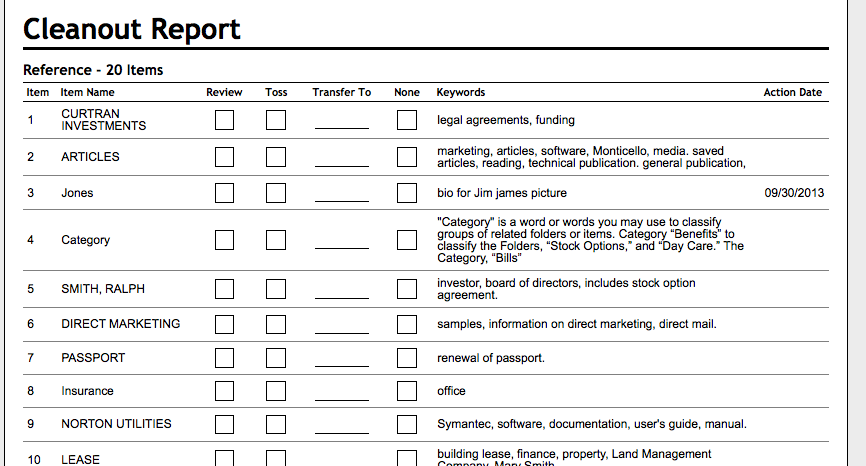
With a simplified filing system such as Paper Tiger in place, this becomes an easy task. Paper Tiger Filing System Software for Document Management can help you get your records in order and then be able to find them when you need them! You can use the Action Date function to remind you when you need to take action on records, including when you need to move them out of the current year’s hanging file folders to an archived location, and then when you can purge them out of your files altogether. You can also note in Paper Tiger’s database how long you need to keep each file even if it is indefinite. Paper Tiger also has a report entitled File Cleanout Report that is helpful when moving documents from file cabinets to an archived location. Decision should be made when files are archived as to if and when they should be destroyed. Archived boxes should be marked as to when they should be destroyed.

According to N&K, CPAs, “The answer varies depending on firm policies and the type of files. Generally, the files should be kept as long as they serve a useful purpose or until all legal and regulatory requirements are met. Businesses often base how long they keep files on the length of the statute of limitations for breach of contract, breach of fiduciary duty, and professional liability claims. The statutes, of course vary with each state.”
And here is another example of a record retention guide published by the Massachusetts Society of CPAs: http://www.cpa.net/resources/retengde.pdf
Even more information at http://en.wikipedia.org/wiki/Document_retention
Litigation
With lawsuits and public scrutiny becoming increasingly popular, the need to substantiate actions with physical proof has grown dramatically. Notes and emails, which were once discarded, are now needed to prove the validity of corporate and government decisions. Subordinates should consider retaining any correspondence from superiors that may point to the rationale behind their decisions.
Client Records
Many businesses base their customer retention on superior customer service. This includes maintaining easy access to copies of client records. Clients, just like the businesses that serve them, have the same problems as large corporations with document retention, and often find it simpler to request another copy of documentation from its source than to keep it on file, or to locate that file. Determining which documents are most often requested, as well as their age, will simplify the process of creating client record retention guidelines.
Financial Documentation
Financial documentation is retained for a multitude of reasons, taxes, efficiency, profitability, growth, tracking, accounting, etc., guidelines as to their storage location must be determined. Financial documentation must often be reassigned a new location with the passing of time. While this may seem futile, an indexing system such as Paper Tiger filing system software makes the process simple.
Accountability
Almost all documentation falls under the category of proving accountability. Once the purpose of accountability for each document has been determined, it will be easier to decide on its association and to create a retention guideline. The value of accountability proof of many documents is not worth their retention; however, they may have many other uses.
Once the retention purpose for each document type has been established, its retention life and location can be determined. While document retention and creation of guidelines may seem overwhelming and even futile, an innovative indexing system such as Paper Tiger, allows companies to maintain their hard copy files and achieve near paperless efficiency, while providing the ability to adapt with the ever-evolving science of document retention.
It isn’t necessary to discard old files to implement an updated filing system, however with the motivation to get organized after determining a document retention guideline specifically related to how you work, you might find yourself clearing some clutter from your file cabinets. By implementing the perfect indexing tool of Paper Tiger filing system software, a higher level of filing efficiency and document retention can be achieved, and you’ll also be able to find what you need, when you need it!
This article by Meggin McIntosh, “The Ph.D. of Productivity”™ and a Paper Tiger Expert, will help you think through steps to purge your filing cabinets and get your filing system under control! Meggin also recommends Paper Tiger. Click here to check out Meggin’s webinar that will help you better understand Paper Tiger Filing System Software for document management to be able to use the software more effectively and see how you can get organized in every area of your life — not just paper filing! Meggin does an awesome job in showing you pictures of all of the different things she has organized and relating those items back to what she has indexed in Paper Tiger.

Are your filing cabinets overly full? Below are some tips that Meggin sent to a consulting client who had incredibly (overly) full filing cabinets. Don’t forget to update your Paper Tiger database to update the items indexed to match what is in your filing cabinets, and you might think about using the File Cleanout Report to help you. (see example of File Cleanout Report below)
1. Choose one drawer to start with and just start with the very first file in that drawer. Do not start working on another drawer until you have gone through all of the first place you started.
2. Set aside a certain amount of time everyday, for example, 30 minutes of uninterrupted time, and go through as many files as you can in that time.
3. Just take the one file out of the drawer, put it on your desk, and do the following:
4. If you come to any files that are falling apart, have one of your assistants put things into a new file. It’s frustrating to pull files out that are just falling apart or frayed.
5. Just keep working through one file at a time…and my guess is that you will toss, shred, or archive half of what is currently in your office.
Remember….everyday, go through folders until you are down to the bare bones of what you need to keep in your filing cabinets.
And for more strategies and tips like these, you will want the Top Ten Productivity Tips – the Collection! which is available for immediate download!
Published with Permission (c) 2013 Meggin McIntosh, Ph.D. | The Ph.D. of Productivity(tm) | http://www.meggin.com
About Meggin McIntosh
Meggin McIntosh, Ph.D., “The Ph.D. of Productivity”(tm). Through her company, Emphasis on Excellence, Inc., Meggin McIntosh supports smart people who want to be more productive so that they can consistently keep their emphasis on excellence.
Phone: 775.853.5510
And to keep moving forward on your goals for more peaceful productivity, join others (worldwide) who receive Meggin’s weekly emails, and see what is available for download at no cost at any of MEGGIN’S WEBSITES:
http://meggin.com (Primary site)
http://GetaPlanGuides.com
http://KeepingChaosatBay.com
http://TopTenProductivityTips.com
http://JustWhelmed.com
http://OwningWordsforLiteracy.com
http://PumpernickelPublishing.com
http://StayingPositiveinaFreakedOutWorld.com
http://LifeofEs.com


Teachers are preparing to open the doors to their classrooms and parents are scrambling to purchase last minute school supplies. We’re sure these teachers wish that preparation for the new school year was as simple as purchasing pens and pads, but unfortunately it is not. However, Paper Tiger Filing System Software for Document Management can make maintaining organization in the classroom a little easier for them.
Think about all the paper files that you have to keep track of and be able to find when needed. As a teacher, you are likely to teach many different students and subjects, and most of the time alphabetical order isn’t enough. Here are some of the things that Paper Tiger can help you with:
Of course, parents and students can easily get overwhelmed with the amount of papers, handouts, homework assignments, project instructions, etc. that is hard to maintain in an organized way if a filing system software is not implemented.
With Paper Tiger’s flexibility, the files can be organized in a way that fits your personal workload. You would simply input the name of the items and keywords related to each file in your Paper Tiger database. (Hanging File Folders = Items) When a file is needed, a simple search can locate any file in seconds.
You can use the aforementioned categories such as attendance records and student assignments and the keywords would include the specifics such as the class, the grade, the year, the class period etc. Replacing the endless paper piles on your desk, Paper Tiger not only reduces clutter but it saves time. You will no longer have to worry about losing an assignment to hand out, creating it again and making twenty-five copies only to spot the original on your desk.
Gone are the days of excessive sorting and taking stacks of miscellaneous paper home every night. With Paper Tiger, all of your paper files can be neatly organized in your file drawer(s) and you don’t have to worry about being able to find them later. This eradicates losing paper files as well. This type of system will also benefit your substitute teacher. Life sometimes gets in the way and we have to miss work. If your substitute teacher can easily find your organized files, (s)he will be able to find what she needs with a simple search in your Paper Tiger database. You can feel confident that your students won’t be disrupted in their lessons because you have implemented a system that keeps you, and your substitute teacher, organized.
Have you ever had a star student that you make an example of in the next school year? You can set a location for “exemplary work” and also know where your past students’ best work is. The same type of thought process can apply to parent teacher conferences and future lesson plans.
By implementing this system, teachers are not only becoming more organized and efficient, they are being responsible. Imagine if your students were going on a field trip and you can’t remember if Joseph brought back his permission slip or you’ve misplaced it. By organizing these types of documents, you will always be able to find them when you need them. You will always be able to retrieve the documents in a timely manner.
The same principle applies for parents and students. Decide what paper files need to be kept, then index the keepers into Paper Tiger’s database. When you need to retrieve an old project paper, you can search the database and you’ll know exactly which hanging file it was placed in. Also, each child could have one file for archives (reports, etc.) that should be kept and one file for stuff that can be tossed out when it’s no longer needed, to avoid having to sort through the files on a regular basis.
An example Location in Paper Tiger’s database for each child might be:
Location Name: Susie’s School Files
Item Name: English (with keywords for any projects and when they are due, along with keywords for other paper files that will be included in this hanging file folder and updated when papers are added)
Item Name: Math (with keywords for any projects and when they are due, along with keywords for other paper files that will be included in this hanging file folder and updated when papers are added)
Item Name: History (with keywords for any projects and when they are due, along with keywords for other paper files that will be included in this hanging file folder and updated when papers are added)
Item Name: Archives (with keywords for all paper files that will be included in this hanging file folder and updated when papers are added)
Item Name: To Be Tossed (set a date to toss these paper files, which could be at school end)
Paper Tiger is Not Just For Filing Paper! If you teach a younger group of kids that use a lot of educational toys, this indexing system will certainly keep them organized. You can use and label storage containers to store these larger items. Younger children have shorter attention spans and won’t be patient while you figure out if the flashcards and toy numbers are in the same place you had them last year. By numbering the storage containers to match the assigned indexed number in Paper Tiger, then input the contents into the keywords section, you’ll know exactly where the state puzzles are when you need them without searching through every container.
Paper Tiger helps to eliminate clutter, so teachers, parents and students will be more organized, and each will have more time to spend with their families because they are not wasting time always looking for things.
This indexing system can benefit teachers of all grades, classrooms, and students. As you prepare to welcome your students in the next few weeks, think about using Paper Tiger Filing System to make school a much more rewarding experience for both you and your students.
Life can be very stressful. Now add your clutter and disorganization to the equation and it’s even worse. Paper Tiger Filing System Software for Document Management can significantly reduce stress and anxiety levels by helping you get organized and virtually eliminating paper clutter. We’ve compiled a list of tasks that when combined with Paper Tiger are essential towards a less stressful life.
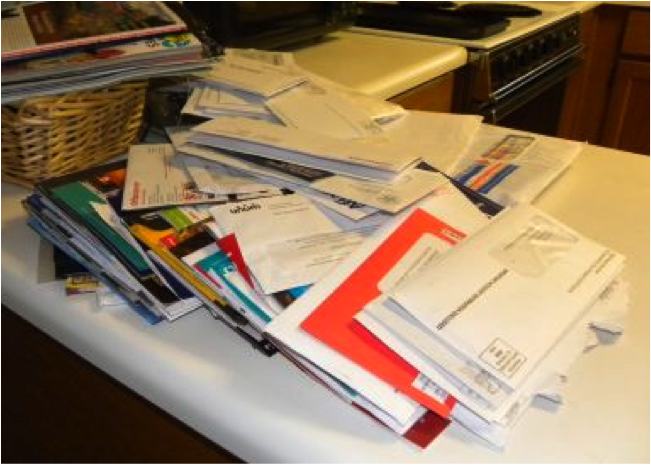
Before any organization can occur, you have to part with paper that you don’t necessarily need. Why are you holding on to last week’s grocery list? Do you really need that pile of junk mail? Surely, if you took the time to look at all the paper clutter that you’ve accumulated, you would throw a majority of it in the trash. Getting rid of the excess clutter is the first step towards reducing stress. A huge weight will be lifted as you throw away extra paper files that you don’t need.
Instead of creating a to-do later pile or getting in the habit of doing things later, get things out of the way. Don’t check the mail and toss it on the kitchen counter, sort through it while it’s on your mind so you don’t have the chance of building clutter piles. By making yourself do this and not procrastinating, you will greatly reduce stress.
In addition to being proactive, be tidy. When you are finished looking at a bill or a magazine, put it back where it belongs. Giving your paper items a home is yet another way to avoid clutter piles. By setting these boundaries and forcing yourself to make decisions in a timely manner, you are stopping clutter before it can accumulate.
For those paper files that you need to keep in hard copy format, you would simply index the item name and keywords relating to those documents into Paper Tiger’s database.
One hindrance to filing is finding a hanging file folder and the tab insert where you would put the name of the file. Then what to name the file is another problem. Files can be named different things, so what do you name each type of file so that you can remember when you need to retrieve the file to reference it again.
Paper Tiger solves these problems because the software allows you to set up all hanging file folders in your file cabinets at one time using the numbered tabs that you print out from the software and they never change. They stay in numbered order for that location in your database. You type in keywords relating to each document in Paper Tiger’s database digital file location matching the physical file location.
Paper Tiger assigns the file number to the document or set of relating documents that you want to put in the same hanging file folder. You can give the document any name you want without any worry about finding it later. For documents that you want to add to an existing file, simply edit the Item and add additional keywords necessary for the new document(s), then drop into that relating hanging file folder. You don’t have to add keywords for every piece of paper in a file if the file name contains the only word(s) you would ever look up to find it. (ex: invoices)
Because the hanging file folders are already setup and waiting for your information, you eliminate the time-consuming hassle of having to find and create a file folder and insert tab each time you want to file something. Again, the software will assign an index number to each file you add to be put in the first available empty hanging folder.
After you’ve converted your filing system to Paper Tiger, you can file your paper files away, and no longer have to worry whether you will be able to find it again. When you need to find a file later, you simply conduct a Google-like search in the database for whatever keyword you’re thinking on that day to find where your file is located.
Paper Tiger is not just for filing paper. You can add other Locations in your database to organize other types of things. Some of these are described on our Not Just For Filing Paper page, which include but are certainly not limited to the following:
As you can see, you can get organized with Paper Tiger and reduce the stress of searching for the things you need, but also to clear away clutter.

Are you someone who has lots of sewing supplies? Here’s something you may not know. According to holidayinsights.com, July 25th is Thread the Needle Day. This is a holiday dedicated to devoted sewists, sewers and seamstresses. Whatever name you prefer, on this day, people literally guide thread through a needle or work out difficult issues. Here at Paper Tiger, we’ll stick to the literal meaning and give you a few tips on organizing your sewing materials in preparation for this special occasion.
As you know, Paper Tiger Filing System Software is not just for filing and organizing paper files. You can organize and index various supplies, books, CDs, DVDs, inventory and even collections with Paper Tiger. Here is how Paper Tiger can help you become the most prepared for Thread the Needle Day.
First you’ll need to gather all your supplies. You probably have sewing needles, thread, scissors, pins, fabrics and other items. The easiest way to store the aforementioned craft items is with storage containers, drawers or tubs, depending on the amount and size of your sewing supplies.
After you’ve gathered your supplies and figured out your method of storage for each type of item, you want to sort the supplies and keep track of them by indexing the items into Paper Tiger. Sort the supplies and place them in the various containers. Be sure to label the containers so that you can know where your sewing needles are and where your thread is. Numbering the containers is a good method.
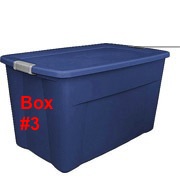
Now you incorporate Paper Tiger. The committed seamstress will have at least one or two containers of each sewing supply. In Paper Tiger, you will have a location named “Sewing Supplies”. Then for the Item Name, you type in the name of the supply or Box #, and then in the keyword section type in the specific item.
You can put your sewing needles in Box #1, which may be a storage drawer box. Your Item Name in Paper Tiger could be named “Sewing Needles” but you could also name this Box #1, and in the keyword section you have the option of inputting Applique, Embroidery, Leather, Beading, Tapestry and Darning for the different sewing needles that you have.
In this example pictured below, your Item Name could be Box # 1 to match how you’ve labeled the box. Then in this box, you could number the drawers 1-6. In the keywords section of Paper Tiger’s Item Name Box #1, type in the type of needles in each drawer and indicate Drawer 1: Applique needles, Drawer 2: Embroidery, Drawer 3 Leather, etc.
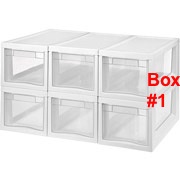
You have a plethora of thread, but you want your golden thread instead of the green thread. Paper Tiger can quickly tell you that your golden thread is in Box #2, drawer 1 if that is what you’ve input into the database to match the drawer location.
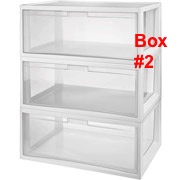
If you have your “Sewing Fabrics” in Box #3 and 4, in the keyword sections you could input Burlap, Felt, Faux fur, Flannel, Fleece, Quilting and Seasonal for the different fabrics that you have stored in each box.
By organizing these things with Paper Tiger, you’ll have quick and easy access to all your supplies and they are stored away reducing clutter. The beauty of Paper Tiger is that it can be shared. What if your sister wants to make a dress for you while you’re away in Vancouver? She can still surprise you! Paper Tiger can be used by more than one person and she can easily search for what she is looking for and still keep the supplies organized. To maintain this organization, be sure to place everything back where it came from after using it and index all new items to Paper Tiger. If you don’t remember where to replace an item, simply conduct a search in Paper Tiger’s database, and you’ll easily know where to put it back in its place.
Using Paper Tiger Filing System Software as an organization tool for your sewing supplies will guarantee that you are more than ready for Thread the Needle Day. Your sewing supplies will all be organized, clutter will be virtually nonexistent, and you will know exactly where each item is with a quick keyword search in Paper Tiger’s database to help you find what you need at the moment you need it. Happy sewing!

Are you having a hard time parting with your clutter? Do you get an overwhelming feeling of dread when you think about starting to organize? If you feel like you are indecisive or simply just a hoarder, these questions will be helpful during organizing. Because Paper Tiger Filing System Software for Document Management is not just for filing paper, using the software will also help you stay clutter free. You can ask yourself the following questions before you file with Paper Tiger.
Use these questions to help you figure out what you should keep or toss. Afterwards, use Paper Tiger Filing System Software for Document Management to further organize by indexing the items so you can find what you need when you need it.
Working from home spares you a few daily frustrations, such as rush-hour traffic and inconsiderate coworkers. But, it’s still work, and it still comes with its own set of challenges. Let’s take a look at the latest technology that can help you thrive while working from home:
Working long hours helps you build your empire, but they’re also rough on your body. Extended sitting has been linked to an increased risk for cardiovascular disease and cancer, according to the Mayo Clinic, and looking at a computer all day puts you at risk for developing ”computer vision syndrome,” WebMD reports.
Try some body-friendly technology to help avert these conditions. A treadmill desk gets you up and moving while you work, and Gunnar computer glasses are designed specifically to reduce eye fatigue and minimize eye damage.
Working from home demands having some source of payment. While PayPal and other online services might suffice, having the capability to accept credit card payments on the spot gives you more power over your business. This is where the Square gadget and service comes in.
Link your Square account to your bank account, plug the Square gadget into any iPhone or Android mobile device, run a credit card and the money is uploaded to your bank account in about two business days. Since cards can be keyed in, even online businesses that don’t see physical credit cards can use the service.
If the equipment you need for your livelihood is on site, it’s time for a household security upgrade. Automatic outdoor lighting, security cameras and an alarm system with a security service are vital to protecting your investment. You can explore the different security services available to you at www.SecurityCompanies.com.
While you hopefully have property insurance for your home or office, make sure it covers all those cool gadgets you’re adding to your business arsenal. Expensive equipment, like video cameras and instruments, often require insurance riders to be fully covered.
If you seem to get your best ideas while you’re making lunch or halfway out of your clothes and into the shower, a USB voice recorder saves you that frantic trip back to your desk. The compact device requires no additional connectors. Just plug into a USB port and pull your digital files onto your computer.
For those who prefer the old-school style of jotting ideas down as they flow, Ideapaint is wall paint with low VOC content, meaning you won’t be breathing in excess chemicals as you roll the paint onto the wall to create your own full-wall dry-erase board.
Stop messing with mountains of paperwork and ineffective filing systems. Paper Tiger Filing System Software for Document Management helps you organize your entire office. Use it to index your hard-copy paper files by entering the relevant keywords into your Paper Tiger database. No more time wasted or hair-pulling while you try to remember where you placed what—you’ll be able to easily find the documents you need with one quick search.
The best way to declutter your home and your home office is to use Paper Tiger, which is not just for paper filing and document management because anything that you can put a number onto, you can index into Paper Tiger to help you get organized and to help your business thrive!
About the Author:
Brian Kane Brian is a computer science geek who loves to write about new programs.
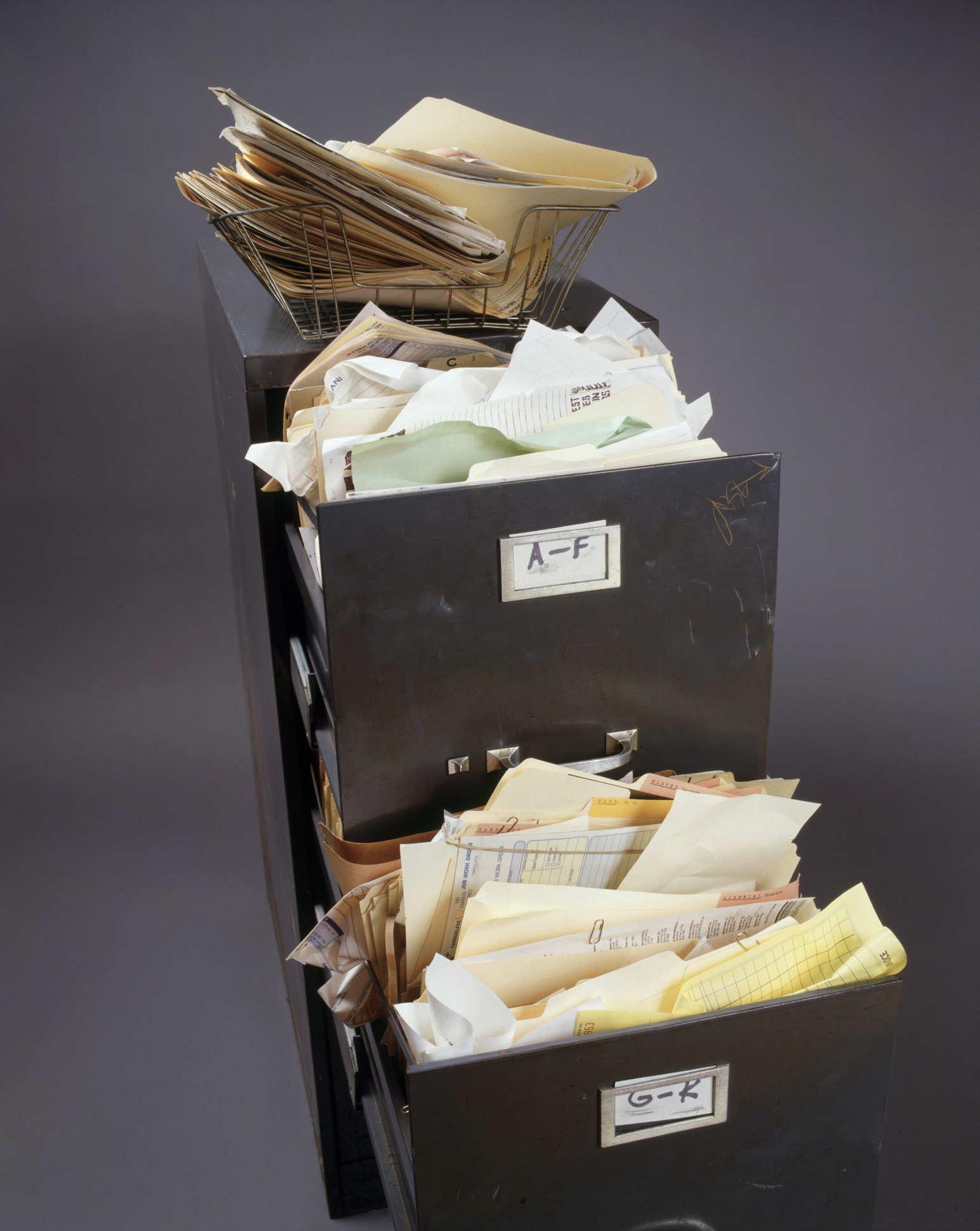
If you have a filing system in place and are filing your paper documents, but you still feel unorganized, you may be making one of six crucial filing mistakes that deter you from maximum organization. With Paper Tiger Filing System Software for Document Management, you can get the ball rolling quickly by indexing and filing the physical documents. Read on to find out what not to do when organizing your filing system.
By avoiding these filing mistakes, your organizing system paired with Paper Tiger Filing System Software for Document Management will keep your files organized and help you find exactly what you need faster.

With people working from home and diving into self-employment, home offices are quite common. It has been said that at least one in four households have a home office. When is the last time you organized your entire home office (besides when you initially moved in)? If you can’t answer this question, it’s time. With clutter on the kitchen counter, dining room table and other areas of the house, this article in particular is designated to getting the home office organized.
Sometimes this isn’t a task that can be tackled in one day, but with Paper Tiger Filing System Software for document management, these tips can help you make huge strides.
Since you are cleaning out your office, you might as well make sure that you are not storing documents that you no longer need or use. Your organizing system needs to be organized as well, and once you have your Paper Tiger database set up with your paper files indexed, you can print the File Clean-Out report to help you clean out papers from existing files. Also use the Transfer Report to help you physically move documents from one location to another so the documents in your hanging file folders match what you have in Paper Tiger.
These are steps to help you get started. Of course, depending on how cluttered your home office is, it might be quite difficult to clean out your entire home office in one day. Completing one of these steps a day, (in order of course), can ensure a clean and tidy office in less time than you think. Remember to relax and take your time when cleaning your office. Don’t get overwhelmed in organizing your home office. You’ll feel so accomplished and proud, you will want to go from room to room, and maybe even tackle organizing the garage. Happy Organizing!

Are you being as productive as you can? Want to reach your full potential? Anne McGurty of Strategize & Organize and one of our Certified Paper Tiger Experts, offers a few tips to help you reach your full potential of productivity. A few of these tips, when combined with Paper Tiger Filing System Software can help elevate productivity even more.
About Anne McGurty:
Anne McGurty is CEO of Strategize & Organize, a company devoted to training individual’s to be more effective with the tools and resources so they can be productive in their work environment.
If you like this issue, you’ll love Anne’s transforming productivity training and organizing products to help you organize your business — and yourself — ranging from productivity consulting for individuals and executives to small business coaching programs to keynote speaking and corporate training programs to improve efficiencies in the workplace and improve productivity.
While Anne is best known for her expertise in productivity and expert office organizing, her clients share that her biggest impact comes from her philosophy of “personalizing her programs to fit the needs of her clients so they can streamline more efficiently with existing processes” – ensuring to create a sustainable work environment. This, Anne says, is the most important key to bringing an individual to personal freedom with time and organization.
You can learn more about Anne at www.StrategizeAndOrganize.com.
You can contact Anne at amcgurty@strategizeandorganize.com or by phone at 303 881-0174.
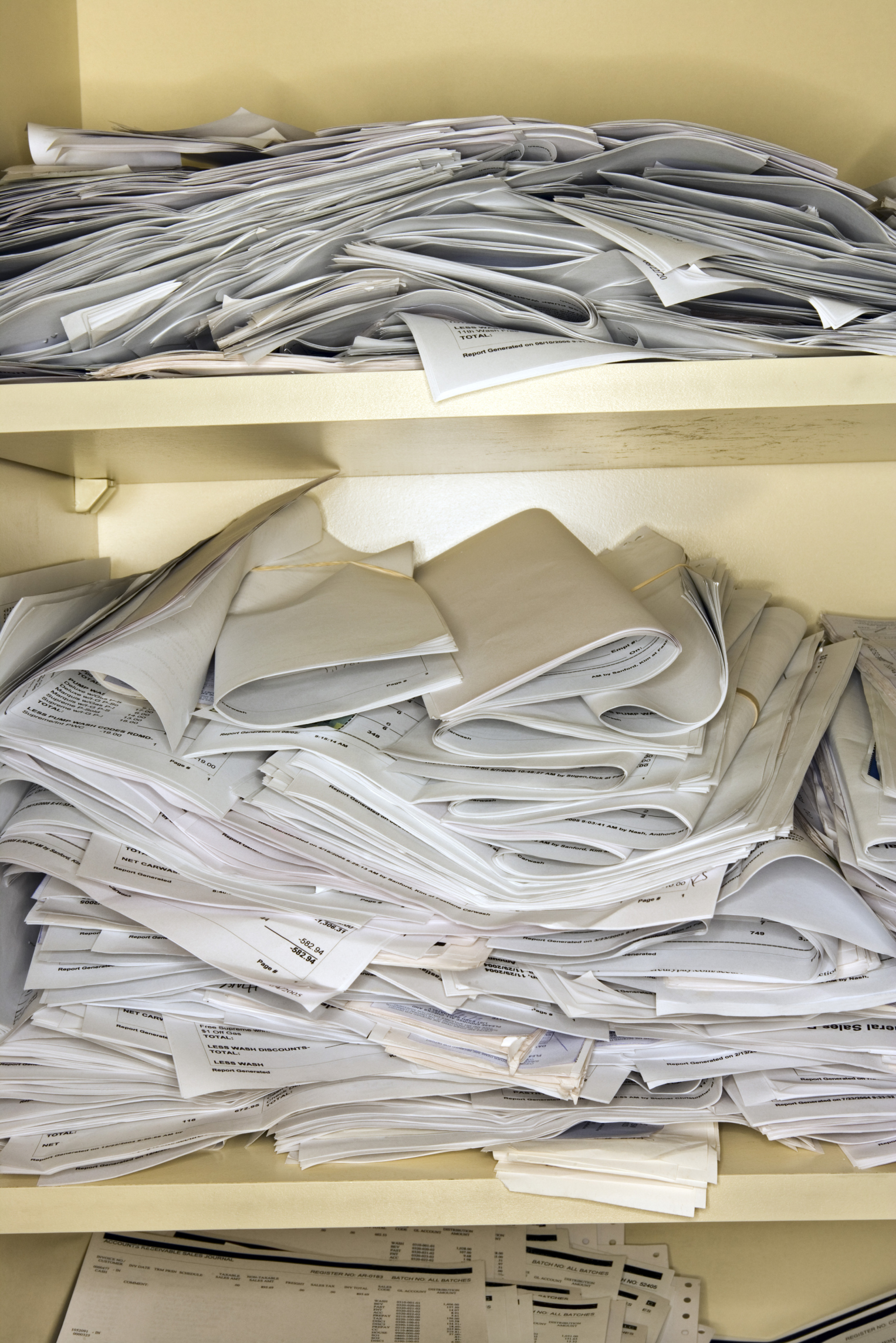
Here at Paper Tiger, we’ve figured out that organization also comes from within, and we believe that you can train yourself to be more organized. Before you begin to use Paper Tiger Filing System Software for Document Management or Digital Tiger, powered by Google Docs, you, try these ten tips that will help you form habits towards a more organized you.
Anne McGurty, a Paper Tiger Expert of Strategize and Organize, shares her top ten tips for using the Paper Tiger to get organized, work efficiently, and be more productive. Read on to see how a small investment in time implementing Paper Tiger Filing System Software can help you to simplify your life!
Did you know that the average executive spends six weeks per year retrieving or replacing lost documents? Naturally, it makes sense to create a system that is quick and easy so you can save that lost time. Here are some ideas to get it done now once you have Paper Tiger. If you don’t have Paper Tiger now, click this link to get started. Here are the top ten tips I recommend:
1. Look at the “hot spot of files”. You know the pile that seems the most urgent and makes your stomach churn every time you look at it. Take the paperwork and make a decision on each piece and separate into four piles:
a. Reference: those items you need, just not right now
b. Action: current projects, ongoing projects
c. Toss: you know where those are going
d. Timed: you need these on a specific date
2. When deciding on whether to file something or throw it away, ask yourself how difficult would it be to find this information again? Does it have any legal or financial ramifications if you were to throw it away? If you can live with the answer of throwing it away after those thoughts, let it go.
3. Set up the Paper Tiger Filing System Software and Document Management, an indexing system that works like a search engine for paper files to help you get organized and stay organized. It’s essentially creating an inventory for all of your files.
4. Use names that you will be able to recall easily. The obvious file names that you’ve used in the past. Then the interesting thing with Paper Tiger is that you will also be able to add keywords into the database so that any name you think of when you need to find a file, the software will be able to tell you where it is in seconds. So in the case of “Auto” the item name would be “Ford Explorer”, and in the keywords section, you would input the name of the company, i.e., “Vehicle, Car”, possible the name of the dealer, the service person’s name, etc., and you might use “Personal” in the Category section.
5. Oftentimes, people receive notices of an event and they never know what to do with the postcard. Set up a monthly filing system (a Tickler File) to keep track of when to throw them away. Create 12 hanging file folders, one for each month. As you rsvp or pull the information for “dress code” or directions. When the day rolls around, you can retrieve it for a reminder. This will ensure that you never miss an event or an expiration date on an rsvp or offer.
6. When sorting through paper files, make a decision. If you’re not in a decision-making mood, have a place set up for “unprocessed paperwork.” Then when you’re ready, if you need to take action, do it now or place it in the appropriate action file. If someone else needs to attend to it, give it to them. If it is something to reference later on, index the appropriate keywords into Paper Tiger and add it to the corresponding reference hanging file. Putting it back in the pile to address later is no longer an option for you as an organized person.
7. When you have a lot of tasks to do for the day, quickly sort the tasks in order of importance. Do what is most profitable or important to you first, then move on from there. Therefore, if you only have a little bit of time, you will be addressing the most critical issues first. All other tasks need to be scheduled for when it makes sense. This final step is critical, otherwise you’ll be starting a new pile.
8. Print out reports of what you have inventoried in your filing system, place a folder in the front of each file drawer, as appropriate, labeled “File Index.” Having a quick and easy reference when you don’t want to open your computer makes it easier to find quickly.
9. Get into a maintenance habit of printing out a ‘File Cleanout’ report of all of your files, quarterly or no less often than annually, and identify what you no longer need and purge or create steps to archive via off site store or scanning.
10. Finally, create a time management habit. Take 10-15 minutes every morning looking at your priorities, including your Actions within your Paper Tiger system and pulling files from your Tickler File. Do the same thing each evening by placing all documents collected through the day back into your systems.
Celebrate your progress, if you haven’t done it yet. Set up your Paper Tiger Filing System and get started now. As you go throughout your day, keep in mind the task at hand and focus on completing that one task. Remember that “things don’t clutter, people clutter”. When we make simple decisions and take action, we can improve the quality of our life at work and at home.
Anne McGurty
About Anne:
Anne McGurty is CEO of Strategize & Organize, a company devoted to training individual’s to be more effective with the tools and resources so they can be productive in their work environment.
If you like this issue, you’ll love Anne’s transforming productivity training and organizing products to help you organize your business — and yourself — ranging from productivity consulting for individuals and executives to small business coaching programs to keynote speaking and corporate training programs to improve efficiencies in the workplace and improve productivity.
While Anne is best known for her expertise in productivity and expert office organizing, her clients share that her biggest impact comes from her philosophy of “personalizing her programs to fit the needs of her clients so they can streamline more efficiently with existing processes” – ensuring to create a sustainable work environment. This, Anne says, is the most important key to bringing an individual to personal freedom with time and organization.
You can learn more about Anne at www.StrategizeAndOrganize.com.

Earth Day is Monday, April 22nd, and each year individuals across the globe participate in events geared towards environmental protection. Wouldn’t you like to get involved?
According to the Environmental Protection Agency (EPA), each year in the United States, Americans use about 71 million tons of paper and paperboard. Many organizations and individuals are making an effort to go paperless. A paperless environment is certainly good for the Earth as the amount of waste in the landfill is reduced in addition to greenhouse gas emissions and the energy used by printers.
Whether you are trying to go paperless or not, most of us still have some paper files, but we can still work toward less paper. Here are a few tips to help you be more environmental, and don’t forget to index the hard copy paper files into Paper Tiger filing system software for document management, so that when you need to retrieve a document, you can find it without having to print it again.
Here are just a few benefits of using Google Docs/Drive that can help you participate in Earth Day this year.
-Google Docs allows you to access your word processed files, spreadsheets and presentations. You can easily share these files with others. You can edit and work on these documents in the same location they are stored in. This can all be done without ever having a physical sheet of paper. The only time physical documents are involved is if you must first scan them into Google Docs. Sometimes you might need a hard copy in file, but also an electronic file. Using Digital Tiger, powered by Google Docs, function in Paper Tiger Online Basic or Pro plan, will allow you to index the physical paper file into Paper Tiger and also search Google Docs for the digital file.
-Google Docs has one of the cheapest digital file storage available. This means you can create and store all of your files digitally without physical paper clutter while also saving valuable space on your hard drive.
-Worried about the safety of your documents? While Google Docs is very secure, you have the option to send automated backups to your computer and also synchronize through Google Drive.
You can easily do your part to reduce your paper footprint by rethinking how you work with paper files and digital files. These tips can help you do your part in keeping the environment healthy. Whether you have digital files or hard copy paper files, you can easily do your part by reducing paper use for Earth Day.



