

Whether you’re just starting a new business or you’ve been in business for years, you will always be able to manage your time more efficiently when you have an organized office. Paper Tiger Filing System Software is a system for office organization, which is being used in companies of all sizes, ages and types. Employees won’t be wasting time searching for paper files when they could be doing things that are much more productive, thus saving companies money while increasing productivity.
No matter how electronic (translated as “paperless”) we claim to be, we find that 80% of companies are still struggling with stacks of papers. So if you are still trying to organize your paper files with the traditional alphabetical filing system, and you are still having trouble finding documents when you need them, consider implementing (and using) Paper Tiger.
Paper Tiger allows you to maintain your paper files that you need to keep in hard copy format. You can keep your paper in its original form (you do not have to scan it), but simply index your paper files into Paper Tiger’s database and use the power of the computer to quickly and easily find the information when you need it. You can index anything in Paper Tiger; it’s not just document management! Some things just can’t be scanned, i.e., passports, contracts, binders, books, flash-drives, CDs, DVDs, etc. That cannot be done with systems that require scanning into an electronic file. The beauty of Paper Tiger is that keywords allow anyone in the office to find the document that might have been named many ways by many employees.
You have three types of files that you deal with every day:
- Daily Action: Things needing to be done; daily tasks; tickler/follow-up file
- Project Files: Active folders that are ongoing for a specific period of time (see ‘3 Types of Action Files‘)
- Reference Files: Nothing more needs to be done on that item, but you want to keep it for possible future reference
The strength of Paper Tiger relates to the last type of file. Whether you are dealing with your own files within your office space or with a company-wide document management system that encompasses rooms of file cabinets, Paper Tiger can help. It provides you with the two required features of a strong filing system:
1. You can find anything you need, whether it is six months from now or five years from now, and you can find it within seconds!
2. You can quickly tell someone else how to find the required material.
Paper Tiger is simply a software program that allows you to catalog your paper documents, and the computer then uses its search capabilities, to pull up your keyword and point you to the correct folder in your desk or file cabinet.
When using Paper Tiger, you eliminate many of the factors that make filing difficult or the reason filing is put off until the paper stacks begin to build beyond control:
- What do I name this so that I can remember how to find it? Call it multiple names, listing all keywords you might possibly think of when trying to locate the document again. Add keywords when necessary.
- I don’t have the right colored folder. Purchasing different colored folders as a way to categorize files in the hopes of narrowing down our search later is completely unnecessary when using Paper Tiger.
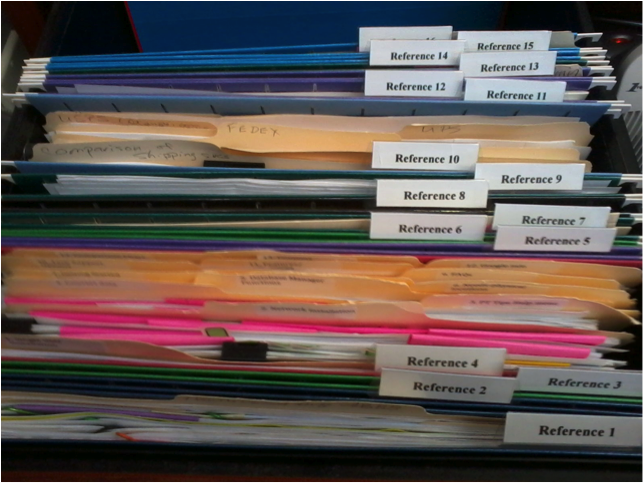
- I don’t have time to create a tab for a new file. Your file folders are numbered and are made up in advance. Filing a new item simply becomes a matter of dropping it into the next open folder.
No matter how large or small a company, time management is a must. When people are wasting time searching for items, they aren’t being productive. Searching for files is a huge waste of time, especially when there is Paper Tiger to make the job faster and easier. The less time one has to spend searching for files, the more time can be spent doing things that are actually fruitful. The better you and your employees are at managing time, the more efficient your company. When documents are filed using Paper Tiger, various keywords are input, and anyone who has permission to access the database can conduct a quick search of keywords, and the needed document can quickly be retrieved. The keyword search can also work for returning the document to the correct file.
Of all of the office supplies you pay for, this software is one of the most important. In addition, Paper Tiger will virtually return the investment when the time wasted is put towards working! Allow Paper Tiger Filing System Software for office organization to help reduce wasted time, make filing less of a chore, and keep you and your employees working more efficiently.

Yes, it’s time for back to school already. Teachers are making preparations and gathering everything they need to get started. And parents are already shopping for school clothes and school supplies.
There are lots of things to do and think about when preparing for back to school. Preparation and making sure you have everything needed can cause some anxiety, and then to think about keeping it all organized is another issue altogether. You will want to have a place for everything and an organized system for keeping track of those things.
Organization is helpful in any situation, and getting organized is even more important when adding school schedule and activities to help keep sanity and manage the stress level to a minimum. If you can instill a system of organization in your children and follow the same plan yourself, then you won’t feel completely overwhelmed. Creating a place for all school items will help teach children to get in the habit of getting and staying organized, and they will see how much easier life can be when they are organized and plan ahead.
Following are some great recommendations from Sherry Borsheim of Simply Productive and a Paper Tiger Expert for organizing kids. See if some of these will help you.
There’s sports schedules and phone lists, papers to sign, health records, music books, report cards, and precious keepsakes that tend to pile up around the house.
Then there’s the sports equipment, jackets, shoes, backpacks, lunch containers, homework, projects, and electronics that your children drop at the door when they come home from school or other activity each day. Times this by three to five kids and you’ve got a giant heap sitting on the floor on a daily bases.
After you’ve decided what paper files need to be kept, then index the keepers into your Paper Tiger Filing System database. When you need to retrieve an old project paper, you can search the database and you’ll know exactly which hanging file it was placed in. Also, each child could have one file for archives that should be kept and one file for stuff that can be tossed out when it’s no longer needed, to avoid having to sort through the files on a regular basis.
An example Location in Paper Tiger’s database for each child might be:
Location Name: Susie’s School Files
Item Name: Health records (with necessary keywords)
Item Name: Report cards
Item Name: Awards
Item Name: English (with keywords for any projects and when they are due, along with keywords for other paper files that will be included in this hanging file folder and updated when papers are added)
Item Name: Math (with keywords for any projects and when they are due, along with keywords for other paper files that will be included in this hanging file folder and updated when papers are added)
Item Name: History (with keywords for any projects and when they are due, along with keywords for other paper files that will be included in this hanging file folder and updated when papers are added)
Item Name: Archives (with keywords for all paper files that will be included in this hanging file folder and updated when papers are added)
Item Name: To Be Tossed (set a date to toss these paper files, which could be at the end of the school year)
For any of the files or artwork that you’d like to box up for storage after the school year has ended, simply transfer the items in your Paper Tiger database to track where you’ve moved them. For example, you will most likely want to keep Health records and Report cards for all school years together, but move the other items specific to a school year out of your file drawer.
Maybe you have a file box or bin in the attic or basement where you keep “the best of the best” in storage, so you’ll create a ‘location’ in Paper Tiger for Susie’s Archives. Print out labels for the hanging file folders in Susie’s Archives. In your Paper Tiger database, you’ll select the items you want to move, such as Awards and Archives, then conduct a Transfer, Duplicate or Move function for these files to be transferred to Susie’s Archives. Then you’ll physically move the files for the school year just ended from your file drawer to the correlating file folders in the designated file box or bin in storage, leaving the hanging file folders in the original location in your file drawer.
For English, Math, History, and To Be Tossed, these can most likely be tossed out at the end of the school year. Simply delete or edit the keywords for each of these items as necessary.
Setting up Paper Tiger Filing System now will help you to eliminate clutter and get organized. If you decide early where everything should be kept, what you will do with the ‘keepers’ at the end of each school year, and maintaining the system of organization, each school year will be less stressful.
Of course, Paper Tiger is not just for your child’s school files, and it’s not just for filing papers. Anything that you can put a number onto can be indexed in Paper Tiger Filing System so that when you need something, you can conduct a search for the keyword relating to the item and find it quickly, as well as where to return the item when you need to put it away. You can live organized with peace of mind because you have a place for everything, and have implemented an organizing system that helps you find what you need, when you need it!
Click here to find more helpful tips for organization is key when going back to school.

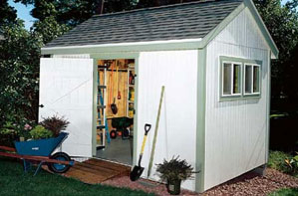
Since the time Paper Tiger Filing System Software for document management was first developed to provide users Internet-like search access to the information stored in their file cabinets, we have found over the years that it’s not just for filing papers. Many organizing and productivity experts have worked with clients to help them implement Paper Tiger for organizing paper files, and also anything else they wanted to get organized for which they could put a number onto.
Anything can be indexed or catalogued into Paper Tiger’s database so that when you need something, you can conduct a search for the keyword relating to the item and find it quickly, as well as know where to return the item when you need to put it away.
No more ‘where did I put that?’ and searching all over! No more ‘I don’t want to put that away because I’ll never find it again’. You don’t have to live with clutter all around you! You can live organized with peace of mind that you’ll be able to find things again. You can declutter every room in your home and office because you can have a place for everything, and can implement an organizing system that helps you find what you need, when you need it!
Below is a list of 17 ways to get organized using Paper Tiger. There may be many other things you can number and be able to document in your Paper Tiger database, so use your imagination and get everything in your life organized!
Stephanie Calahan, of Calahan Solutions and a Paper Tiger Expert provided suggestions in how to use Paper Tiger for this list. Ms. Betsy from North Carolina, a long time user of Paper Tiger, also let us know that she maintains an inventory of the items in her freezer using the Action Date section to make sure she cooks the food by a certain date.
Are you using Paper Tiger for organizing other things? Let us know in the comments section below. We are sure others can benefit from your experience in getting organized with Paper Tiger Filing System software!

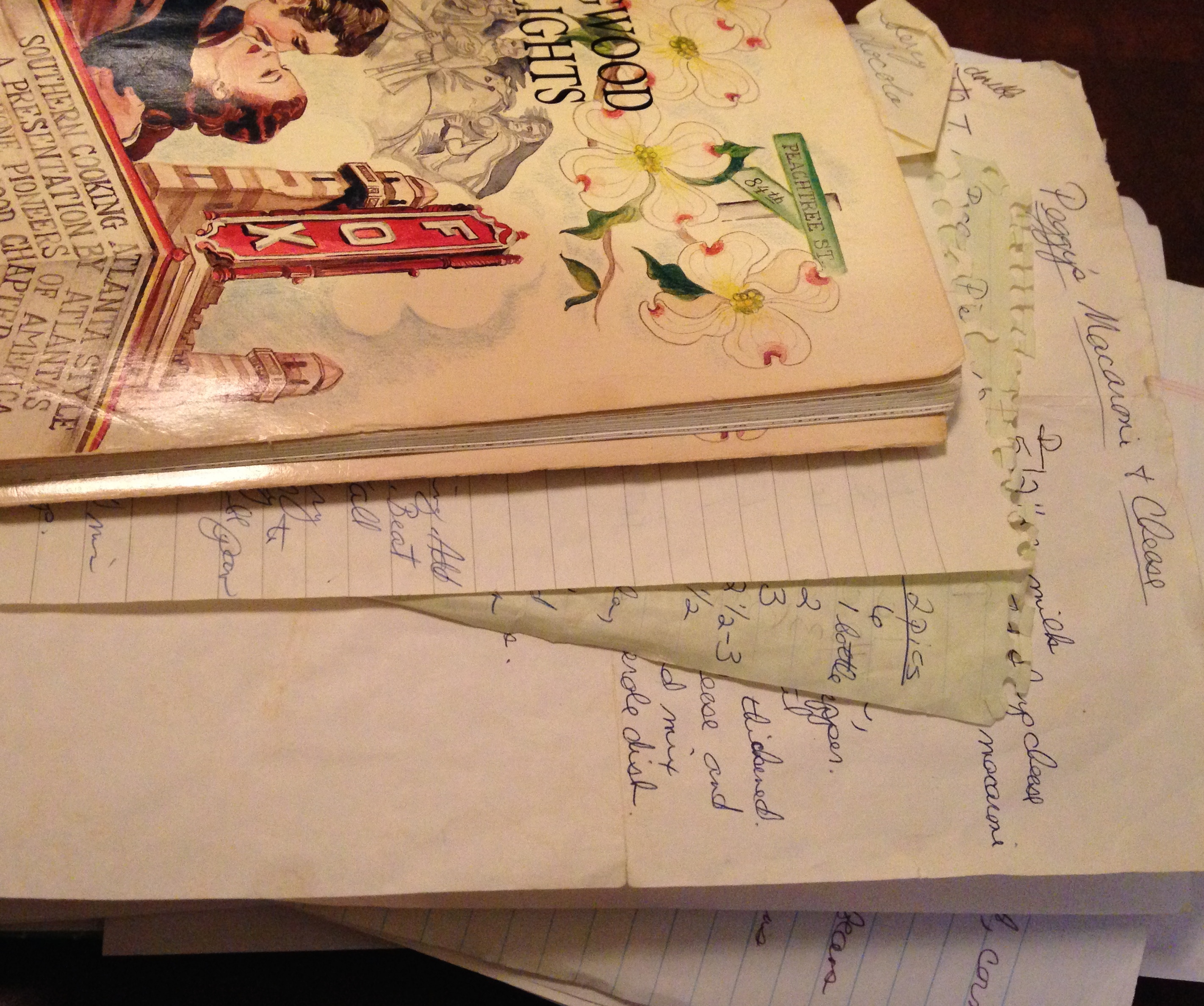
Recently I was asked by one of our customers, Sharon, how Paper Tiger could be used for organizing recipes. We collect recipes from various locations … favorite recipes from family members, Pinterest, Facebook, magazines, etc. This collection can really pile up. If you’re like me, you have several cookbooks in addition to the separate pages of various prints and cut-outs. So it takes time to search through my favorite cookbooks or all the print-outs I’ve collected and stuffed in a folder or cookbook when I need a specific recipe. Sharon has inspired me to finally get my favorite recipes in various cookbooks and recipe prints organized. This may be a good time for you to think about getting your recipes organized to save time, as well.
You can use Paper Tiger to number the spine of each cookbook and keywords can help you find different cuisines. Recipe cards can also be easily organized. Below is an example to give you an idea of how you can index your recipes.
You could create a separate database just for Recipes, and the Location names could be for the specific cookbooks, then the individual recipes would be for the Item Name and keywords.
Database name = Recipes
Location name = name of cookbook
Item Name = name of recipe
Keywords = main ingredients, author of cookbook, your review of the recipe, what you like to serve with, etc.
Category (optional) = Appetizers, Desserts, Main Dishes, Meats, Vegetables, etc.
Database name: Recipes
Location name: Joy of Cooking
Item Name: easy black bean soup
Keywords: page #, black beans, onion, garlic, peppers, ground cumin, oregano, by Irma S. Rombauer, Marion Rombauer Becker, and Ethan Becker
Category: Soups
Item Name: butternut squash
Keywords: page #, ravioli with brown butter, pasta, good for freezing, parmesan, nutmeg, sage
Category: Vegetables
Location name: Mastering the Art of French Cooking
Item Name: Pot Roast
Keywords: page #, Braised pot roast of beef with wine, tomatoes, and Provençal flavorings, by Julia Child, Louisette Bertholle, and Simone Beck
Category: Meats
Location name: The Ode to Southern Food
Item Name: Persimmon Pudding
Keywords: page #, by Edna Lewis, persimmons are more delicious after frost, brown sugar, cinnamon, nutmeg, mace, rum, serve with Clear Sauce
Item Name: Clear Sauce
Keywords: page #, to serve with Persimmon Pudding, sugar, cornstarch, nutmeg, brandy
Item Name: Boiled Dressing
Keywords: page #, salad dressing, apple cider vinegar, clover honey, coarse mustard, cayenne, butter, heavy cream, also can serve over boiled potatoes, green beans & roasted vegetables
Location name: My Favorite Recipes (This is a binder for cut-outs & prints.) You can print out labels from Paper Tiger to affix to each recipe which would indicate the page number. For example, Location name and Item Number, the labels would print out Favorites 1, Favorites 2, Favorites 3, Favorites 4, etc.
Item Name: Ranch Cheese Ball
Keywords: page #, party favorite made with ranch dressing, cream cheese, coated with almonds or other nuts
Item Name: Strawberry Cake
Keywords: page #, Bob’s favorite, strawberry cream cheese icing
Note: Labels have a character limit, so in this case, the name of the Location is too long ‘My Favorite Recipes’ so I’ve entered a shorter version to print on the labels in Avery size 5167.


Location name: Appetizers
Item Name: Ranch Cheese Ball
Keywords: page #, party favorite made with ranch dressing, cream cheese, coated with almonds or other nuts, in My Favorite Recipes binder
Location name: Desserts
Item Name: Strawberry Cake
Keywords: page #, Bob’s favorite, strawberry cream cheese icing, in My Favorite Recipes binder
You can print out labels from Paper Tiger to affix to each recipe which would indicate the page number. For example, Location name and Item Number, the labels would print out Appetizers 1, Appetizers 2, Appetizers 3, Appetizers 4, etc.; Desserts 1, Desserts 2, Desserts 3, Desserts 4, etc.

After you’ve decided the best way to organize your recipes based on how you think, then gather all your loose recipes in whatever form they happen to be in. You’ll also need a 3 ring binder, a 3-hole punch or sheet protectors, and you may want tabbed dividers. You can place each loose recipe in its own sheet protector; or you can copy the recipe on your printer then hole punch the paper. You may have some recipes written by family members that you want to keep on the original recipe card, so in this case, you will want to put them in a sheet protector versus copying. If you’re going to index your recipes by category, you will need to sort them by category.
It is not necessary to sub-divide with Paper Tiger’s indexing system, but this of course depends on how detailed you want your cookbook to be divided. Index your recipes into your Paper Tiger database by typing in the information as described above. You can add new recipes as desired. When you’re done, you’ll have your recipes organized so the next time you need to cook something specific, you can search in your Paper Tiger database for the name of the recipe or a main ingredient, and be able to find the recipe in seconds.

There are a lot of people these days reading books on their tablets or other e-reader devices, however some of us still like to own physical books. Even if you’re reading on your electronic device now, you may still have a personal library of books that you want to hold on to – maybe of your favorite authors, hobbies, various studies or DIY books.
So for the books you want to keep at home or in your office, are they organized in a manner that you can tell what you have? Maybe a better question is, can you find the book you need quickly? If not, below are a few tips to getting books organized.
If the way you are currently organizing your books works for you, you should be fine. However, if you don’t have any idea what books you have and you’re constantly looking for a particular book, consider indexing your books into Paper Tiger. This will give you an inventory of what you have, and will allow you to search for keywords such as a word in the title of the book, author, type of book, genre, and any other information you want to input about each book. Also you will be able to print out a report of the books you’ve inventoried in Paper Tiger.
Now that you know what you’re keeping and in what order and where you want them, index them into Paper Tiger. This will take less time than you think, and you’ll be glad you did!
Below is an example of how to use Paper Tiger to index and organize your books, and the same instructions can be used to index your office supplies, flash drives, CD/DVDs or any other physical item that you can put a number onto:
1. In your Paper Tiger database, add a new Location entitled “Books”, with capacity of 100 (you can increase this later if you need to by editing the Location capacity. If you want to keep certain books together, and you know you will be purchasing additional books of the same author and you’ll want to put the new books together with those already indexed, add a new Location for just those books. For instance, you like the author Max Lucado, add a Location entitled “Lucado”, and then you’ll index all books for this author into this Location. Don’t forget to add the correlating number to the new book spine.
2. Then print labels for each Location ready to affix onto each book spine as you index it. Alternately, you can use a label maker or marker to put the correlating number onto the book spine.
3. Begin indexing your books individually by adding a new item in this Location. I would name the item by the title of the book, and continue with something like the following:
-Item Name: title of the book
-Keywords: author, brief description, if/when you read the book, location where the book will reside such as 2nd from top shelf of 1st bookcase in den
-If you have Professional or Pro edition of Paper Tiger, you will be able to apply a Category to the item. If so, add new category for the type of book/genre: drama, comedy, romance, historical, self-help, DIY, etc. As information, the Basic edition does not have the Category function. If you have Basic, then you can add the type of book/genre to the keywords section, then when you search for a specific type, Paper Tiger will search results for all of the books that you’ve indexed with that category, which is basically the same thing that would happen if you were to select the Category drop down box in Professional or Pro.
4. As you index each book, affix the corresponding label to the spine and place the book on the shelf where it will reside.
As you’ll see in this picture below, the spine of each book is numbered so when you search Paper Tiger, you’ll know what the book number is, and be able to quickly go directly to the corresponding book on the shelf. You’ll also know where the book should be returned.

The bottom line is that if you can put a number onto an item, you can index it into Paper Tiger… then whether the physical items you’re getting organized are paper files, boxes, bins, books, etc., type in a keyword for an item the same way you do with an online search engine, you will find it.
Let Paper Tiger Filing System Software work for you and get organized today!

The new year is a great time to think of ways that you can improve your life — Getting Organized most always lands in the top 10 lists of New Year Resolutions.
The National Association of Professional Organizers (NAPO) named January “Get Organized Month” or “GO Month” to increase awareness of the importance of getting organized and to help people with organization and productivity. According to NAPO, the bulk of their clients request help with organizing their home offices.
So if “getting organized” is such a priority for people, why do so many people struggle with this? We’re all flooded with information coming at us daily from many different directions. Having the information on hand is of little value, though, if you can’t find what you need when you need it. Getting organized and improving how you work can start with Paper Tiger’s simple indexing system. Organizing information in such a way that can be found in seconds is liberating, and frees us to do other things.
Paper Tiger Filing System Software is the perfect tool to get your year started on the right track if you are planning to stay organized this year. You can clear stacks of paper files and other clutter without worrying if you will ever find it again when you put it out of sight. Paper Tiger is a great solution for managing information, and enables you to file and retrieve hard copy documents, books, CDs, flashdrives, and other items – literally anything that you can put a number on – by using key words. And because you have an index to search, you’ll be able to return the item where it belongs as quickly as you retrieve the item.
Everyone including new hires with access to your database can conduct a quick keyword search, retrieve and return items – no worry – no hassle. You don’t have to rely on one single person to know where everything is, because the system can do the remembering for everyone, which saves time and keeps your business running much more smoothly and efficiently. Of course, this can also be applied to your home and family, as well.
Paper Tiger can also generate a file index report so you can print out a list with item name and keywords of all your files. The printed back-up allows for quick reference when the computer isn’t on.
If organization is at the top of your New Year’s Resolutions, look no further; Paper Tiger is here to help. This filing system is so easy to use, it will be hard to stop organizing! During this “Get Organized Month,” take advantage of the expertise of one of the productivity consultants who are Paper Tiger experts that can help you work more efficiently in every area of your life. They will work with you either virtually or in-person, whichever you need, and will help you to get organized and create a customized system for the way you work.
Finally, all the time and money wasted from disorganization will be returned on your simple investment in Paper Tiger, and you’ll be able to keep at least one new year’s resolution. Whatever your motivation for getting organized – whether it’s to save time, eliminate clutter, increase productivity, or just find a better way to retrieve information – Paper Tiger Filing System software can help you right away.

Have you ever been on the road traveling and discovered you needed a file from your office? If you have your own system of filing, it could be a challenge to send someone to your office to look for what you need. And if your filing system consists of stacks on every flat surface of your office, it can get really tough to explain in which stack they should search. It’s time to get organized before you have to travel or be out of the office for any reason.
Would you like some help? You might already have Paper Tiger, but think you don’t have time to index your files. But how much time is it taking you to find what you need? With your current filing system, can you give your assistant the information needed to quickly and easily find the documents you need with a simple search in the database? I believe that if you invest the time needed to set up your filing system in Paper Tiger, you will quickly start to reap the rewards, not only saving you time, but money as well.
Small and large businesses, government agencies, non-profits and individuals worldwide use Paper Tiger Filing System software for document management to manage their filing. They have discovered a filing system that uses the power of their computer to solve their problems with finding things once and for all! These organizations and individuals have found Paper Tiger software to be an invaluable tool to help them better manage their office and get organized to stay on top of the virtual mountain of paperwork they must deal with each day. You get all the power of the computer without the risks and time commitment of paper scanning!
The indexing system is the way to go because it gives your employees the ability to find files when you, or the one or two people who know where everything is, are not in the office. It’s the ideal way to find what you’re looking for with ease. Just think how productive your staff can be when they can find what they need, when they need it without searching through stacks all over the office.
According to experts, getting organized and being able to quickly find what you need saves 150 hours a year. Yes, it will take time to create your index, but compared to the time spent searching for files, it takes much less time in the long run! The more you use the system, the easier it becomes. Start slow and work your way up to larger quantities of files. Before you know it, your entire office will be indexed!
Training is another big issue for some companies. They need to make the most of their time and money. The Paper Tiger indexing system is easy to learn and it’s easy to train others to use. We have free getting started videos and webinars on our Training page.
An indexing system for document management is worth every second of investment and time spent setting it up. You’ll see the difference almost immediately. You and your employees will be more productive, you’ll spend less time searching for files (or other physical items you decide to get organized), and you’ll spend even less time filing new documents or re-filing documents you’ve pulled.
After just a few days of using Paper Tiger, you’ll feel comfortable with it and you’ll wonder how you survived without it. You’ll feel better about your document management system and you’ll know you made a smart choice. You’ll also know you and your employees are more productive than you ever were before choosing Paper Tiger Filing System Software.
In addition, we thought you might find the articles below by Sherry Borsheim, a Paper Tiger Expert of Simply Productive helpful, in which you’ll find tips for planning a trip (vacation or business), and staying organized while traveling for business.
Staying Organized While on Business Travel
Paper Tiger Filing System Software is not just for managing paper files and documents. There are so many more uses for this amazing software! Go ahead and put Paper Tiger to work for you to better organize your life!

Are you already organized or do you need to get organized before the busyness of the next couple of months go in full swing? Yes, it’s that time of year again, already! Time to get the house spruced up for the fall and winter holidays that you and your family recognize and celebrate. Fall and/or Halloween, Thanksgiving, Hanukkah, Christmas, New Years! That’s a lot of decorating and celebration within just a couple of months. With the holiday season upon us, decorations are becoming an everyday sight. Are your decorations organized in 1 or 2 boxes or stuffed wherever you could find room last year? Is the Christmas tree in a box never to be found again in the attic? Do you dread wasting hours untangling lights?
It can be a chore when trying to locate where you have certain decorations stored when it seems some are in the garage, some are in the attic and some have made their way into the basement. Or you may have them all tangled together just to keep them all in one place. The problem is, this big tangled mess can cause damage to the seasonal décor you have stored. This may even make you so frustrated that you opt to forgo adding any holiday cheer to your home or lawn altogether.
According to IBISWorld, Americans spent 13.34 billion dollars on holiday decorations and costumes alone in 2010. Can you envision how much that number has grown since then? Year after year, we purchase more and more decorations in addition to the ones we already have. The countless ornaments and lights could take up a lot of space in your garage or attic and become quite pricey. But, what if there was a way to put the fun back in decorating AND save yourself from becoming another shopping statistic? What if you knew exactly which box your favorite set of Christmas candles were?
The important thing really is to use a filing system software like Paper Tiger to keep track of what you own, what you are storing and where it is being stored so that the items can be easily and quickly retrieved when you need them. You might have thought Paper Tiger was just for paper! But actually, you can index virtually any physical object into your Paper Tiger database. Indexing your items into Paper Tiger filing system will ensure that you know exactly where these things are, before you end up buying duplicates of something because you can’t find the original. Documenting or indexing your belongings also helps other people who may need to retrieve things for you. With a quick search in the software database, anyone will be able to find an item and also know where it should be placed when it needs to go back to the storage location.
Now you can get organized with Paper Tiger Filing System Software and know where everything is with a simple search in the database. As the seasons and holidays change, so can your home, with less stress.
You can still win 1st prize in the Homeowner Association’s best-decorated home contest without buying new decorations each year, because you can find what you already have without a lot of stressful searching. Paper Tiger allows you to give each set of holiday decorations a home of its own.
Imagine if you found all the decorations you’ve purchased for each holiday, each year in one place. Imagine no more! Not only will all the decorations be right where you left them next holiday season neatly packed away, but also the combination of all the decorations will allow you to be really innovative when decorating next year. Maybe take the stockings you’ve accumulated over the years and form a mixed pattern above the fireplace. No fireplace? Use decorative ribbon as a bed for glass ornaments in a fruit bowl as a centerpiece in the dining room for a jovial meal. Before you run rampant with all the new decorating ideas, let’s organize the decorations you currently have.
-First check every nook and cranny of your house for decorations. Take your flashlight in the attic with you. Gather the decorations so that you can begin to sort them.
-Then, sort the decorations by their various holidays. Santa and his reindeer, the Thanksgiving harvest table kit and pastel plastic Easter eggs should all go in separate piles. If you don’t already have storage boxes or containers, grab a couple from your local retailer to organize your items. Depending on the amount of items you have, you might need at least 1 storage container for each holiday.
After you have all holiday decorations separated into the appropriate pile, add Paper Tiger to the equation. Choose a title for the Paper Tiger location to correlate to your physical storage for the decorations of each holiday. Maybe your decorations have trickled into four piles; Halloween, Thanksgiving, Christmas, Spring. So name a ‘location’ in Paper Tiger to match each holiday that you are organizing. You can then create labels from Paper Tiger software with numbers for you to attach to each of these boxes. Type the keywords in Paper Tiger’s database to match the items you put into each box to help you easily find decorations later with a quick search in the database search engine. For example, we might not remember that we named the bin with “Fall Decorations” under “Thanksgiving”, but if we put “Thanksgiving” or “turkey” or “fall” in the search bar, Paper Tiger will search the database based on the keywords we’ve input previously, and let us know which box or boxes we need to pull out. Following are the fields in Paper Tiger as an example:
Location = Decorations
Item#1 Name = Thanksgiving Box 1
Keywords = Fall decorations, I’m thankful plate, thankful placemats, turkey napkin holders, pilgrim man and woman, small plastic pumpkins, candles, candle holders, Thanksgiving harvest table kit
Item#2 Name = Thanksgiving Box 2
Keywords = cornucopia basket, silk flowers, Fall door wreath
Item#3 Name = Thanksgiving Box 3
Keywords = Fall theme blankets and throw pillows
Item#4 Name = Christmas Box 1
Keywords = small tree
Item#5 Name = Christmas Box 2
Keywords = small tree decoration items, balls, bells, garland
Item#6 Name = Christmas Box 3
Keywords = large tree for living room
Item#7 Name = Christmas Box 4
Keywords = large tree decoration items, balls, bells, garland, bows, doves
It will take a little effort to get things in order to begin with, but once you invest this initial work into the project, your holiday decorating will be easy as can be for each occasion. With Paper Tiger Filing System Software, the decorations are stored and the disarray that once consumed and cluttered your space is replaced with the joys of the holiday season. Paper Tiger will help preserve the life of your decorations, because they will always be stored away neatly instead of mixed in with everything else in the top of a closet. Money will be saved because you’ll know what you have, and the efforts of searching for decorations will be swapped with a few strokes on a keyboard. Never worry about holiday decorations scattered throughout the house again, but know and embrace what you have and build upon it with creative new twists because you took the time to get organized.
If getting organized before the holidays is too much to think about now, make plans to get organized as you’re putting the decorations away!

Based on a past American Express survey of small business owners, “getting organized” ranked among the top three priorities for new years resolution plans. Let’s face it, getting organized is one thing, but staying organized all throughout the year is another.
So if “getting organized” is such a priority for people, why do so many people struggle with this? We’re all flooded daily with information coming at us from many different directions. We save much of it because we believe we need it to do our jobs better or to respond to our customers more effectively or we might possibly need it again later. Having the information on hand is of little value, though, if you can’t find what you need when you need it. Getting organized and improving the functionality in how you work can start with Paper Tiger’s simple indexing system. Organizing information in such a way that can be found in seconds is liberating, and frees us to do other things.
The Internet has done wonders for improving our ability to find information. By doing a search of a few key words, we can instantly receive suggestions on where to find web sites containing the information we’re looking for. That’s fine if all you need is information from the Web. But what about the paper, books, articles, CDs and other information sources in your office that you’ve collected over the years? Wouldn’t it be great if you could find them as quickly as an Internet search engine can find web sites?
Actually you can! You can clear stacks of paper files and other clutter without worrying if you will ever find it again when you put it out of sight. Paper Tiger Filing System software is a great solution for managing information, and enables you to file and retrieve hard copy documents, books, CDs, and other items – literally anything that you can put a number on – by using key words. And because you have an index to search, you’ll be able to return the item where it belongs as quickly as you retrieve the item.
With traditional filing systems, you only have the one or two keywords on the file folder tab. But with Paper Tiger, you can input as many keywords as the file or item could be called or relates to, so you’re not limited to what fits on the tab.
As you create a new file, you simply type in one or more key words, (as many key words as you like), that come to mind regarding that file. The item number in your Paper Tiger database will match the number you place on the hanging file folder. (Or book, CD, box, or other physical item you’re indexing.) When you want to find it again, type in any of the key words associated with that file in the search box, and within SECONDS, your search tells you exactly where the item is located. Very similar to a Google search, except this search is your own personal indexing system.
Items you want to track can be divided into several locations – or groups of similar things – such as Action (your current project files or most active reference files), Reference (your less active reference files), Archive (your seldom used reference files that you need to keep for legal or historical reasons), Books, Magazines, Videos, CDs – whatever items you choose to store together.
Since Paper Tiger doesn’t rely on filing alphabetically, new items are indexed into the first available open file folder. For example, you toss documents from one file folder, that file is open for the next new document or set of documents.
Once you’ve indexed all the information by item name and keywords that you’ve input relating to each file or physical item, you can easily search and find. That makes it feasible to keep archived records off-site, perhaps in a storage facility, yet still know what’s in each container at all times.
When files need to be moved to archives, it’s a simple matter of transferring the items in the database to the new ‘location’ and then moving the physical files to the archives location.
Everyone including new hires with access to your database can conduct a quick keyword search, retrieve and return items – no worry – no hassle. You don’t have to rely on one single person to know where everything is, because the system can do the remembering for everyone, which saves time and keeps your business running much more smoothly and efficiently. Of course, this can also be applied to your home and family, as well.
Paper Tiger can also generate a file index so you can print out a list of all your files by name and keywords. The printed back-up allows for quick reference when the computer isn’t on.
Whatever your motivation for getting organized – whether it’s to save time, eliminate clutter, increase productivity, or just find a better way to retrieve information – Paper Tiger Filing System software is a great tool. Get organized today, and you will truly notice the benefits.

Regardless of whether you are running a business, clearing the clutter in your home or office, planning your family vacation, searching for a new job, or preparing for a move, getting organized is key. Juggling your life activities can be overwhelming, but Paper Tiger Filing System software is a great place to start with your quest for getting organized.
Think about the following questions for a minute:
Getting organized and being able to maintain a certain amount of organization is so important to your quality of life. Of course, you have to answer what ‘quality of life’ means to you, but you might find the list below helpful in getting to your sweet spot. Implement the steps that apply to you, and see how much stress is relieved by just doing one thing to help you work less and accomplish more!
Trying a different way of filing or getting organized overall is sometimes a stumbling block for people, but we have so many that tell us they couldn’t live without Paper Tiger Filing System software. Some say that Paper Tiger has changed their lives. Don’t worry about making mistakes; just keep organizing and index what you can into Paper Tiger. You’ll be surprised the next time you need to find something and you’re able to search in the software and actually find it in seconds!

By now, you’ve probably heard the term ‘record retention policy’ or ‘document retention policy’. But do you have one? Or are you asking if you should have one? From our research, if you have any kind of business, (no matter the size or how many employees you have), you should definitely have a written policy for your document management and record keeping.
You might ask, “Why does it need to be written? I have a small business.” The simple fact that there are so many rules and regulations and requirements, from federal employment law, IRS, to state laws for different kinds of records, it is really hard to keep up with what you need to keep and for how long. Some records need to be kept permanently, and some only 3 years. Do you know what they are? It’s virtually impossible to remember, so do yourself a favor and create a written policy for the types of records you create, paper or electronic.
For individuals, it would be a good practice to have a written policy for maintaining record retention as well, because we all need to know what needs to be kept and for how long.
You’ll have a well-thought document to refer to and a methodical plan for maintaining your document management system. You won’t have to rethink the ‘how long should I keep this file’ every year. You can actually feel good when it’s time for a year-end purge of your files, because you’ll know what can be tossed and when.
You don’t want to get rid of a document, then find out later you need it. On the other hand, if you don’t have to keep documents for legal or tax reasons, and if you don’t have a good reason for keeping it, get rid of it. When in doubt, ask yourself some basic questions about why you might keep the paper file:
Just as important, for the documents you need to keep, is knowing how to file it in a way that is organized, but makes it easy to retrieve in a moment when you need it again. The fear of losing something important can cause anxiety. The fear of putting documents in the file cabinet instead of out where you can see it, can also be paralyzing when it comes to filing. The problem with that is there are too many paper files to leave out, and everything gets buried as the stacks grow and you lose it anyway.
None of what you keep will do you any good if you can’t find what you need at the moment you need it. See Customize Your Filing System With Paper Tiger’s Indexing Method for help getting started with an organized system for easy paper file retrieval. You will most likely be able to locate electronic files needed with a search in your email system or on your desktop or in your cloud digital file storage system.
There are several things you need to think about when creating a document retention policy. We’ve found a great Guide to Creating a Document Retention Policy (this guide will download to your downloads folder), from the National Federation of Independent Business, in which you will find what a document retention policy is and why you need one, as well as a step-by-step guide to creating your policy, including identifying what types of documents you produce that needs to be maintained, suggested retention timelines, and how documents should be destroyed when time limit has expired.
As stated, “A document retention policy (DRP) provides for the systematic review, retention, and destruction of documents received or created in the course of business. A DRP will identify documents that need to be maintained, contain guidelines for how long certain documents should be kept, and save your company valuable computer and physical storage space. In addition, a well-crafted DRP that is followed by your employees may assist your company in the event of litigation.” This is only a guide, so it is important that you identify the specific federal, state or local document retention provisions that apply specifically to your business and circumstances.
There is also a sample document retention policy from americanbar.org (this document will download to your downloads folder), that you might find helpful.

You may have your employees help you create your document retention policy, or you may have assigned the job to a manager. Whether the job of creating and maintaining a records policy is yours personally or someone in your organization, it should be championed and taken seriously when developing. Then when you have a written policy completed and approved, be sure that all employees know what to do with the records they create. Inconsistency of records management and destruction can be portrayed by opposing counsel as selective or arbitrary destruction of documents and can lead to serious legal damage rewards. It is important that all employees understand and be consistent in following the policy.
Employees will need to know:
For more information on record retention and document management, see our blog article:


Getting organized to better manage what you keep is imperative, whether it be paper files, contents of binders, or what’s in the file room or boxes in the basement, so that retrieving an item in a timely manner is efficient. To be able to work more efficiently is simply less stressful!
Many companies have one or more administrative employees whose chief function is to manage company records, and is dependent on the person who knows the filing system. Thousands of hours are literally eaten up with filing and then trying to locate specific information at a later date because the system used for document management is so inefficient or outdated.
One of the chief reasons companies still suffer inefficient filing systems is that every employee is different. People have their own thoughts about what filing should be, and their own way of managing and naming their files. So you have a variety of different methods being used within one company. There has to be a better way to organize your filing cabinets into a uniform, logical style that is standardized throughout your business, regardless of the size company you have!
Some statistics say that about 7 percent of all documents are lost or misplaced and have to be reproduced. Experts estimate that about 150 hours of employee time per year are wasted trying to locate missing files or documents. And even more time and cost to recreate the necessary information! At $20 an hour on average—because all levels of employees are involved in this process—that can easily add up to $3,000 per year or more, that you can save simply by using file indexing, like Paper Tiger Filing System Software to manage your files more effectively and efficiently.
And no matter how many people have access to your file cabinet, maintaining an organized and efficient filing system can be accomplished. When you invest the time to index your hanging file folders into your Paper Tiger database, everyone given access will be able to conduct a Google-like search to find what they need quickly, and just as important, also be able to know exactly where it should be re-filed.
It’s quite simple really. With Paper Tiger, you allow employees the access they require, according to your own policies, to use the software. You and your staff need to agree on a records retention policy as a guideline for the types of paper files you retain, how you want records kept and how long certain files should be kept. This policy should also transfer to your digital files as well. We have several articles already on records retention guidelines that you can use to assist you.
Paper Tiger is a file indexing system for your paper files or other physical items that has a search engine built in so that lost information is virtually eliminated in your home or office. You can keep your paper in its original form, (you do not have to scan it), and index the paper files that you need to keep in hard copy format. You would simply type in the information into the database relating to your paper files, or other physical items, to get organized so that you can find what you need when you need it, without time-wasting searches. Company name, common subjects, or other descriptions can be typed into your Paper Tiger database. Whatever works for you. Use as many keywords as you like. Each employee that has access to the software can also add keywords that they relate to each document or set of relating files.
Paper Tiger software consists of the following levels:
When you’ve indexed your items into Paper Tiger, and you need to find something later, you simply conduct a Google-like search in Paper Tiger’s database to find where the item is located.

This solves problems with filing or finding any physical item, such as:
It’s common knowledge that every document that comes into your office has to be managed in one of three ways.
The joy of indexing is that your filing cabinet now becomes your action file as well. You can create a file just for items that need action without forgetting where you put them, or failing to take action because you “forgot” about them. Then when you’re finished, you can move the file to an archive location or a more permanent file and leave an uncluttered desk ready for more important work. You can file it away and not have to worry about finding it later.
Once your projects are complete and files are no longer needed on a daily or weekly basis, they can easily be moved from your action file location to a reference file cabinet or archived in storage elsewhere. You can add, move, or delete items in your Paper Tiger database as needed to coincide with the action you’ve taken with the physical item, and a quick search in the database will tell you where they’re currently located, in case something needs to be retrieved later. Click here to see more information regarding how to manage Action Files.
In today’s society with constant Internet usage, video conferencing and urgent meetings are often called with little or no warning. Having an indexed file management system is ideal because you can quickly and easily retrieve every document in the office you need for an impromptu meeting or conference call. You’ll no longer be forced to make major decisions without having all the relevant information you need at hand. No more worrying about not being able to find a file because someone is out sick! Paper Tiger filing system software eliminates that problem.
Document indexing truly is efficient file management. It will save you time and money, and remember you’ll also be able to index other physical items such as office supplies, training manuals, books, CDs, DVDs, etc. Using Paper Tiger Filing System Software, you can index anything that you can put a number onto, (see Not Just For Filing Paper), so you can find anything anytime!

Organization is a major issue that many people face in both their homes and offices. If you have a filing system in place and are filing your paper documents, but you still can’t find anything, you may be making one of following mistakes that keep you from being as productive and efficient as you could be. With Paper Tiger Filing System Software for Document Management, you can get organized quickly by indexing and filing the physical documents.
Keep in mind that being able to retrieve the files you need later is crucial. You will be rewarded with saving time and less stress for taking the time to index your paper files into Paper Tiger, because you’ll be able to find any file at the time you need it simply by searching the keyword that you input into the database previously. Paper Tiger’s flexible keyword indexing system frees users from dependence on others to locate files. So in an office environment, whether small or large business, you can avoid the dreaded disaster of not being able to find what you need when your staff takes vacation or is out of the office for other reasons.
Read on to find out what not to do when organizing your filing system.
By avoiding these filing mistakes, you will be more organized and you will be able to more easily maintain your office. Your organizing system paired with Paper Tiger Filing System Software for Document Management will keep your files organized and help you quickly find exactly what you need.
This Paper Tiger webinar hosted by Meggin McIntosh, “The Ph.D. of Productivity”™ and Paper Tiger Expert, will help you better understand Paper Tiger Filing System Software for document management to be able to use the software more effectively and see how you can get organized in every area of your life — not just paper filing! Meggin does an awesome job in showing you pictures of all of the different things she has organized and relating those items back to what she has indexed in Paper Tiger. Watch to learning more about the way Meggin has been able to file & find paper files, notebooks, boxes, etc. for over 13 years.

Are any of these the reasons why you have some files sitting around?
1. Not sure what to name the file (Car Insurance; Insurance – Car; Insurance – Automobile; Honda Car Insurance – Allstate).
2. Not sure what category it belongs in and whether it should be in a colored folder – and what color that should be.
3. Not sure whether the material in the file should be cross-referenced somehow with other files.
4. Not sure how to be reminded of where this file is when you need it – especially if it has a time commitment related to it.
5. And, hmmm, you’re not sure if this should even be filed at all?
Click here to download Paper Tiger Handouts by Meggin McIntosh mentioned in Meggin’s webinar.
P.S. Readers of the Top Ten Productivity Tips (www.TopTenProductivityTips.com) & Keeping Chaos at Bay (www.KeepingChaosatBay.com) have been asking Meggin for years to teach this class.
Twitter • www.twitter.com/MegginMcIntosh
Facebook • http://www.facebook.com/LifeofEs
About Meggin McIntosh
Meggin McIntosh, Ph.D., “The Ph.D. of Productivity”(tm). Through her company, Emphasis on Excellence, Inc., Meggin McIntosh supports smart people who want to be more productive so that they can consistently keep their emphasis on excellence.
Email: meggin@meggin.com
Phone: 775.853.5510
MEGGIN’S WEBSITES
http://meggin.com (Primary site)
http://GetaPlanGuides.com
http://KeepingChaosatBay.com
http://TopTenProductivityTips.com
http://JustWhelmed.com
http://OwningWordsforLiteracy.com
http://PumpernickelPublishing.com
http://StayingPositiveinaFreakedOutWorld.com
http://LifeofEs.com
~~~~~~~~~~~~~~~~~~~~~~~~~~~~~~~~~~~~~~~

Do you have trouble managing a home office? Add the kids and their activities, along with your busy schedule, and the managing with efficiency gets more difficult. Things get left undone, and the piles of paperwork, mail, magazines, kids’ artwork, not to mention all the stuff totally unrelated that finds a place on your desk you haven’t taken time to put away.
Whether you work from home or your home office is a place where you pay the bills, read the mail and file paperwork, you should be able to actually work from your desk. Your desk should not be a landing pad for everything that can be put away later. Stop procrastinating and make the decisions necessary to keep your desk looking good and a place where you can actually work. Of course, tips such as the ones listed below could relate to any area of your home that collects clutter.
You know what you have to do, but without scheduling time and a concentrated effort, the job will not get done. So take a look at what piles up on your desk. Is it just mail and magazines that are piling up? Or are there CDs, books, kids’ artwork, tools that need to be put away, office supplies, and other trinkets?
Have a family meeting to discuss what needs to go and what needs to stay. Whatever is on your desk that should not be there, create a ‘home’ for each type of item that would be best kept elsewhere so they don’t land back on your desk. You simply have to take the time to decide what you need to do with the problem area, what is your vision for the area, create a plan of action, clean and organize, and then maintain it.

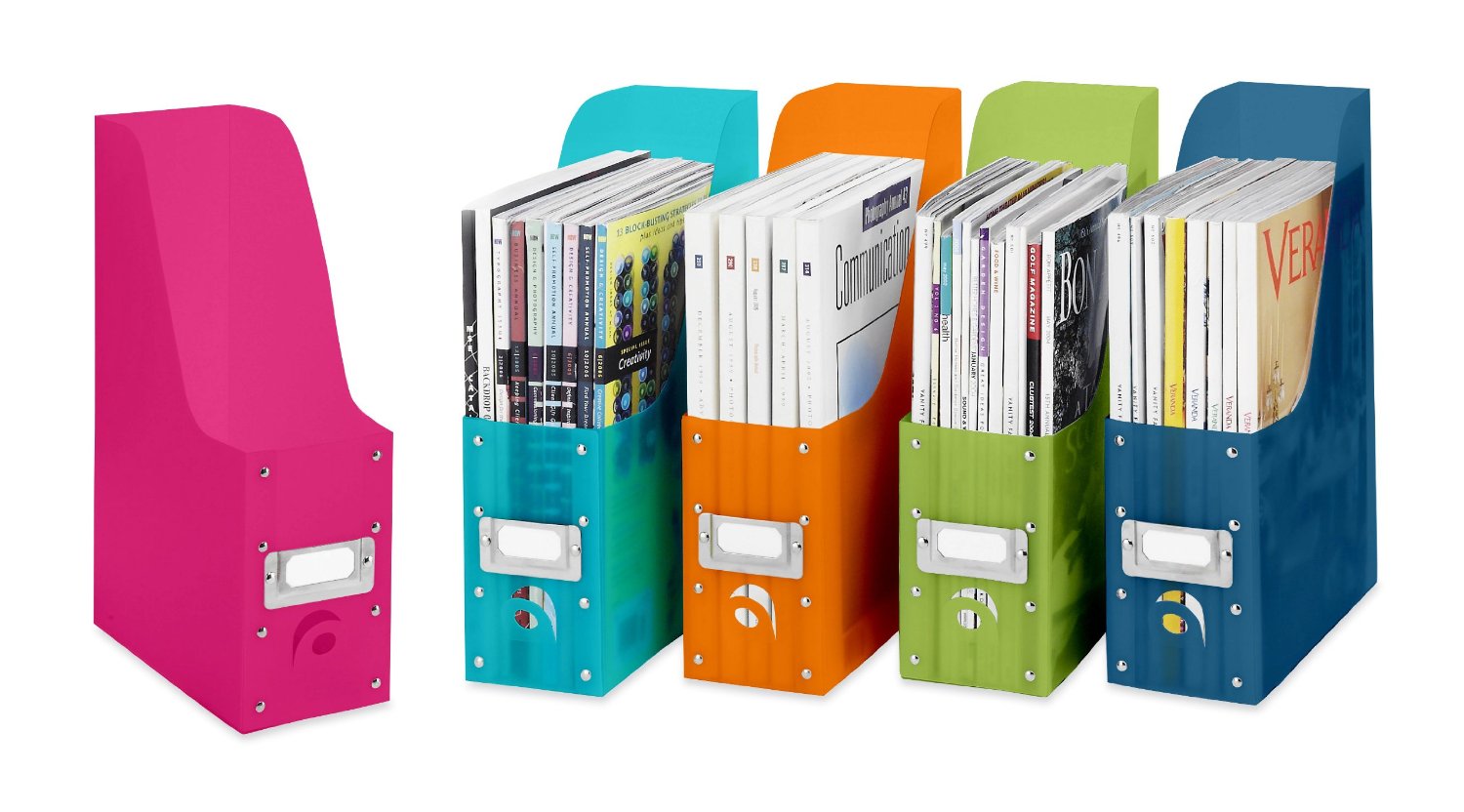

Click here to see an example of how to organize kid’s artwork in this video by Sherry Borsheim of Simply Productive in which she describes how artwork and awards can be filed in a file tote bin, from preschool through grade 12. Sherry says, ‘By the time they graduate, you will have created an organized, preserved, collection of your kids artwork.’
How will you all work together to maintain the space? Once you have a ‘home’ for everything, and everything in its place, everyone needs to continue to do what you’ve agreed to so the area doesn’t get cluttered again. A simple reminder, ‘Whoa, that doesn’t go there! It has a home!’, will keep everyone on task, and you’ll be creating good habits that benefit everyone. Then have everyone take a few minutes a day or once a week, to work together to clear any clutter, rethink something that isn’t working as well as you thought and reorganize for more efficiency. It will be so much easier, take less time, and you’ll have more time to spend together doing the fun stuff with less stress!



