Since the time Paper Tiger Filing System Software for document management was first developed to provide users Internet-like search access to the information stored in their file cabinets, we have found over the years that it’s not just for filing papers. Many organizing and productivity experts have worked with clients to help them implement Paper Tiger for organizing paper files, and also anything else they wanted to get organized for which they could put a number onto.
Anything can be indexed or catalogued into Paper Tiger’s database so that when you need something, you can conduct a search for the keyword relating to the item and find it quickly, as well as know where to return the item when you need to put it away.
No more ‘where did I put that?’ and searching all over! No more ‘I don’t want to put that away because I’ll never find it again’. You don’t have to live with clutter all around you! You can live organized with peace of mind that you’ll be able to find things again. You can declutter every room in your home and office because you can have a place for everything, and can implement an organizing system that helps you find what you need, when you need it!
Below is a list of 17 ways to get organized using Paper Tiger. There may be many other things you can number and be able to document in your Paper Tiger database, so use your imagination and get everything in your life organized!
Stephanie Calahan, of Calahan Solutions and a Paper Tiger Expert provided suggestions in how to use Paper Tiger for this list. Ms. Betsy from North Carolina, a long time user of Paper Tiger, also let us know that she maintains an inventory of the items in her freezer using the Action Date section to make sure she cooks the food by a certain date.
Are you using Paper Tiger for organizing other things? Let us know in the comments section below. We are sure others can benefit from your experience in getting organized with Paper Tiger Filing System software!

The new year is a great time to think of ways that you can improve your life — Getting Organized most always lands in the top 10 lists of New Year Resolutions.
The National Association of Professional Organizers (NAPO) named January “Get Organized Month” or “GO Month” to increase awareness of the importance of getting organized and to help people with organization and productivity. According to NAPO, the bulk of their clients request help with organizing their home offices.
So if “getting organized” is such a priority for people, why do so many people struggle with this? We’re all flooded with information coming at us daily from many different directions. Having the information on hand is of little value, though, if you can’t find what you need when you need it. Getting organized and improving how you work can start with Paper Tiger’s simple indexing system. Organizing information in such a way that can be found in seconds is liberating, and frees us to do other things.
Paper Tiger Filing System Software is the perfect tool to get your year started on the right track if you are planning to stay organized this year. You can clear stacks of paper files and other clutter without worrying if you will ever find it again when you put it out of sight. Paper Tiger is a great solution for managing information, and enables you to file and retrieve hard copy documents, books, CDs, flashdrives, and other items – literally anything that you can put a number on – by using key words. And because you have an index to search, you’ll be able to return the item where it belongs as quickly as you retrieve the item.
Everyone including new hires with access to your database can conduct a quick keyword search, retrieve and return items – no worry – no hassle. You don’t have to rely on one single person to know where everything is, because the system can do the remembering for everyone, which saves time and keeps your business running much more smoothly and efficiently. Of course, this can also be applied to your home and family, as well.
Paper Tiger can also generate a file index report so you can print out a list with item name and keywords of all your files. The printed back-up allows for quick reference when the computer isn’t on.
If organization is at the top of your New Year’s Resolutions, look no further; Paper Tiger is here to help. This filing system is so easy to use, it will be hard to stop organizing! During this “Get Organized Month,” take advantage of the expertise of one of the productivity consultants who are Paper Tiger experts that can help you work more efficiently in every area of your life. They will work with you either virtually or in-person, whichever you need, and will help you to get organized and create a customized system for the way you work.
Finally, all the time and money wasted from disorganization will be returned on your simple investment in Paper Tiger, and you’ll be able to keep at least one new year’s resolution. Whatever your motivation for getting organized – whether it’s to save time, eliminate clutter, increase productivity, or just find a better way to retrieve information – Paper Tiger Filing System software can help you right away.

Are you already organized or do you need to get organized before the busyness of the next couple of months go in full swing? Yes, it’s that time of year again, already! Time to get the house spruced up for the fall and winter holidays that you and your family recognize and celebrate. Fall and/or Halloween, Thanksgiving, Hanukkah, Christmas, New Years! That’s a lot of decorating and celebration within just a couple of months. With the holiday season upon us, decorations are becoming an everyday sight. Are your decorations organized in 1 or 2 boxes or stuffed wherever you could find room last year? Is the Christmas tree in a box never to be found again in the attic? Do you dread wasting hours untangling lights?
It can be a chore when trying to locate where you have certain decorations stored when it seems some are in the garage, some are in the attic and some have made their way into the basement. Or you may have them all tangled together just to keep them all in one place. The problem is, this big tangled mess can cause damage to the seasonal décor you have stored. This may even make you so frustrated that you opt to forgo adding any holiday cheer to your home or lawn altogether.
According to IBISWorld, Americans spent 13.34 billion dollars on holiday decorations and costumes alone in 2010. Can you envision how much that number has grown since then? Year after year, we purchase more and more decorations in addition to the ones we already have. The countless ornaments and lights could take up a lot of space in your garage or attic and become quite pricey. But, what if there was a way to put the fun back in decorating AND save yourself from becoming another shopping statistic? What if you knew exactly which box your favorite set of Christmas candles were?
The important thing really is to use a filing system software like Paper Tiger to keep track of what you own, what you are storing and where it is being stored so that the items can be easily and quickly retrieved when you need them. You might have thought Paper Tiger was just for paper! But actually, you can index virtually any physical object into your Paper Tiger database. Indexing your items into Paper Tiger filing system will ensure that you know exactly where these things are, before you end up buying duplicates of something because you can’t find the original. Documenting or indexing your belongings also helps other people who may need to retrieve things for you. With a quick search in the software database, anyone will be able to find an item and also know where it should be placed when it needs to go back to the storage location.
Now you can get organized with Paper Tiger Filing System Software and know where everything is with a simple search in the database. As the seasons and holidays change, so can your home, with less stress.
You can still win 1st prize in the Homeowner Association’s best-decorated home contest without buying new decorations each year, because you can find what you already have without a lot of stressful searching. Paper Tiger allows you to give each set of holiday decorations a home of its own.
Imagine if you found all the decorations you’ve purchased for each holiday, each year in one place. Imagine no more! Not only will all the decorations be right where you left them next holiday season neatly packed away, but also the combination of all the decorations will allow you to be really innovative when decorating next year. Maybe take the stockings you’ve accumulated over the years and form a mixed pattern above the fireplace. No fireplace? Use decorative ribbon as a bed for glass ornaments in a fruit bowl as a centerpiece in the dining room for a jovial meal. Before you run rampant with all the new decorating ideas, let’s organize the decorations you currently have.
-First check every nook and cranny of your house for decorations. Take your flashlight in the attic with you. Gather the decorations so that you can begin to sort them.
-Then, sort the decorations by their various holidays. Santa and his reindeer, the Thanksgiving harvest table kit and pastel plastic Easter eggs should all go in separate piles. If you don’t already have storage boxes or containers, grab a couple from your local retailer to organize your items. Depending on the amount of items you have, you might need at least 1 storage container for each holiday.
After you have all holiday decorations separated into the appropriate pile, add Paper Tiger to the equation. Choose a title for the Paper Tiger location to correlate to your physical storage for the decorations of each holiday. Maybe your decorations have trickled into four piles; Halloween, Thanksgiving, Christmas, Spring. So name a ‘location’ in Paper Tiger to match each holiday that you are organizing. You can then create labels from Paper Tiger software with numbers for you to attach to each of these boxes. Type the keywords in Paper Tiger’s database to match the items you put into each box to help you easily find decorations later with a quick search in the database search engine. For example, we might not remember that we named the bin with “Fall Decorations” under “Thanksgiving”, but if we put “Thanksgiving” or “turkey” or “fall” in the search bar, Paper Tiger will search the database based on the keywords we’ve input previously, and let us know which box or boxes we need to pull out. Following are the fields in Paper Tiger as an example:
Location = Decorations
Item#1 Name = Thanksgiving Box 1
Keywords = Fall decorations, I’m thankful plate, thankful placemats, turkey napkin holders, pilgrim man and woman, small plastic pumpkins, candles, candle holders, Thanksgiving harvest table kit
Item#2 Name = Thanksgiving Box 2
Keywords = cornucopia basket, silk flowers, Fall door wreath
Item#3 Name = Thanksgiving Box 3
Keywords = Fall theme blankets and throw pillows
Item#4 Name = Christmas Box 1
Keywords = small tree
Item#5 Name = Christmas Box 2
Keywords = small tree decoration items, balls, bells, garland
Item#6 Name = Christmas Box 3
Keywords = large tree for living room
Item#7 Name = Christmas Box 4
Keywords = large tree decoration items, balls, bells, garland, bows, doves
It will take a little effort to get things in order to begin with, but once you invest this initial work into the project, your holiday decorating will be easy as can be for each occasion. With Paper Tiger Filing System Software, the decorations are stored and the disarray that once consumed and cluttered your space is replaced with the joys of the holiday season. Paper Tiger will help preserve the life of your decorations, because they will always be stored away neatly instead of mixed in with everything else in the top of a closet. Money will be saved because you’ll know what you have, and the efforts of searching for decorations will be swapped with a few strokes on a keyboard. Never worry about holiday decorations scattered throughout the house again, but know and embrace what you have and build upon it with creative new twists because you took the time to get organized.
If getting organized before the holidays is too much to think about now, make plans to get organized as you’re putting the decorations away!

Based on a past American Express survey of small business owners, “getting organized” ranked among the top three priorities for new years resolution plans. Let’s face it, getting organized is one thing, but staying organized all throughout the year is another.
So if “getting organized” is such a priority for people, why do so many people struggle with this? We’re all flooded daily with information coming at us from many different directions. We save much of it because we believe we need it to do our jobs better or to respond to our customers more effectively or we might possibly need it again later. Having the information on hand is of little value, though, if you can’t find what you need when you need it. Getting organized and improving the functionality in how you work can start with Paper Tiger’s simple indexing system. Organizing information in such a way that can be found in seconds is liberating, and frees us to do other things.
The Internet has done wonders for improving our ability to find information. By doing a search of a few key words, we can instantly receive suggestions on where to find web sites containing the information we’re looking for. That’s fine if all you need is information from the Web. But what about the paper, books, articles, CDs and other information sources in your office that you’ve collected over the years? Wouldn’t it be great if you could find them as quickly as an Internet search engine can find web sites?
Actually you can! You can clear stacks of paper files and other clutter without worrying if you will ever find it again when you put it out of sight. Paper Tiger Filing System software is a great solution for managing information, and enables you to file and retrieve hard copy documents, books, CDs, and other items – literally anything that you can put a number on – by using key words. And because you have an index to search, you’ll be able to return the item where it belongs as quickly as you retrieve the item.
With traditional filing systems, you only have the one or two keywords on the file folder tab. But with Paper Tiger, you can input as many keywords as the file or item could be called or relates to, so you’re not limited to what fits on the tab.
As you create a new file, you simply type in one or more key words, (as many key words as you like), that come to mind regarding that file. The item number in your Paper Tiger database will match the number you place on the hanging file folder. (Or book, CD, box, or other physical item you’re indexing.) When you want to find it again, type in any of the key words associated with that file in the search box, and within SECONDS, your search tells you exactly where the item is located. Very similar to a Google search, except this search is your own personal indexing system.
Items you want to track can be divided into several locations – or groups of similar things – such as Action (your current project files or most active reference files), Reference (your less active reference files), Archive (your seldom used reference files that you need to keep for legal or historical reasons), Books, Magazines, Videos, CDs – whatever items you choose to store together.
Since Paper Tiger doesn’t rely on filing alphabetically, new items are indexed into the first available open file folder. For example, you toss documents from one file folder, that file is open for the next new document or set of documents.
Once you’ve indexed all the information by item name and keywords that you’ve input relating to each file or physical item, you can easily search and find. That makes it feasible to keep archived records off-site, perhaps in a storage facility, yet still know what’s in each container at all times.
When files need to be moved to archives, it’s a simple matter of transferring the items in the database to the new ‘location’ and then moving the physical files to the archives location.
Everyone including new hires with access to your database can conduct a quick keyword search, retrieve and return items – no worry – no hassle. You don’t have to rely on one single person to know where everything is, because the system can do the remembering for everyone, which saves time and keeps your business running much more smoothly and efficiently. Of course, this can also be applied to your home and family, as well.
Paper Tiger can also generate a file index so you can print out a list of all your files by name and keywords. The printed back-up allows for quick reference when the computer isn’t on.
Whatever your motivation for getting organized – whether it’s to save time, eliminate clutter, increase productivity, or just find a better way to retrieve information – Paper Tiger Filing System software is a great tool. Get organized today, and you will truly notice the benefits.

Regardless of whether you are running a business, clearing the clutter in your home or office, planning your family vacation, searching for a new job, or preparing for a move, getting organized is key. Juggling your life activities can be overwhelming, but Paper Tiger Filing System software is a great place to start with your quest for getting organized.
Think about the following questions for a minute:
Getting organized and being able to maintain a certain amount of organization is so important to your quality of life. Of course, you have to answer what ‘quality of life’ means to you, but you might find the list below helpful in getting to your sweet spot. Implement the steps that apply to you, and see how much stress is relieved by just doing one thing to help you work less and accomplish more!
Trying a different way of filing or getting organized overall is sometimes a stumbling block for people, but we have so many that tell us they couldn’t live without Paper Tiger Filing System software. Some say that Paper Tiger has changed their lives. Don’t worry about making mistakes; just keep organizing and index what you can into Paper Tiger. You’ll be surprised the next time you need to find something and you’re able to search in the software and actually find it in seconds!

Do you have trouble managing a home office? Add the kids and their activities, along with your busy schedule, and the managing with efficiency gets more difficult. Things get left undone, and the piles of paperwork, mail, magazines, kids’ artwork, not to mention all the stuff totally unrelated that finds a place on your desk you haven’t taken time to put away.
Whether you work from home or your home office is a place where you pay the bills, read the mail and file paperwork, you should be able to actually work from your desk. Your desk should not be a landing pad for everything that can be put away later. Stop procrastinating and make the decisions necessary to keep your desk looking good and a place where you can actually work. Of course, tips such as the ones listed below could relate to any area of your home that collects clutter.
You know what you have to do, but without scheduling time and a concentrated effort, the job will not get done. So take a look at what piles up on your desk. Is it just mail and magazines that are piling up? Or are there CDs, books, kids’ artwork, tools that need to be put away, office supplies, and other trinkets?
Have a family meeting to discuss what needs to go and what needs to stay. Whatever is on your desk that should not be there, create a ‘home’ for each type of item that would be best kept elsewhere so they don’t land back on your desk. You simply have to take the time to decide what you need to do with the problem area, what is your vision for the area, create a plan of action, clean and organize, and then maintain it.
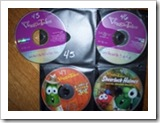

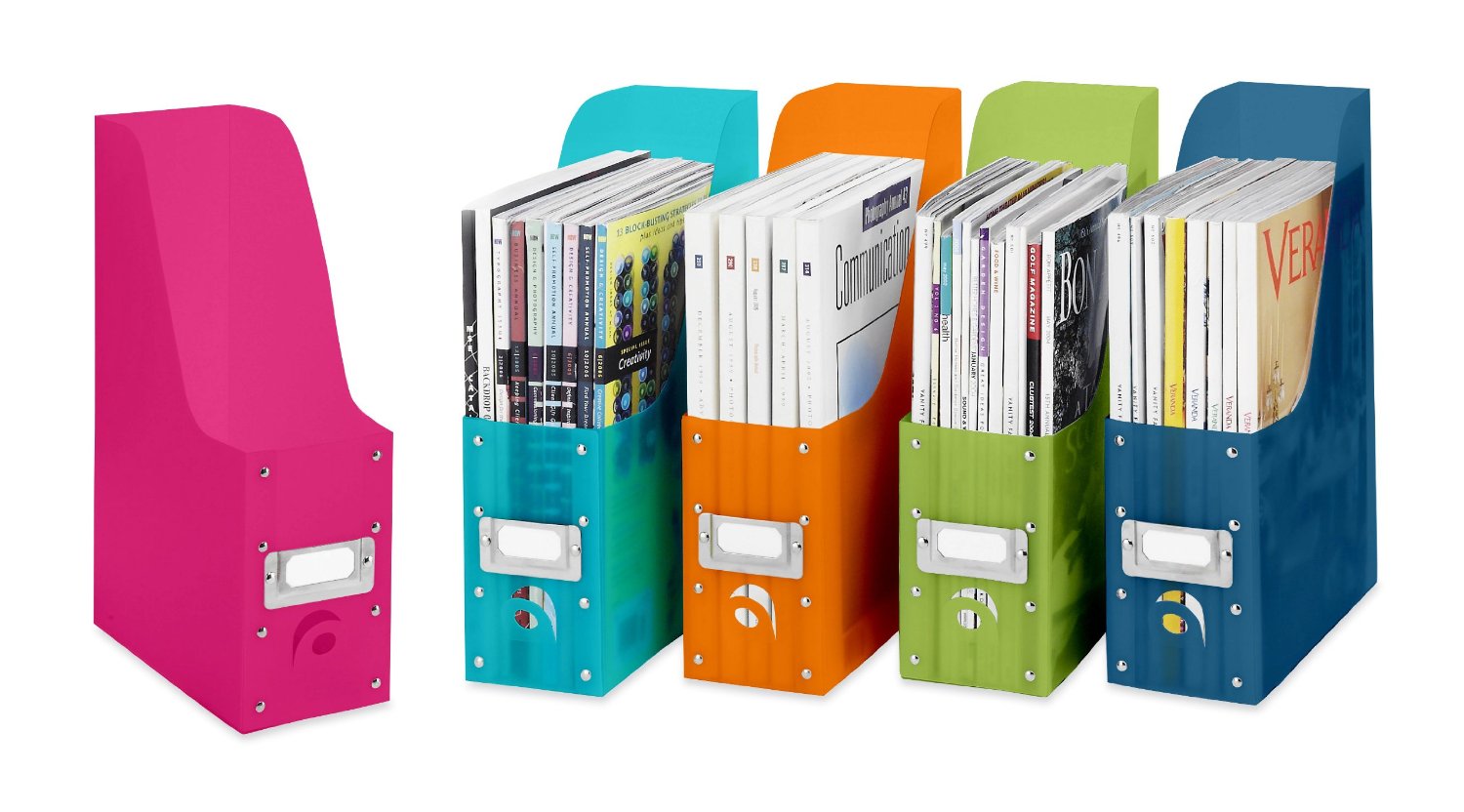
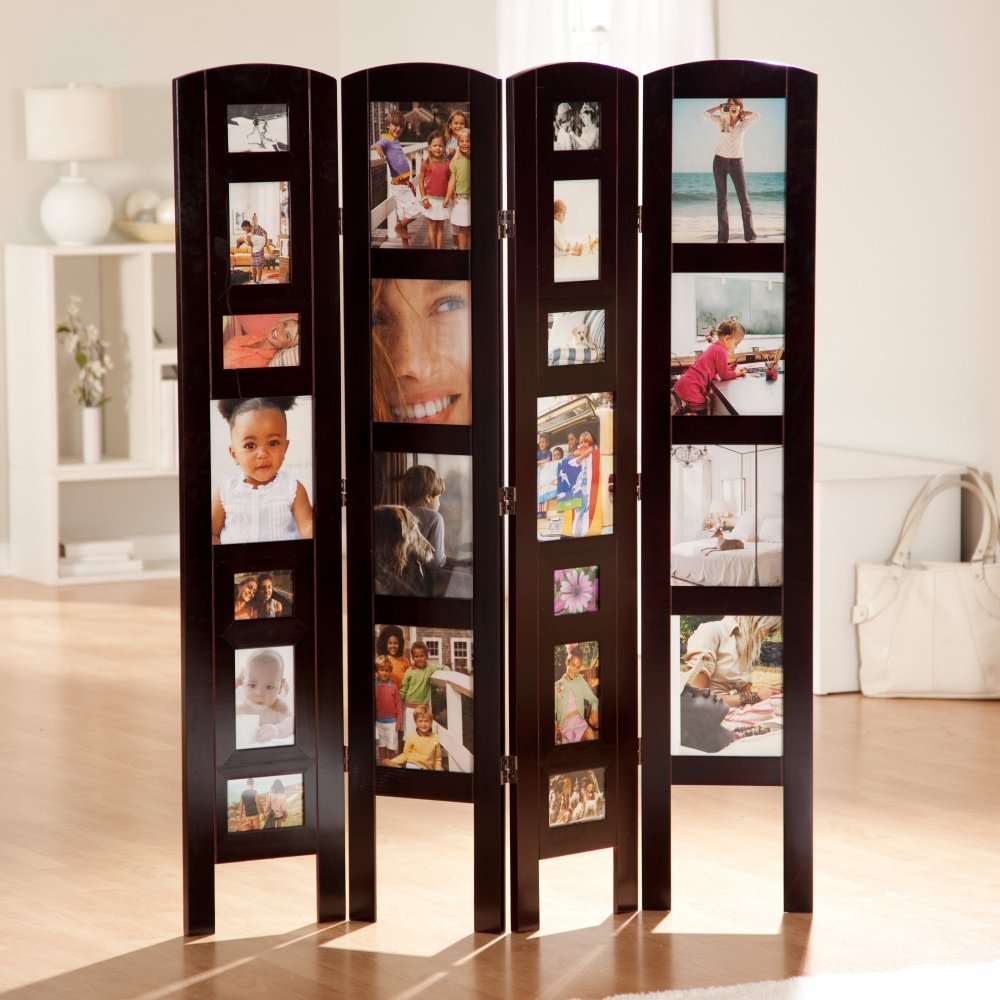
Click here to see an example of how to organize kid’s artwork in this video by Sherry Borsheim of Simply Productive in which she describes how artwork and awards can be filed in a file tote bin, from preschool through grade 12. Sherry says, ‘By the time they graduate, you will have created an organized, preserved, collection of your kids artwork.’
How will you all work together to maintain the space? Once you have a ‘home’ for everything, and everything in its place, everyone needs to continue to do what you’ve agreed to so the area doesn’t get cluttered again. A simple reminder, ‘Whoa, that doesn’t go there! It has a home!’, will keep everyone on task, and you’ll be creating good habits that benefit everyone. Then have everyone take a few minutes a day or once a week, to work together to clear any clutter, rethink something that isn’t working as well as you thought and reorganize for more efficiency. It will be so much easier, take less time, and you’ll have more time to spend together doing the fun stuff with less stress!
Do you feel like you are the only person that has clutter and don’t have any idea what to do about it? Well, you’re not alone!

If you Google-search ‘statistics on clutter’, you’ll see there are enough stats to fill up this page, but here are a few to note:
With statistics like these, obviously you are not alone. Also obvious is the negative impact that clutter has in our lives. Knowing that productivity, budget, time and health are all affected, it is still overwhelming to think about how to declutter your world. So how do we fight the war against clutter?
Vision for end result: You may only have one room that collects clutter. You know, the proverbial ‘junk room’. Or clutter may be only on your desk or in every room. Whatever your individual situation, you need a vision as to what you want. Some experts suggest taking photos of every room in your home to see a different perspective. It may be there are items cluttering a space that you are overlooking everyday. While you’re thinking about it, also think about why you want it. Sometimes it is not enough to see and feel the pain point in your life in order to do something about it, but when you can have a vision for how it could be better and why or how it would make you feel if it were better, then you will have a better chance of getting started with the determination to get it done.
Prioritize: Don’t feel like you have to clear all the clutter in one day! Remember, the clutter in your life and the habits that got it that way didn’t happen overnight. Make a list of each room or area in the order in which you want to get organized. Decide what area is stressing you the most, and start there. Then schedule time on your calendar, allotting the amount of time you want to spend for each room. Some areas, like the garage, might take more than a couple of hours in one day, so schedule a couple of hours in two different days. It might even be helpful to create a plan of action for an area that is too overwhelming – making a list of what items you want to organize first, then second, etc., in an area so that it won’t seem quite so overwhelming.
Goal/project management & schedule: Set your goal and schedule your time. How many times have you thought, ‘I really need to clean out the garage, but it will take so long, and I have to do this and that, before I tackle that huge job’, and it just never gets done? It may help you to break down a big project into individual steps. For example, schedule an hour to sort through and organize the sports equipment on one day, then on another day, take an hour to sort through and organize the tools. You probably set goals for your business life all the time. It’s the same concept with things you need to do to get organized. Creating new habits and a new perspective need reminders to stay on course. So really, actually put the different project times on your calendar just like any other event in your life.
Willpower for action: Once you have your projects scheduled, make a commitment to yourself that you will stick to it until your vision comes to fruition. You may need help along the way. Don’t be afraid to ask for help. You may need to reschedule a project, because life happens, but make sure to reschedule it on your calendar.

There are all those paper files, mail to go through, magazines, books, training binders, DVDs and video games to straighten up. When you remember that book you wanted to read while on vacation, it takes more time than it’s worth to find it! There are seasonal clothes to move to and from storage, if you can remember which bin in the basement that you’ve put them. You also have that treasured collection, some to showcase and some to store for safekeeping. And of course, the garage!

The good news is that you no longer have to procrastinate. By implementing Paper Tiger Online filing system software, you can now clear the clutter and feel confident to put things in their own place. Paper Tiger enables you to index physical items, and makes it easy to keep track of things. It will be so worth the time invested to clear clutter and get organized, because you won’t be wasting time searching for needed items. You’ll be able to find them again when you need them…in a matter of seconds with a quick search in the database.
If you had a folder for your car repairs and needed to refer to it, could you be certain you could find it when you needed it? Would you remember if you titled it car, auto, Honda or repairs? Did you actually get it filed or is it in that huge stack ‘to be filed’?
By implementing Paper Tiger filing system, you can type in all of those keywords and be able to find anything with a quick search in the database. The traditional alphabetical system has obviously worked, as long as you could recall the name you filed it under previously, that is – so maybe not as efficient as it could be. Using Paper Tiger Online filing system software takes all the confusion out of the equation, even if more than one person is using the system.
Paper Tiger can be used for paper files, but also for many other physical items. Anything that you can put a number onto, you can index with your filing system software. This is especially important for items that may be kept in more than one location. So, for example, if you are going to keep some collectible items on display and want to store some in your basement and others at a rented storage unit, this helps you recall which items ended up where. Each box would have an item number in your Paper Tiger database, and the contents of the box should be typed into the keywords section. All those items you keep cluttered in your home because you’re afraid if you put them away, you won’t remember where you put them, can now be stored somewhere else. When you need to retrieve an item, search your Paper Tiger database, and you’ll know where it is and what box number in seconds.
Go ahead, get started with the steps outlined above to clear the clutter. Before you know it, you’ll feel more organized and accomplished, and less stressed. You can live organized with peace of mind because you have a place for everything, you know where everything is, as well as where it goes when you need to put it back in its place. Clearing clutter will free up so much space and you can have your home and office back!
 Have you lost the ability to be creative? Are you tired of losing important records? Is a growing list of demands getting the better of you, or those around you? Are you ready for a change and want to break the cycle? You are not alone in your challenge to keep clutter and overwhelm from draining you of time and energy.
If you are seeking some calm in your life and work, have piles of paper that need to be organized effectively, or even if you have some big projects you want help getting launched, professional organizing and productivity experts can help. You can have an effective work space and home you love.
The experts we know often say there is a direct correlation between stress and clutter. Recognizing that clutter is significant in the way you feel about your home and office can be a great start to your feeling less stressed and overwhelmed. Psychology Today has a great article you might find helpful, “Why Mess Causes Stress: 8 Reasons, 8 Remedies”.
In WebMD’s article, “Clutter Control: Is Too Much ‘Stuff’ Draining You?”, it states, ‘Professional organizers who are called to cluttered homes and offices say their clients use the same words, over and over, to describe their reaction to the mess: their energy is drained, they can’t find things, and it’s beginning to interfere with crucial parts of life — such as getting to work on time or navigating staircases.
‘They become overwhelmed, nonfunctional and nonproductive…’, says Lynne Gilberg, a professional organizer in West Los Angeles, CA.
The key is to start small: Tackle one room or even one bookshelf at a time. Cleaning the clutter from drawers? “Don’t dump the whole drawer,” says Gilberg, “it’s too overwhelming.” Instead, take out items that can be thrown away, then things you can donate.’
Clutter happens because you’re not making decisions when you need to. You’re putting off or procrastinating because you don’t want to deal with it. If you really want to have less clutter, make the necessary decisions. Decide to decide what needs focus, what can go, what should be kept. Take one room at a time or one section of a room.
Don’t de-clutter alone. Get your family involved. Chances are, it is the family habits that need to be rethought. It’s most likely not just one person that causes all of the clutter.
When you’ve cleared the clutter, you’ll need to switch to maintenance mode to ensure the pile up doesn’t happen again. When there is a place for everything and everything in its place, then it will be easier to maintain.
If you have clutter because you think you need a visual reminder…if you put it away, you’ll forget about it or where you put it, then Paper Tiger can help. You can index anything in Paper Tiger that you can put a number onto. See our article Work SMART! Getting Organized Doesn’t Have to be Hard! for helpful steps to sort, make decisions, file papers, and index other things you can organize and put away, so that not only is clutter no longer a problem, but finding things you put away is no longer a problem.
You, your family, and your staff, can work less, earn more and be more productive. Get started today with just one area. If you need help, ask one of the productivity experts that can also help you implement Paper Tiger so you can clear clutter, and be able to find things quickly.
It can be overwhelming just thinking about what you have to do and the decisions you have to make to get organized. You might be tempted to give up before you start – but don’t! Whether you’re organizing your desk drawers, filing cabinets, a stack of paper files, a closet, attic, or the garage, Paper Tiger Filing System software will help you get organized! You can have a system in place so you can maintain organization, and be able to live and work in an more productive environment.
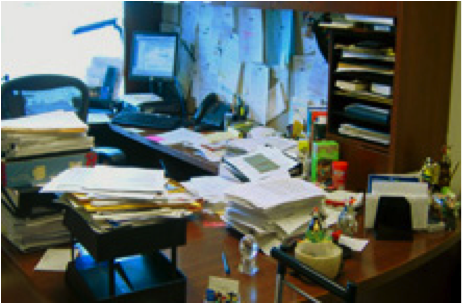
You may be asking yourself, why do I want to add another ‘system’ to my chaos. Will this really help me get organized? Think about it this way. You are already wasting a lot of time searching for things, whether it be a file under a name you don’t remember what you filed it under, or maybe you’re looking for something that you’ve boxed up in the attic, but you don’t know which box?
You also may dread the thought of having to make decisions about what to throw away or what to keep. Remember the Pareto Principle, you know the 80/20 rule … we only use 20% of what we have, and the other 80% are back-ups, mistakes, things we have held on to because we haven’t made good decisions about what to do with them. If you don’t try to figure out a system that will help you get organized so you can find what you need when you need it, you may come to realize that you’re only using 20% of what you can find!
Sort: Whatever you’re organizing, you will need to sort through the clutter. Put similar or like things together.
Think about the similar items you have scattered throughout your home or office, and make a home for those like items to get them together. For example, do you have appliance manuals and warranties scattered, but cannot find the one you need? Depending on the volume of these similar things, designate a drawer, a hanging box file folder, or a box for these. Note that you don’t have to go searching for these items now. This could waste a lot of unnecessary time, however you will at least have a home for these items and will know where they go when you organize and sort through another part of your home or office and come across them at that time.
Make good decisions now! You’ll need to ask yourself some questions about your paper files and other stuff. Set yourself up for a maintenance plan that can be continued.
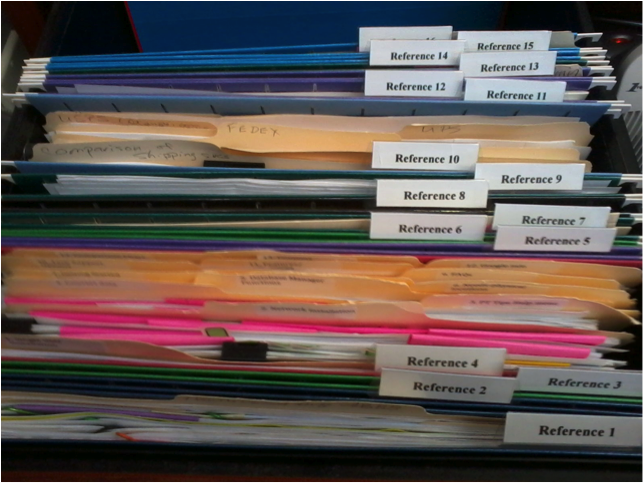
When using Paper Tiger, you have the decision as to how you want to differentiate your types of files by creating what we call ‘Locations’ in the database. A Location is a group of like items, and could relate to where you will store your physical items or could relate to the types of physical items that you plan to index (paper files, books, CDs, DVDs, storage boxes, etc.) Your Locations can be named anything you want – however you relate to what you are indexing, i.e., Office files, Home files, Action files, Reference files, House, Basement, Garage, etc. Paper Tiger uses Locations to represent these places where you store the items you want to be able to find later. For example, your Reference files Location might contain an index of all files in your 5 file cabinets of 4 drawers each, and Item #1 in Paper Tiger starts with the documents in the first hanging file folder in file cabinet 1, and end with Item #500 in with all documents indexed from the last hanging file folder in file cabinet 5. Or you could differentiate your paper files even further with additional Locations such as Clients, Financial, Administrative, Research, etc.
You decide what is best for the way you wish to file. Remember, Paper Tiger is not just a filing system, it’s a ‘finding system’, so as long as you put in a few keywords for each hanging file folder, you will be able to find anything you need…and when you need it without time-wasting searches. A simple search in the database for whatever keyword you’re thinking of that day, will help you find the file quickly.
Paper Tiger experts recommend starting with Locations named ‘Action’ and ‘Reference’. Later you can create an ‘Archives’ Location for those files that you can’t part with for legal or tax reasons, but need to be moved from your general file area. These items can be transferred from one Location to another in your Paper Tiger database so you can still find them if you ever need them.
Action: For things that need action by you, either do it now or place a note on it that outlines what action needs to be taken and by what deadline. (See Paper Tiger Action Files)
Reference: Paper files that you need to keep for reference occasionally, but do not require action, can be indexed into your Reference file location. (See examples of Reference Files)
Toss/shred: If you don’t need a piece of paper, then throw it away or shred it! If you don’t need that old bike anymore, give it away to someone you know or maybe a non-profit agency such as http://www.bearingsbikeshop.org/. If you can’t wear or haven’t worn some of your clothes or shoes in a year, then give them away to someone you know or maybe to Goodwill.
Other Physical Items (not paper files)
For other physical items, (such as books, CDs, DVDs, boxes/containers, etc.), decide if the items need a location in Paper Tiger or if you can index keywords for the items in with other things. See other Location suggestions described on our Not Just For Filing Paper page. Basically, anything that you can put a number onto, can be indexed into Paper Tiger. For example, for CDs or DVDs, you can either place a numbered label that matches the item number in Paper Tiger, on the CD/DVD jacket or you can place the CD/DVD in a binder such as the one pictured below, index the name, author, and other pertinent information into the item’s keywords section in Paper Tiger. As you can see, the item number was written with permanent marker on the DVD and on the DVD binder slot. So the DVD numbered 45, would match what was indexed in Paper Tiger’s item number 45 for the DVD Location (DVD 45).
Other Locations might be for information only (unless you keep related papers in your Reference files), such as:
To create your custom Location labels or more Action or Reference labels, Paper Tiger makes it easy. In case you’re wondering, there is no limit to the number of locations you can have! Click here to see even more ways to use Paper Tiger to get organized.
Paper Tiger Filing System software combined with a proven methodology, enables users to get organized and manage paper and other physical items more effectively.
Most everyone is thinking about vacation time about now. The beach and time to relax is a welcomed thought, but you can't get away from thinking about all the things that still need to be done before going on vacation. Do you really want to go on vacation then come back to clutter that you've left behind? Sure, you keep meaning to de-clutter your home and office so you can enjoy living organized and feel less stressed. Even though you know it will make you feel much better and less stressed in the long run, the task of getting organized just keeps getting put off.
There are all those paper files, mail to go through, magazines, books, training binders, DVDs and video games to straighten up. When you remember that book you wanted to read while on vacation, it takes more time than it’s worth to find it! There are winter clothes to move to storage and summer clothes to pull out, if you can remember which bin in the basement that you’ve put them. You also have that treasured collection, some to showcase and some to store for safekeeping.
The good news is that you no longer have to put it off. By implementing Paper Tiger Online filing system software, you can now de-clutter and feel confident to put things in their own place. It will be so worth the time invested to get organized, because you won’t be wasting time searching for needed items. You'll be able to find them again when you need them...in a manner of seconds with a quick search in the database.
Paper Tiger enables you to index physical items, and makes it easy to keep track of things. If you had a folder for your car repairs and needed to refer to it, could you be certain you could find it when you needed it? Would you remember if you titled it car, auto, Honda or repairs? Did you actually get it filed or is it in that huge stack ‘to be filed’?
By implementing Paper Tiger filing system, you can type in any or all of those keywords and be able to find anything with a quick search in the software database. The traditional alphabetical system has obviously worked, as long as you could recall the name you filed it under previously, that is – so maybe not as efficient as it could be. Using Paper Tiger Online filing system software takes all the confusion out of the equation, even if more than one person is using the system.
Paper Tiger can be used for paper files, but also for many other physical items. Anything that you can put a number onto, you can index with your filing system software. This is especially important for items that may be kept in more than one location. So, for example, if you are going to keep some collectible items on display and want to store some in your basement and others at a rented storage unit, this helps you recall which items ended up where. All those items you keep cluttered in your home because you’re afraid that if you put them away, you won’t remember where you put them, can now be stored somewhere else. This will free up so much space in your home and you can have your home back!
Prioritize: Don’t feel like you have to ‘get organized’ all in one day! Make a list of each room or area in the order in which you want to get organized. Decide what area is stressing you the most, and start there. Then schedule time on your calendar, allotting the amount of time you want to spend for each room. Some areas, like the garage, might take more than a couple of hours in one day, so schedule a couple of hours in two different days. It might even be helpful to create a plan of action for an area that is too overwhelming – making a list of what items you want to organize first, then second, etc., in an area so that it won’t seem too much at one time. Set your goal and schedule your time.
Goal/project management & schedule: How many times have you thought, ‘I really need to clean out the garage, but it will take so long, and I have to do this and that, before I tackle that huge job’, and it just never gets done? It may help you to break down a big project into individual steps. For example, schedule an hour to sort through and organize the sports equipment on one day, then on another day, take an hour to sort through and organize the tools. You probably set goals for your business life all the time. It's the same concept with things you need to do to get organized.
Before you know it, you'll have the job done, and feel more organized and accomplished. You can live organized with peace of mind because you have a place for everything. Because you've indexed everything, you know where everything is, as well as where it goes when you need to put it back.
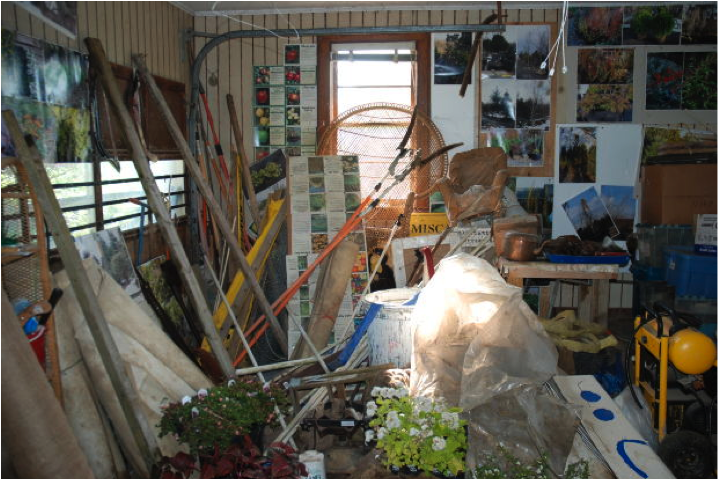
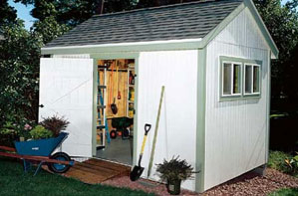
Your storage area may not look like the picture above, but wherever you store your stuff, closets, garage, the attic, basement or other storage area, maybe it’s time to get things organized! Many homeowners make the mistake of putting boxes of things that need to be sorted in the garage, waiting for a better day when there’s more time. Of course, time never allows for you to do any of that sorting, and before you know it, the garage is one big project that keeps getting pushed back on the to-do list.
What you really need to get your storage area organized is the one thing that can help make the entire task as simple as could be. Make it your goal to implement a plan of action and Paper Tiger Filing System Software to get organized so you can find everything later, not just cleared for the sake of clearing. You can get this task completed, and you’ll not have to worry about finding items again. If you are ready to de-clutter and finally check organizing your storage area off of your to-do list, let this be your guide for getting started.
The best way to get started is to realize it is necessary to be realistic and honest, and actually schedule some time to get organized. Then begin by dividing up the clutter into different categories. Choose what goes into the “keep” pile and what goes into the “get rid of” or “give-away” pile. Remember, the more belongings you can cut down on and reduce the amount of clutter, the easier maintaining an organized storage area will be. The items you can part with can be sold at a garage sale or on eBay, or you may choose to donate these items.
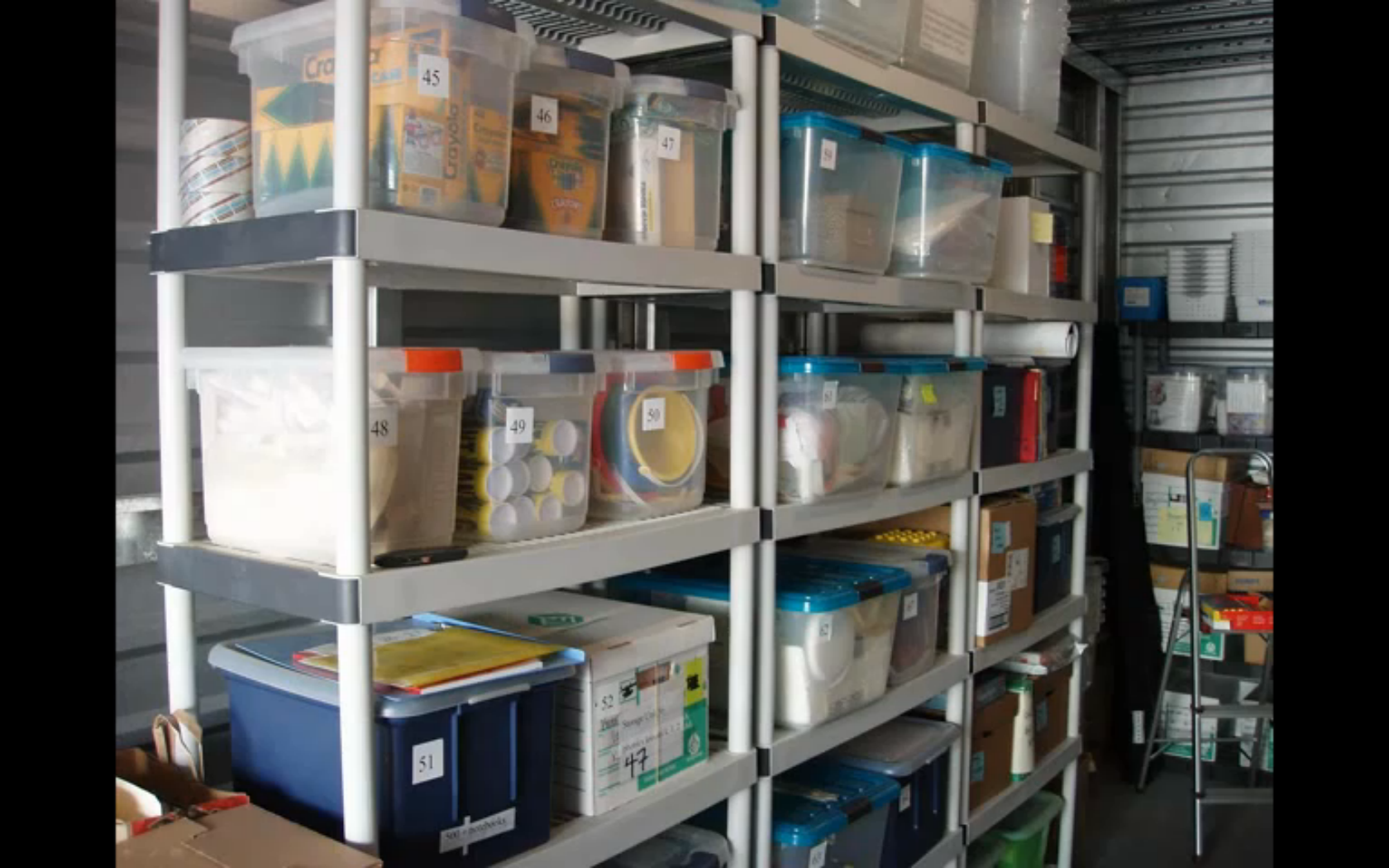
You can sort the items you are keeping and index them into your Paper Tiger database, which is an indexing system that gives you a way to catalog all the items you put into a bin or box by adding all relating keywords for each item, and then when you need to find an item later, conduct a keyword search and you’ll know where that item is located quickly and easily. So you would number your storage containers and enter the content information into the keyword section of your database, then later you can search for “Fall decorations” the same way you type keywords to search for intangible items on Google. Your indexing system will bring back search results that tell you what bin number the item is in, and even where the bin is, based on the information you’ve input previously.
Once you have your storage area on the path of de-clutter, your indexing system should be set up to keep it this way. Implementing Paper Tiger Filing System Software will make it easier to maintain your organized storage area. Make sure you and anyone who uses the filing system to find and retrieve an item, return the item to where it belongs to maintain your organized system and prevent confusion later. If you add or remove an item, keep your indexing system updated.
 Meggin McIntosh, “The Ph.D. of Productivity”™ and a Paper Tiger Expert, demonstrated a great example of an organized storage area in her webinar at Paper Tiger Webinar hosted by Meggin McIntosh. Please view the entire webinar as Meggin demonstrates how she uses Paper Tiger to keep her office and training items organized. Using Paper Tiger is one of the reasons she is so productive, simply because she can find what she needs, when she needs it. The section of the webinar that she shows her storage unit is not her garage, but the same concept would be used in any storage area. If you want to view the storage area only, allow the webinar to load, then click in the webinar duration bar and move the timeline button to about 47 minutes into the webinar.
More and more people are keeping less paper each year, but we still have paper files that are important to keep in hard copy format. Not only is it important to keep these paper files, but just as important is the ability to retrieve them when you need them.

Below is a list of documents that we all most likely have somewhere in your home or office, (some more applicable than others), but can we find them when we need them? And usually when we need them, we need to find them quickly. It can be very stressful when these items can’t be found easily. There may be others, but this will get you started in ‘getting it together’.
Some of these items you may want to keep in a safe deposit box, so decide which items those will be. Make a copy for your file at home, and the original can then be placed in the safe deposit box or other designated safe place. Write a note on the copy or on a sticky note to attach that will remind you where the original is located. In the event of an emergency where you’re incapacitated, make sure the appropriate family members know where to find the key to the safety deposit box, with a directive giving them access in such case.
For all other documents, index them into Paper Tiger. The Location name in your Paper Tiger database might be “Family Docs”. You can file them in any order you wish, then type the Item Names and keywords into your Paper Tiger database. The Item Number in the database will coincide with the hanging file folder number in your desk or cabinet drawer.
Just a quick story about myself to show you how easy it can be to allow important documents to get scattered. Before I started using Paper Tiger, I thought I was reasonably organized at home. My husband and I kept titles and financial documents in our desk drawer. All other documents were kept in a file cabinet. When we moved, the big desk we used in our previous home was placed in the basement office where my husband would now work. Those same documents were still there, but now some of the newer important documents found a new home in a file box that was more convenient for me to file into upstairs. When I needed to find a car title, I had to think, ‘is it still in the desk downstairs?’ or ‘did I put it in the file box?’ Needless to say, getting all those important documents together, and documented into Paper Tiger’s database is now a priority. Instead of a 10 minute exercise of going through the upstairs file box, then downstairs to search in the desk drawer, I can now conduct a quick search in Paper Tiger and be able to put my finger on it in about 5 seconds!

Another advantage of indexing your files into Paper Tiger is that you don’t have to be the only one that knows where everything is. According to AARP article ‘Kids and Your Money’, Jane Bryant Quinn says “You don’t want your family scrambling to find documents during an emergency. Help by putting these items in a safe place where loved ones can find them.”

Everything in the above checklist found in that AARP article can be indexed into Paper Tiger. Anyone that you give access to your Paper Tiger database will be able to retrieve what is needed in seconds. Finding files that you’ve indexed into Paper Tiger will no longer be a scramble to search all over your home or office, but will be as easy as typing in a search keyword in Paper Tiger’s search box, and the results will lead you directly to the file where it is stored.
See this blog article to learn how to Customize Your Filing System with Paper Tiger’s Indexing Method. Not only will your important documents be all together in one place, but you’ll be organized so you can find everything quickly and easily.
Why wait for spring cleaning to get the basement, garage, or attic organized? You may have storage area projects that need to be decluttered and organized now.
Getting storage areas organized may seem overwhelming, but it can be rewarding to declutter your life. You may have things in an attic, a garage, a basement, a storage shed on your property and some belongings in a rented storage unit. One of the biggest problems people face is not even knowing what they have. So, if you are looking for a particular tool and cannot find it, you may end up buying another one and wasting money. People invest a good deal of money into certain things they may only use once in a while, but when you need it, you should be able to locate it quickly. Even if you already have your boxes stored in an organized manner, you may not remember what is in each one. So how do you organize storage areas so that finding what you put away is not a problem?
You may have thought that Paper Tiger Filing System Software is only for organizing your paper files, however you can index any physical item that you can put a number onto into the database, i.e., binders, books, CDs, DVDs, and even boxes and items on shelves. You can get organized, not have to worry about putting things away, and you’ll quickly be able to find them again!
If you want an organized life, organizing storage areas is a great way to declutter your home and life. The best thing to do for organized living is to get an idea of what you need access to on a regular basis. You will need to decide what items you don’t want to keep in the house, or no longer have room for, and what can be stored in the basement, attic or storage building. You may want to take one room at a time and pull out things that should be stored.
Then when you’re boxing the items to be stored, index them into your Paper Tiger database. Each box would represent an Item number in your Paper Tiger database, and the keywords would be the items in the box. Add as many keywords as you think you’ll need for each item, because some things can be called by multiple names, and when you’re ready to retrieve an item again, you may think of a different name than when you first stored the item. Then when it comes time for finding an item, you can simply conduct a quick Google-like search in your Paper Tiger database and you’ll know exactly where it is located. This will save you countless hours, because you won’t have to sift through everything before finding the needed item.
For all those items that keep piling up in your garage because you didn’t want to think about what to do with them before, sort through them and decide what you will keep, what needs to be donated or given to someone in the family, what needs to be tossed. Of course for those items you will be keeping, decide if they need to be boxed or if they will sit on a shelf stand-alone, index the items into Paper Tiger as previously described. Then take everything that should be donated to the appropriate place.
Take care to avoid storing anything that may not hold up well to weather issues, if possible. These types of items will need to be stored in-house or can go to a climate-controlled offsite storage area.
Keeping an indexed inventory of your belongings also helps other people who may need to gain access to things for you. You’ll have a system in place so that continued maintenance will be much easier and less dreaded, as well as you’ll know where to put things back in the assigned space when they are pulled out.
There are many uses for Paper Tiger so it would not be easy to give examples for everything, but below are a couple of examples that will hopefully give you the general idea. Just know that if you can imagine being able to put a number onto whatever type of item that you want to inventory or index, you can let your imagination run.

For those paper files that you need to keep in hard copy format, index the item name and keywords relating to those documents into Paper Tiger. Click here to see more details on how Paper Tiger works with paper files, as well as suggestions on how to file.

You might have thought Paper Tiger was just for organizing paper! But actually, you can index virtually any physical object into your Paper Tiger database that you can put a number onto, such as binders and other items you have stored in boxes. Paper Tiger Filing System Software can help you get organized so you won’t have trouble finding anything. Organizing storage areas may seem even more of a daunting task than tackling your paper files, but it can be rewarding and help to declutter your life.
Even if you already have your boxes stored in an organized manner, you may not remember what is in each one. You may have things in an attic, a garage, a basement, a storage shed on your property and some belongings in a rented storage unit. One of the biggest problems people have with their belongings is not even knowing what they have. So, if you are looking for a particular tool and cannot find it, you may end up buying another one and wasting money. People invest a good deal of money into certain things they may only use once in a while, but when you need it, you should be able to locate it quickly. You can get organized, not have to worry about putting things away and you can be sure to find them again!
It will take a little effort to get things in order to begin with, but once you invest this initial work into the project, you will be so glad you did! There are varying estimates based on different surveys and research, but experts agree that the average person wastes a considerable amount of time searching for things they’ve misplaced. We’ve been told that an average American spends over 150 hours per year, just looking for lost information (paper files or digital files), in addition to searching for other physical items, such as keys, eye glasses, tools, etc. Some estimates are even higher than this! Based on a 260 day year (not considering holidays, personal days, etc., and let’s say you never search for anything on the weekends…), that is almost 35 minutes per day, 2.9 hours per week and 12.5 hours per month!
For those paper files that you need to keep in hard copy format, index into Paper Tiger by typing the item name and keywords relating to those documents. Click here to see more details on how Paper Tiger works with paper files, as well as suggestions on how to file.
The best thing to do for organized living is to get an idea of what you need access to on a regular basis. You will need to decide what items you don’t want to keep in the house, or no longer have room for, and what can be stored in the basement, attic or storage building. You may want to take one room at a time to pull out things that should be stored. Then when you’re boxing the items to be stored, index them into your Paper Tiger database. Filing system software works great for this, because you can inventory and index what you actually have in the location you decide for storage, and what storage box or shelf the item is located. Then when it comes time for finding an item, you can simply conduct a quick Google-like search in your Paper Tiger database and know exactly where it is located. This will save you countless hours, because you won’t have to sift through everything before finding the needed item.
Box up smaller loose items and mark the box with a number. If you use Paper Tiger filing system software, you can keep track of what is in each of those boxes. You won’t have to sift through tons of boxes looking for that one particular thing if you know from your inventoried list which box number to find it in. Each box would represent an Item number in your Paper Tiger database, and the keywords would be the items in the box.
Keep items that you use the most close to the entry doors of the storage area and the rest can get packed in neatly. Take care to avoid storing anything that may not hold up well to weather issues, if possible. These types of items, or those you don’t use often but want to keep, will need to be stored in-house or can go to a climate-controlled offsite storage area.
The important part really is to use Paper Tiger filing system software to keep track of what you own, what you are storing and where it is being stored. Indexing your items into this filing system will ensure that you know exactly where these things are, before you end up buying another one because you can’t find the original.
Documentation of your belongings also helps other people who may need to gain access to things for you. If you want an organized life, organizing storage areas is a great way to declutter your home and life.
There are so many uses for Paper Tiger because it is not just a filing system for your paper files, but can index any physical item. It would not be easy to give examples for everything, but we will give a couple of examples here that will hopefully give you the general idea. Just know that if you can imagine being able to put a number onto whatever type of item that you want to inventory or index, you can let your imagination run.
Whether you’re organizing your desk drawers, filing cabinets, a stack of paper files, a closet, attic, or the garage, Paper Tiger Filing System software will help you get organized. You can have a system in place so you can maintain organization, and be able to live and work in a more productive environment.
You may be asking yourself, why do I want to add another ‘system’ to my chaos. Will this really help me get organized? Think about it this way. You are already wasting a lot of time searching for things, whether it be in your filing cabinet under a name you don’t remember what you filed it under, or maybe what you’re looking for is something that you’ve boxed up in the attic, but you don’t know which box?
You also may dread the thought of having to make decisions about what to throw away or what to keep. Remember the Pareto Principle, you know the 80/20 rule … we only use 20% of what we have, and the other 80% are back-ups, mistakes, things we hold on to because we don’t make good decisions about what to do with them. If you don’t try to figure out a system that will get you organized so you can find what you need when you need it, you may find that you’re only using 20% of what you can find!
Paper Tiger uses the power of the computer to organize documents stored in your file cabinets and enables users to actually find what they need, when they need it without time wasting searches. Instead of filing paper documents alphabetically, users file documents numerically. Instead of one “magic” word that you have to decide what to file a document under, you can assign as many keywords as you like!
Paper Tiger combined with a proven methodology, enables users to get organized and manage paper and other physical items more effectively.
Think of your file cabinet as a “paper warehouse” and the hanging files in your file cabinet as containers in the warehouse. When you want to file something, you simply find an empty container (file folder), or an existing container with other papers on the same subject, put the paper in it, type in a few keywords relating to the document being filed, and you’re done! It is that simple!
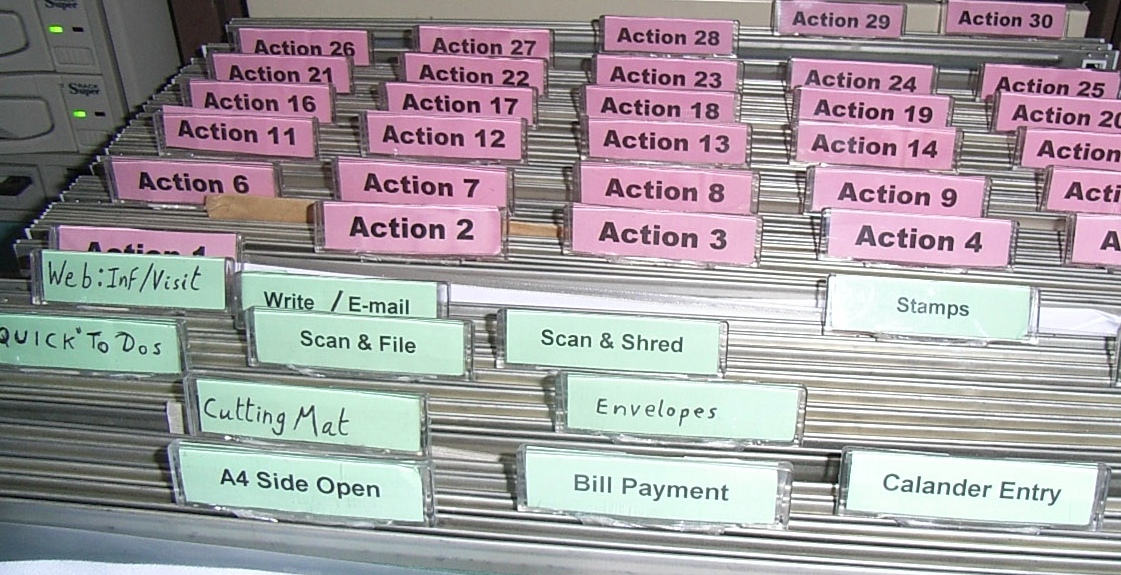
With Paper Tiger, a location is a “group of like items” such as “Action” and “Reference” – which are the first two locations we recommend that you set up when using Paper Tiger. For this reason, we have pre-printed tabs that can be ordered with Paper Tiger software. The pre-printed tabs are Action 1-60 and Reference 1-320 to get you started. In addition, there are several text labels for a Desktop File. Desktop Files are not a required component of Paper Tiger. They were developed as a way of customizing Paper Tiger for individual preferences. For many Paper Tiger users, that is all the labels they ever need.
How many locations should you have? With Paper Tiger there are no “shoulds!” As long as you put in a few keywords for each file, you will be able to find anything you need. However, the more locations you create, the more complicated you make the system and the longer it will take. So start simple! You can easily refine the system later on and you will probably discover it’s unnecessary work.
To explain, a four drawer file cabinet can be one location (Reference) or four locations (Clients, Financial, Administrative, Research). The natural inclination of most people is to make it four locations. The least labor-intensive system, however, would be to make the file cabinet one Location called “Reference”.
Start with two locations: Action and Reference. You can use the “Category” field to indicate whether the file contains client, financial, administration, or research info. Now you might be thinking: “Horror of horrors! All my files will be “mixed up.” Yes, they will be – but so what?
Think of doing a Google search for information. As long as the information shows up, do you care where it is? Think of Paper Tiger the same way.
Paper Tiger Action Files
If you have a paper file that requires action by you, it becomes an Action File. These are the types of files that you might be working on as a project that you want to keep close, maybe in your desk drawer. These are ‘temporary action’ files. When a project is complete, you can transfer this file to your Reference Location or toss if you don’t need to keep the documents for this project.
Organizing experts have worked one on one with hundreds of individuals, and have discovered that most people had single pieces of paper which required their action that they weren’t sure what to do with. When asked the question, “What is the next action you need to take on this piece of paper?” the most common answers were those that became “Desktop Files” such as “Call,” “Data Entry,” “Expense Reimbursement” or “Waiting on Response.” These are what we call ‘permanent action’ files because they are regular, repeating, frequent, and general, so not a project type action that will need a file folder of its own. Since these papers often move quickly and usually not needed after the action has completed, it is not recommended that you index them in Paper Tiger. For example:
Paper Tiger Reference Files
If you don’t know whether you need a paper file, but you just don’t want to throw it away, or you want it for future reference, it should become a Reference File.
For a four-drawer file cabinet in your office called “Reference”, the outside of the drawers might be labeled as follows:
Drawer 1: Reference 1-55
Drawer 2: Reference 56-95
Drawer 3: Reference 96-140
Drawer 4: Reference 141-195
Each Reference number represents an item that you’ve indexed into Paper Tiger with item name and keywords…maybe a category, notes, and an action date.
If you just cannot bear to have certain files mixed in with all the other Reference files, then create a Location for that type of file. For example, some people want to be sure that they have all their client files together. In this case, create a Location named “Clients”, then the item names might be the client or company name, and keywords could be their account number with you, their address, phone number and any other information in which you might search for them later or of which you want to keep track, such as the last time you spoke to them.
The next Location you will want to create is Archives. This Location is for those documents that you don’t need in your Reference Location, but need to keep for financial or legal reasons for a specific length of time. You can also use the Archives Location for when documents can be tossed, but you’re not willing to get rid of them just yet. You will want to create this “Archives” Location in Paper Tiger and decide the physical location to where you’ll move those files. This will be in a less accessible location, so you will want to give it a new Location. Your Archives location could be located in a storage room, garage, attic, or at a records retention storage company.
You might also think about when each item can be removed (tossed/shredded) and set an Action Date to that item when you transfer them to your Archive Location in Paper Tiger and physically. That way you will know when each file can be removed without going through the file. Creating a records retention policy for your home and/or office will help you to have a guideline of how long you should keep records in your specific situation so you don’t have to rethink this every time you clean out your files. We have articles under our blog category, “Retention Guidelines: How long should you keep records?” that you might find helpful.
Most records retention storage companies require that you place a label on the box you send to them indicating when the files therein should be destroyed. You can simply do the same thing with your Archived files wherever you store them.
Other Physical Items (not paper files)
For other physical items, (such as books, CDs, DVDs, boxes/containers, etc.), decide if the items need a location in Paper Tiger or if you can index keywords for the items in with other things. See other Location suggestions described on our Not Just For Filing Paper page. Basically, anything that you can put a number onto, can be indexed into Paper Tiger. For example, for CDs or DVDs, you can either place a numbered label that matches the item number in Paper Tiger, on the CD/DVD jacket or you can place the CD/DVD in a binder such as the one pictured below, index the name, author, and other pertinent information into the item’s keywords section in Paper Tiger. As you can see, the item number was written with permanent marker on the DVD and on the DVD binder slot. So the DVD numbered 45, would match what was indexed in Paper Tiger’s item number 45 for the DVD Location (DVD 45).
Other Locations might be for information only (unless you keep related papers in your Reference files), such as:
To create your custom Location labels or more Action or Reference labels, Paper Tiger makes it easy. In case you’re wondering, there is no limit to the number of locations you can have! Click here to see even more ways to use Paper Tiger to get organized.